
Data Validations: What you need to know
Tezenari@Tezenari
5 min read
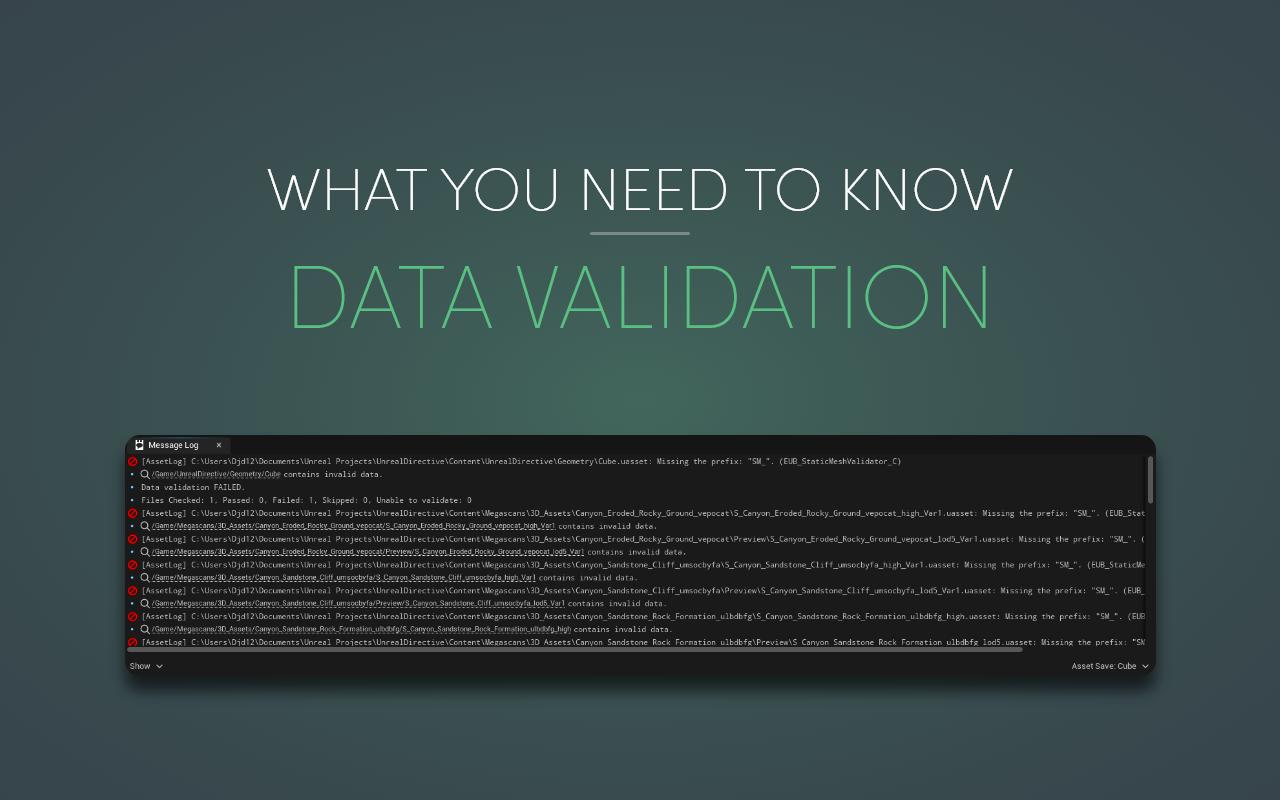

Data Validation is an important aspect of Unreal Engine development. It easily allows developers to audit assets with their custom-scripted rulesets. For example, developers can utilize Data Validation to verify that their project conforms to naming conventions, enforce performance budgets, and more.
Important
Thankfully, creating a custom Data Validator can be done in a few simple steps ---
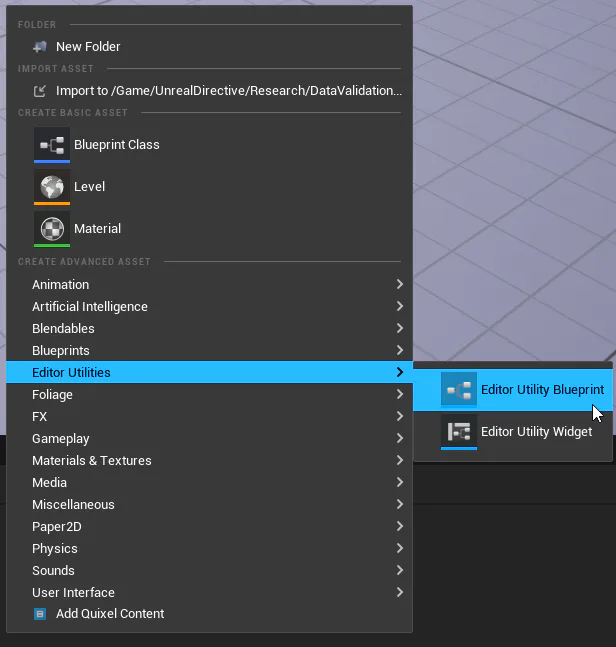
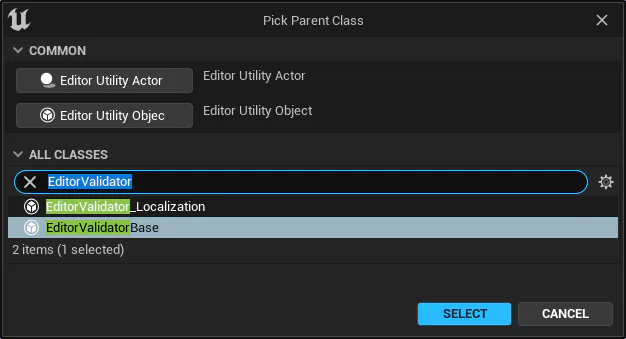
I will demonstrate how to create a Data Validator to validate that textures conform to Allar's Style Guide.
T_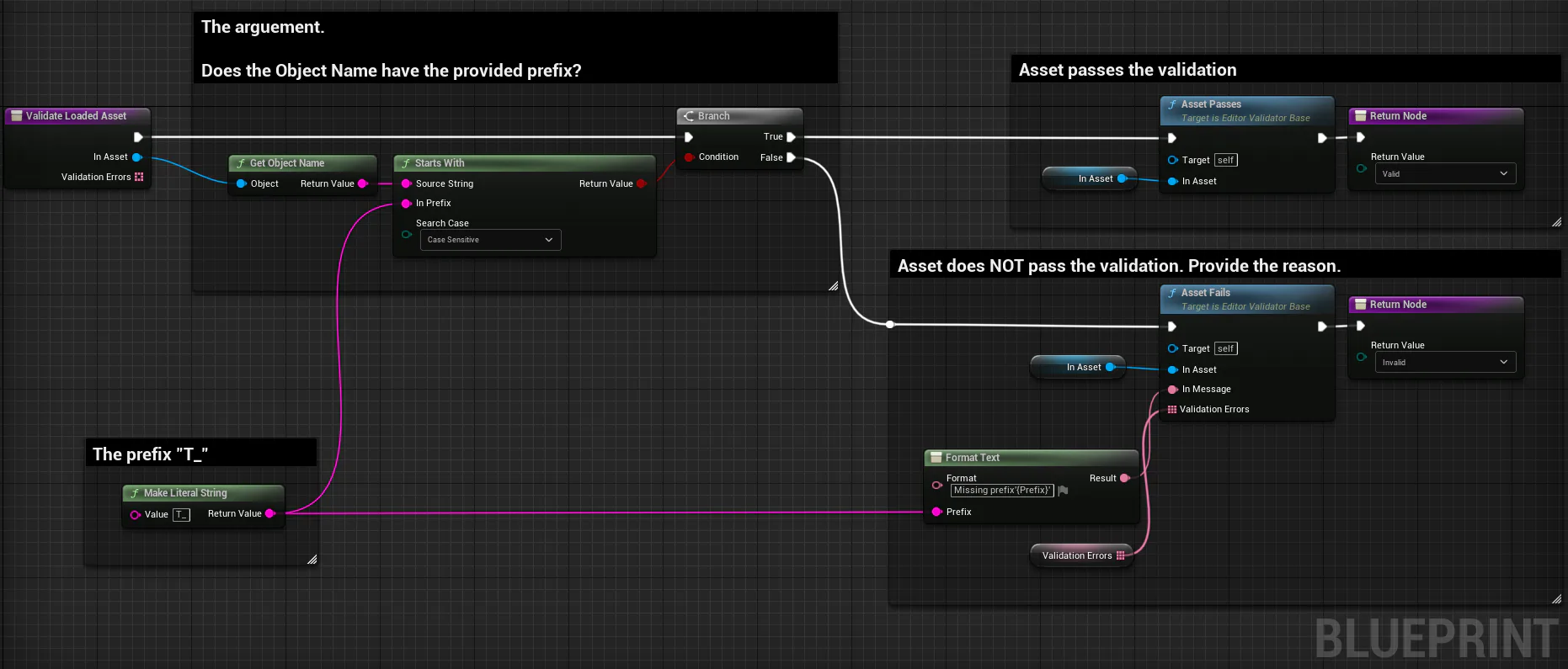
Here, I will go over multiple methods on how to validate assets.
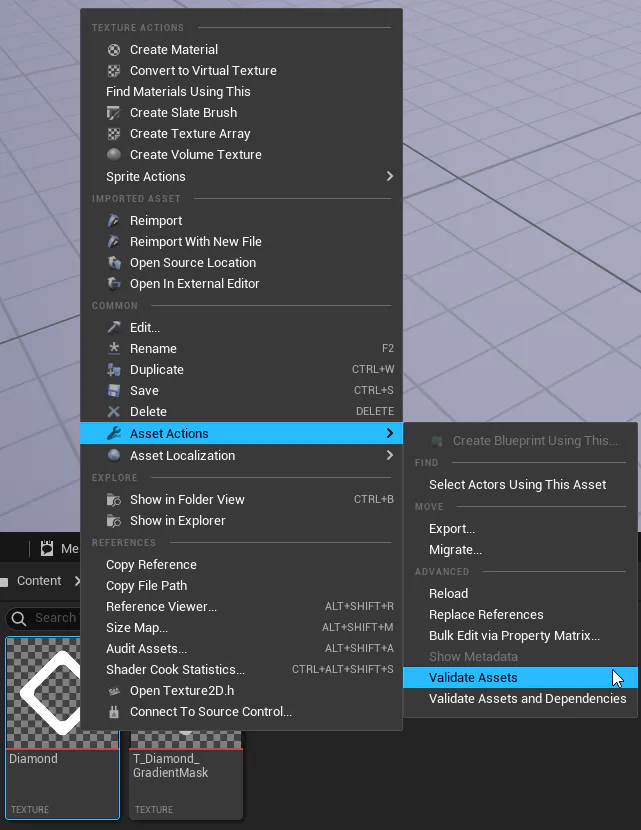
This method validates assets when they are saved or cooked. This method is ideal as it makes sure that assets don't slip through the cracks and are not validated.
While this method is usually enabled by default, I'll provide instructions on how to enable it.
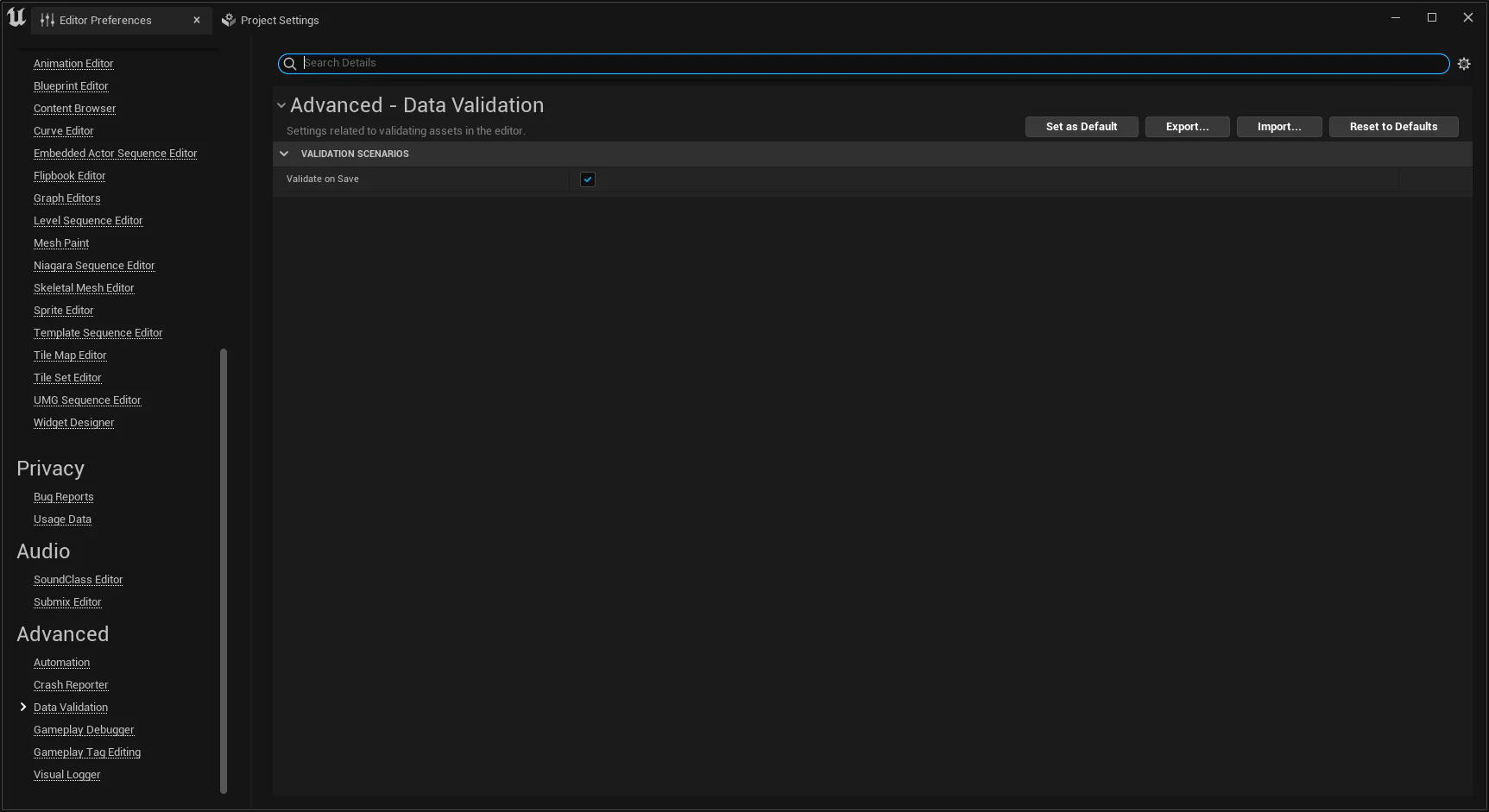
Here's a more in-depth explanation of the functions you will be using within the Data Validators.
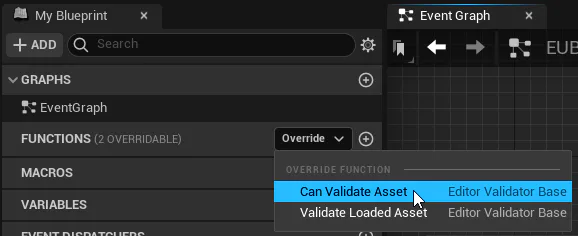
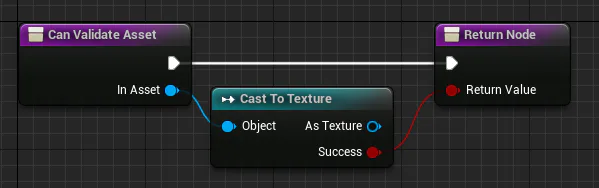
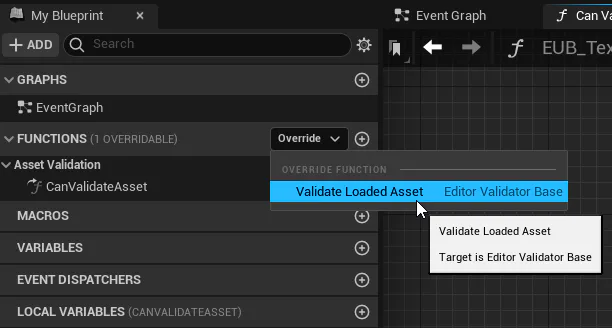
One of the two functions that can be overridden within an Editor Validator blueprint.
This function is used to determine what asset type should be validated using that validator blueprint.
In the example above, I cast to the Texture asset type using a Pure Case. The same method can be utilized for any type of asset within Unreal Engine, including custom-created ones.
One of the two functions that can be overridden within an Editor Validator blueprint.
This function is used to define the validation (pass or fail) argument.
It's imperative to utilize the Asset Passes and Asset Fails functions, along with making sure each argument path ends in a Return Node with the correct Return Value.
One of the three functions that are used within the ValidateLoadedAsset overridden function.
This function is used to state that the validating asset passes the provided argument.
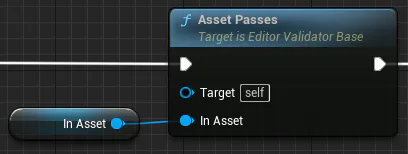
One of the three functions that are used within the ValidateLoadedAsset overridden function.
This function is used to state that the validating asset does NOT pass the provided argument. It is ideal to provide a detailed message on why the asset did not pass.
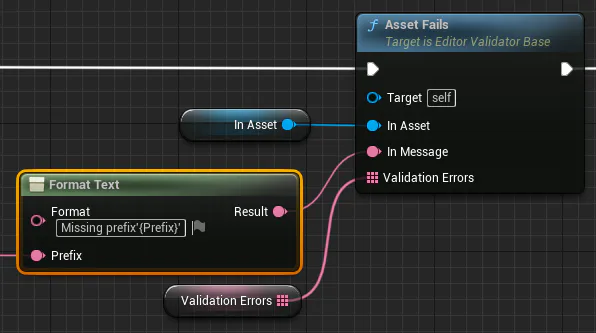
One of the three functions that are used within the ValidateLoadedAsset overridden function.
This function is used to provide a detailed warning message when the validating mesh doesn't necessarily pass or fail the provided argument.
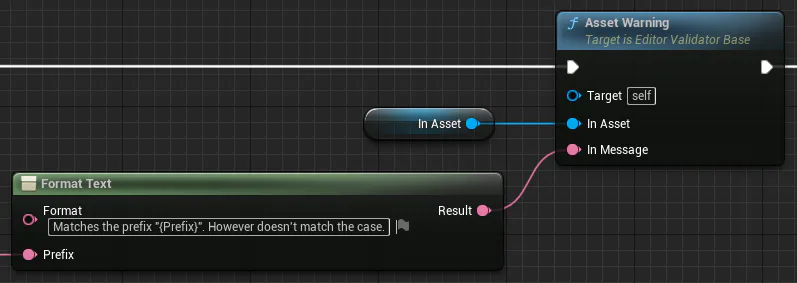
Check out the following resources to learn more about the subject.