
Direct Object Array Functions
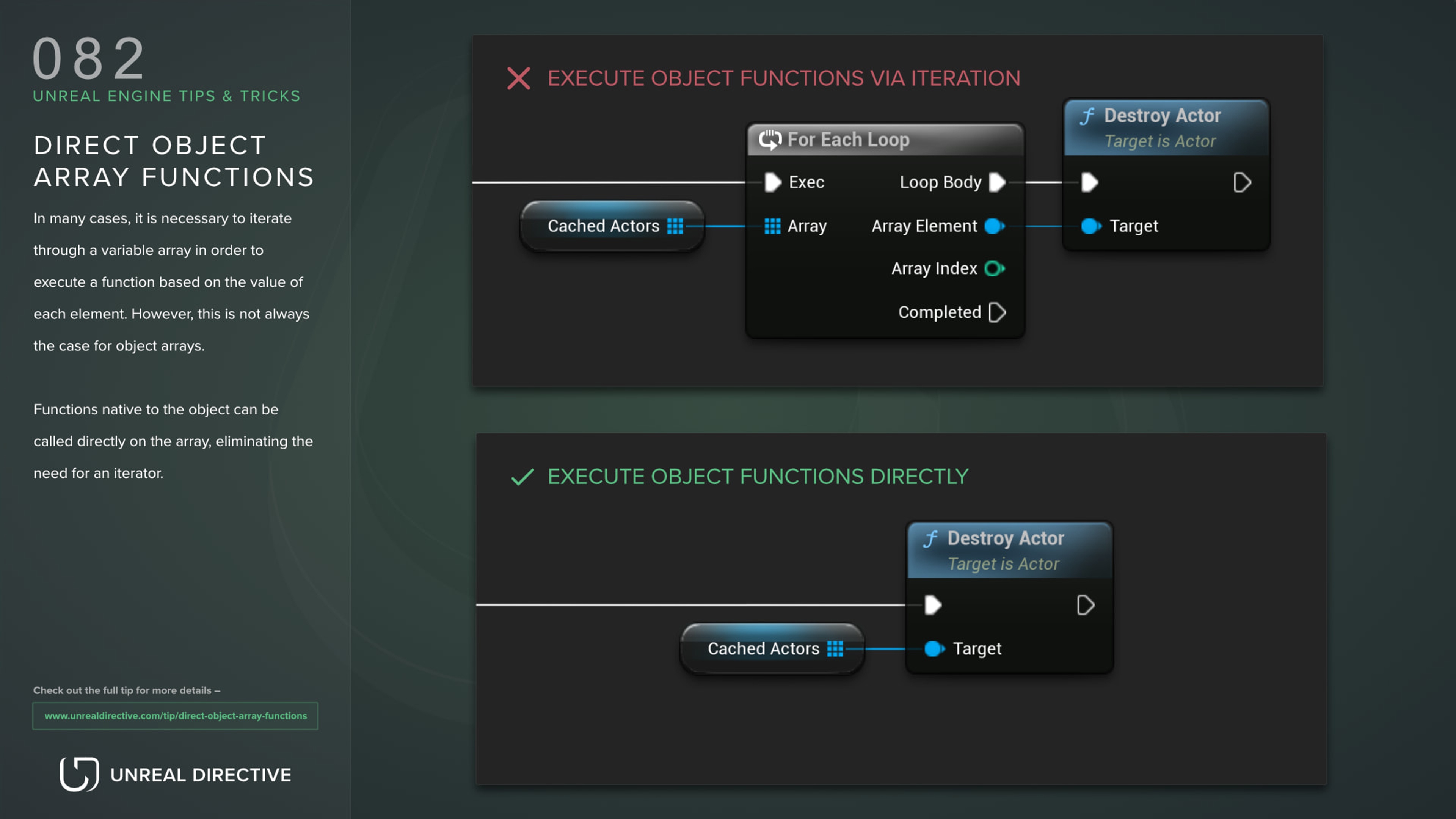
Skip the iteration and execute object array functions directly.
Functions
Blueprints
Tezenari@Tezenari
•Updated 3 years ago
Skip the iteration and execute object array functions directly.
In many cases, it is necessary to iterate through a variable array in order to execute a function based on the value of each element. However, this is not always the case for object arrays. Impure functions native to the object can be called directly on the array, eliminating the need for an iterator.
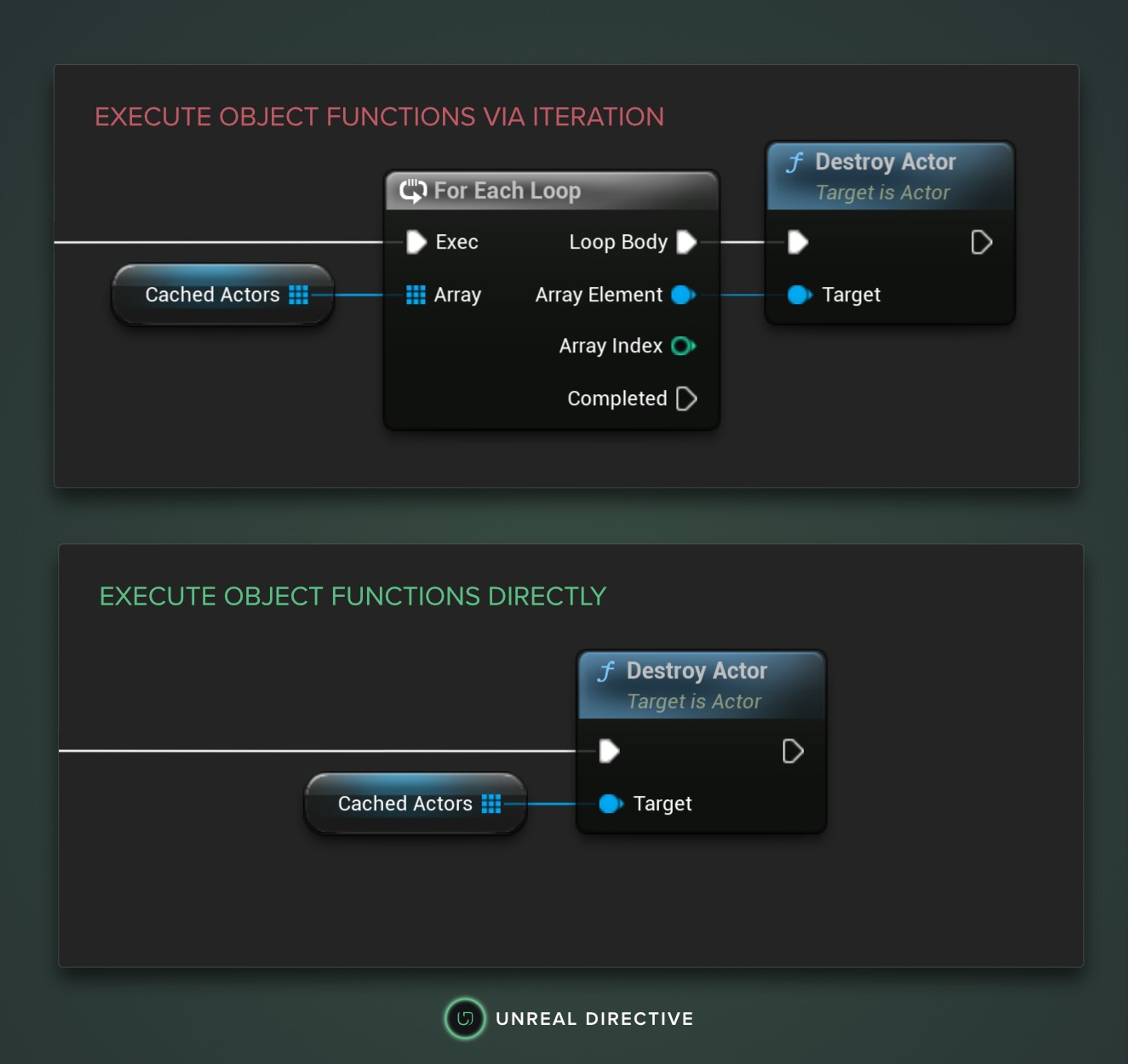
As an example, consider the task of destroying all actors stored in an actor array variable within Blueprints. Instead of using a For Each Loop to iterate through the array and executing the 'Destroy actor' function on each object, the object array can be directly connected to the 'Destroy actor' function to achieve the same result.

Here are some common questions regarding this tip.
Unfortunately, it can be challenging to determine which functions are available through the context menu, as it does not display a list of available functions. One strategy that can be useful in this situation is to obtain a reference to one of the objects and use that reference to locate the desired impure function.
Alternatively, you may be able to identify the function based on your knowledge of the system and your familiarity with the functions that are available.
Yes, however this highly depends on a variety of factors, such as the complexity of the function being called and the size of the array. In most cases, the performance gains would be negligible.
It's also worth noting that in some cases, using a for each loop may be more appropriate even if it is slightly less efficient, due to the added flexibility and control it provides. For example, you may want to use a for each loop if you need to stop iterating through the array early based on some condition, or if you need to perform some other logic on each element of the array before or after calling the function.