
Blueprint Node Compiling Options
Streamline Blueprint debugging by enabling this editor setting.
Blueprints
Functions
Editor
Shortcuts
Tezenari@Tezenari
•Updated 4 years ago
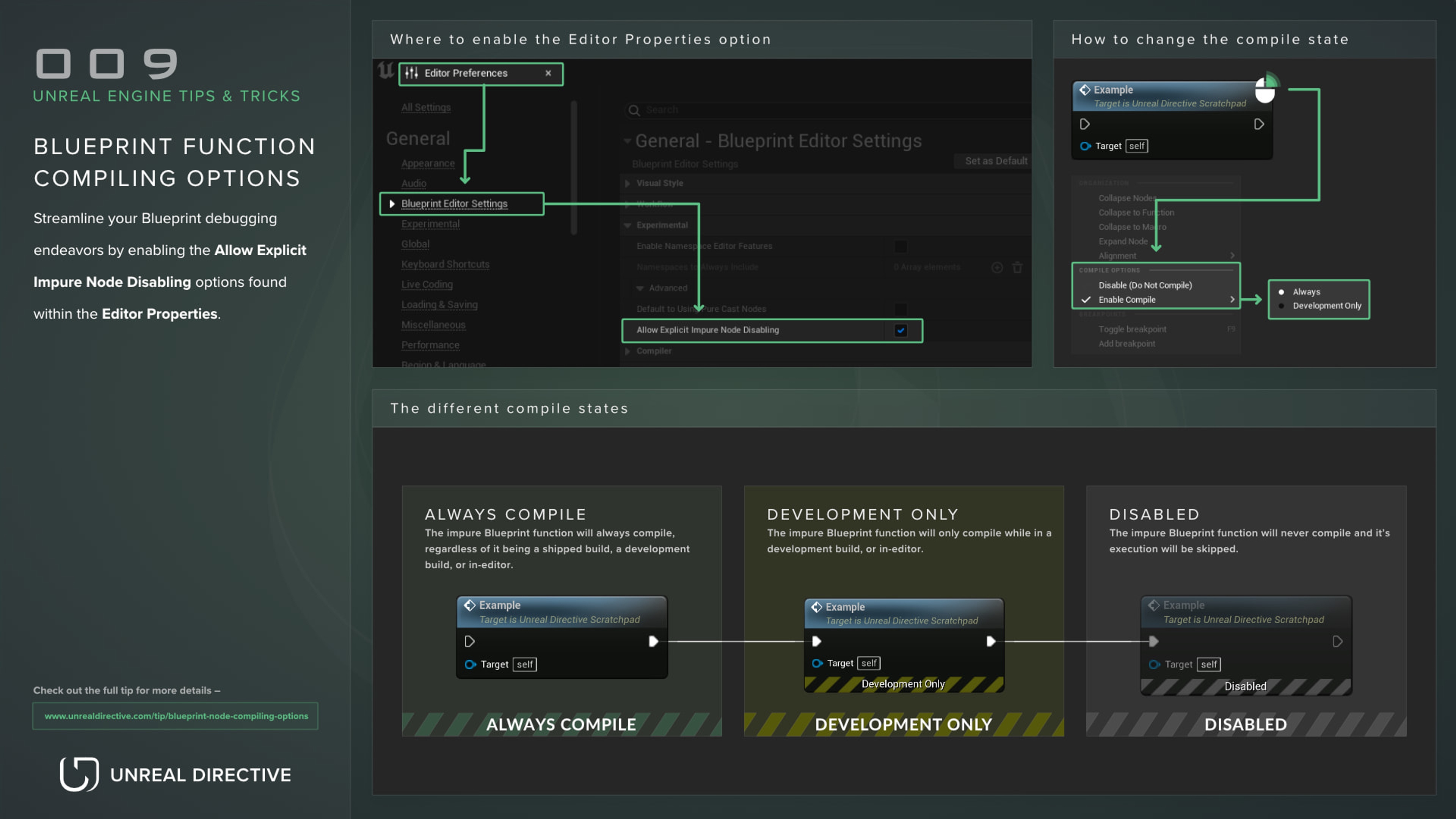
Streamline Blueprint debugging by enabling this editor setting.
Streamline your Blueprint debugging endeavors by enabling the Allow Explicit Impure Node Disabling options found within the Editor Properties.

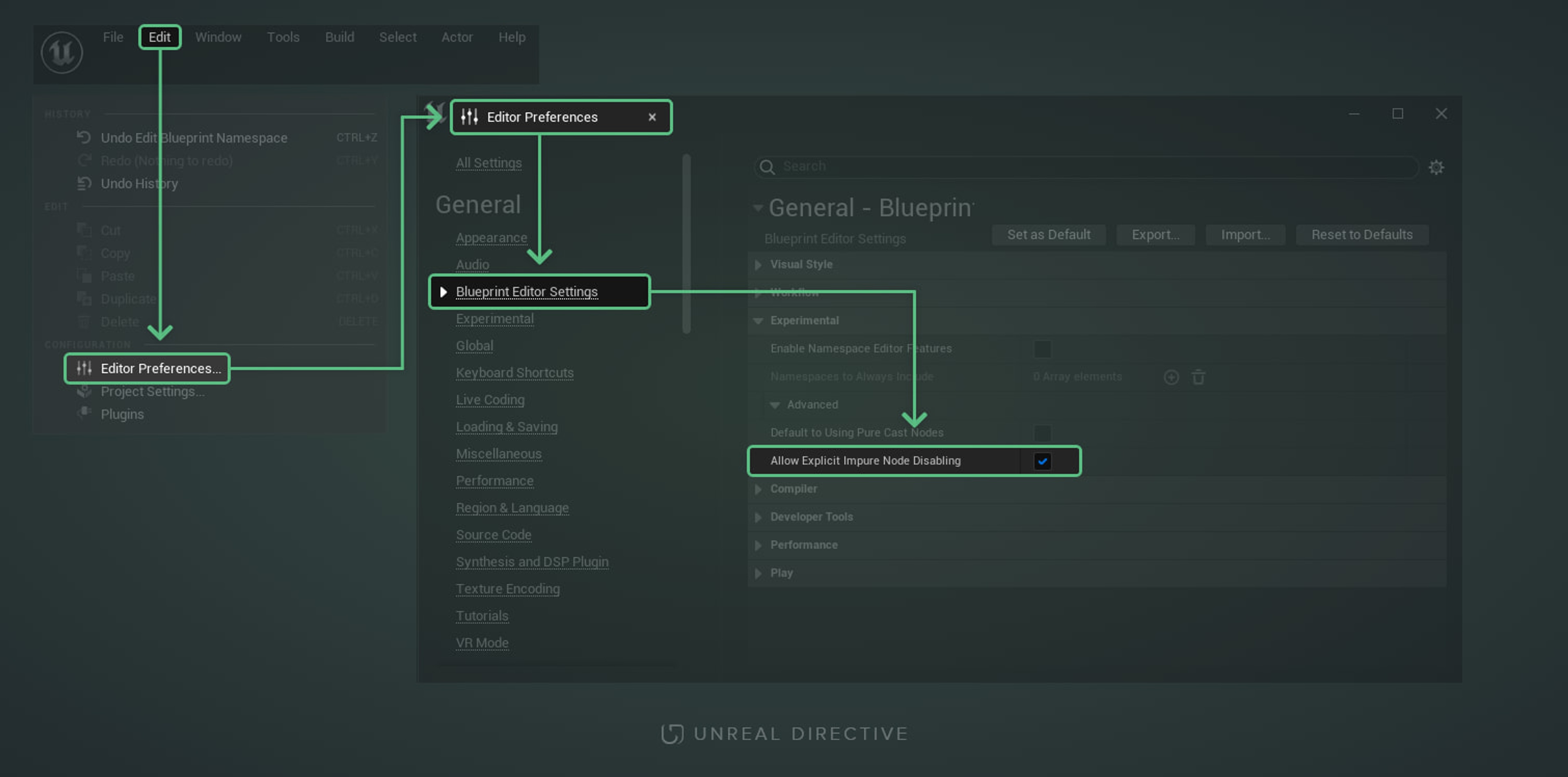
By doing so, you’ll gain access to three useful compiling options —
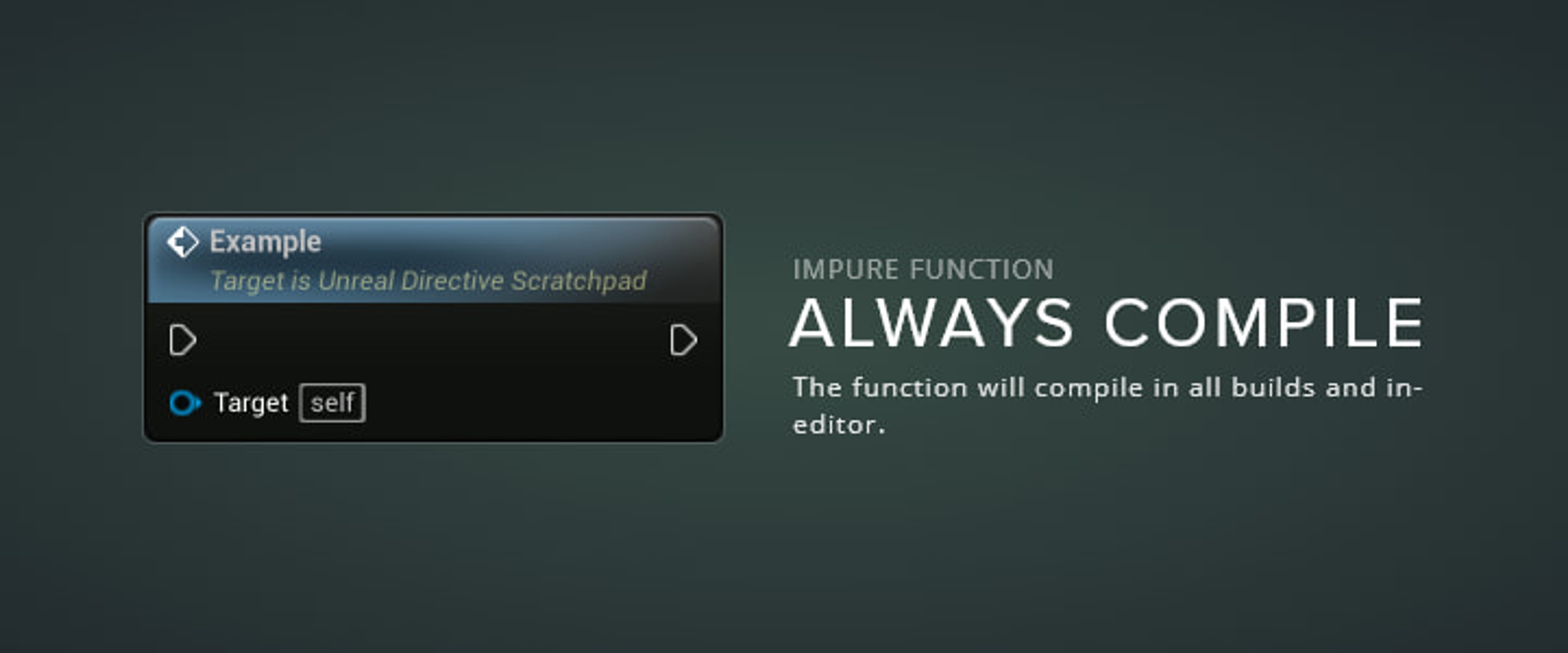
Setting an impure Blueprint function to the Always Compile option will ensure that it will compile regardless of it being a shipping build, a development build, or in-editor. This is the default option that all custom Blueprint functions, and the majority of built-in engine functions, are set to.
This option is ideal when the function should always execute.
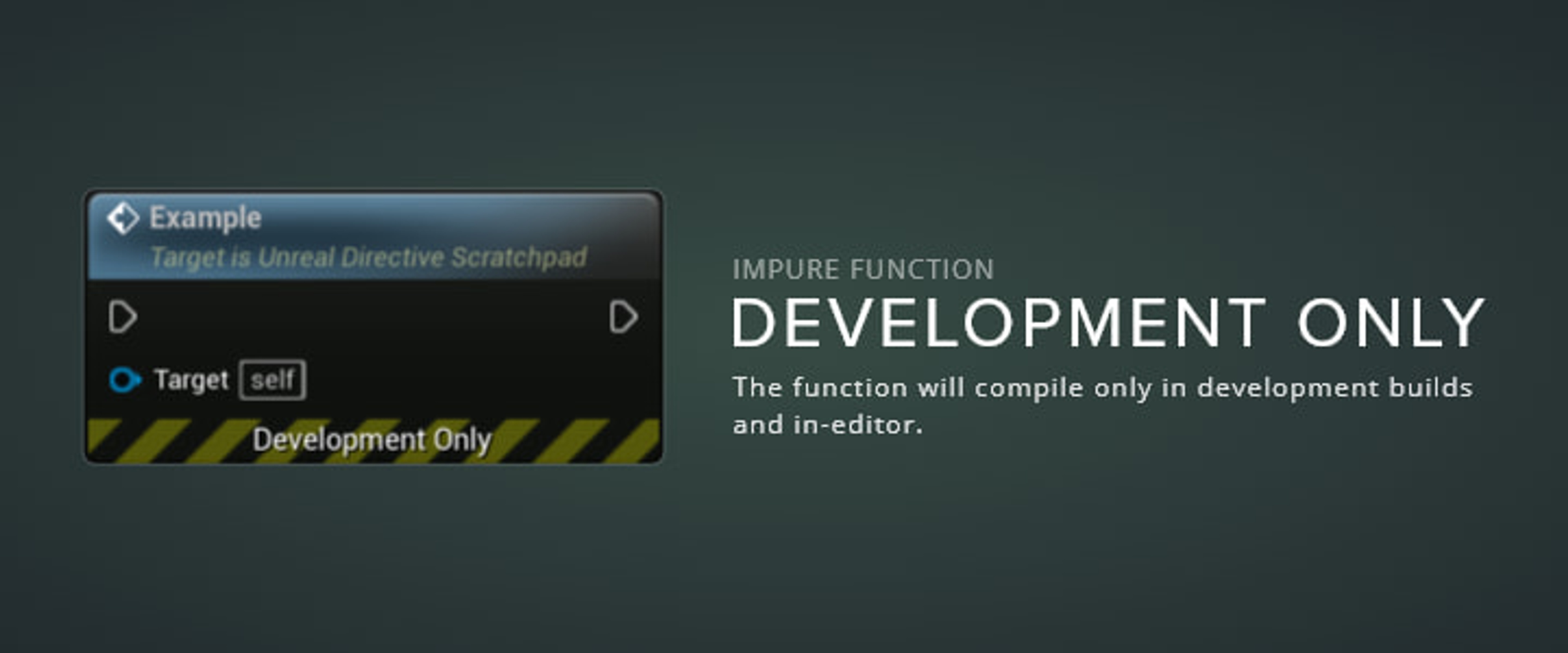
Setting an impure Blueprint function to the Development Only option will ensure that the function will only compile while in-editor or in a development only build.
This option is ideal for debugging as it’ll automatically strip the functions out of shipping builds.
Setting an impure Blueprint function to the Disabled option will make it so the function isn’t compiled and it’s execution will be skipped.
This option is ideal for disabling certain functions when attempting to debug an issue in a Blueprint. Do not use this option for disabling, leaving in, and forgetting about a function.

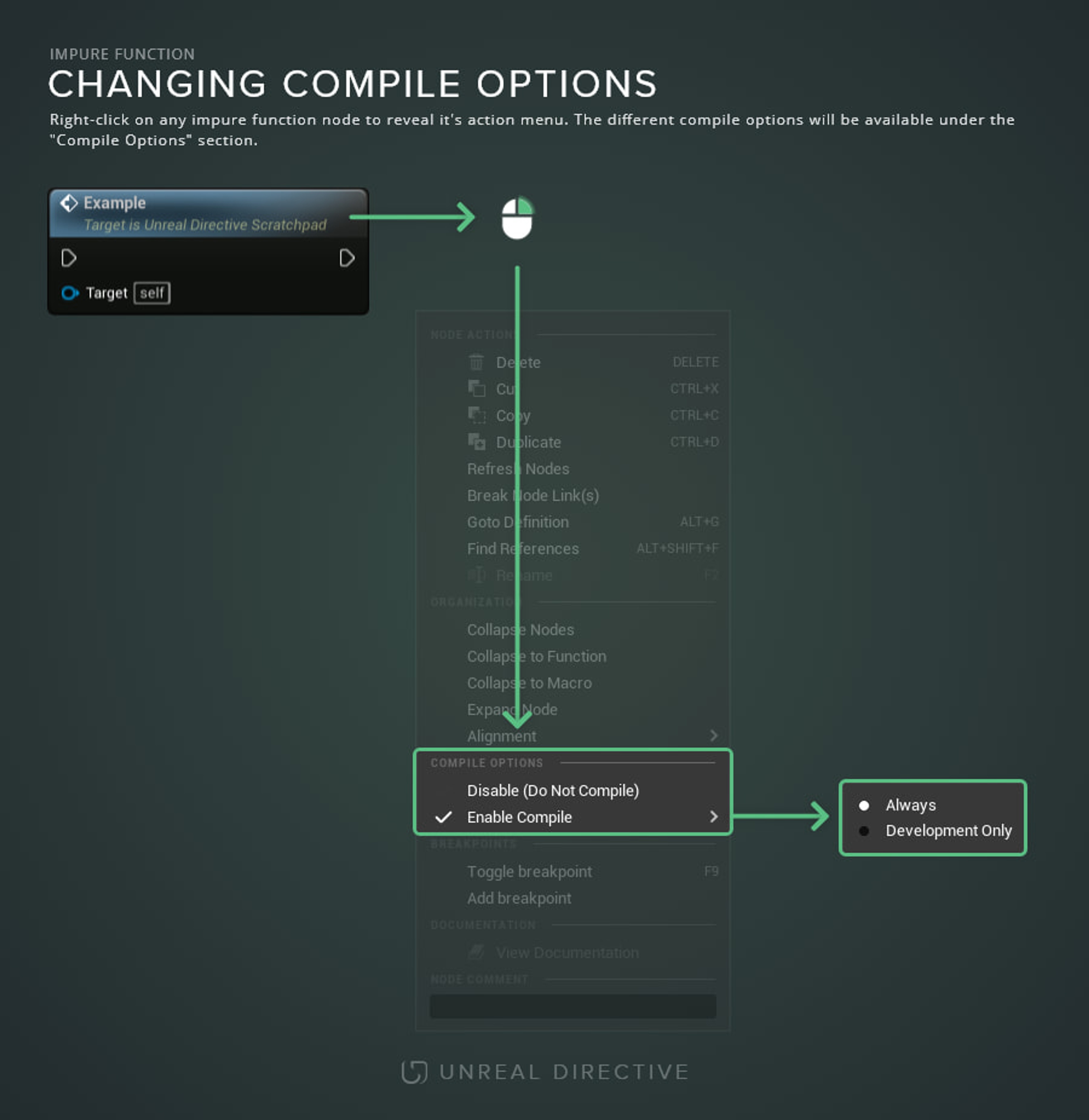
Right-click on any impure Blueprint function to reveal it’s action menu. Within the menu, locate the “Compile Options’ section. From here, select the desired option.
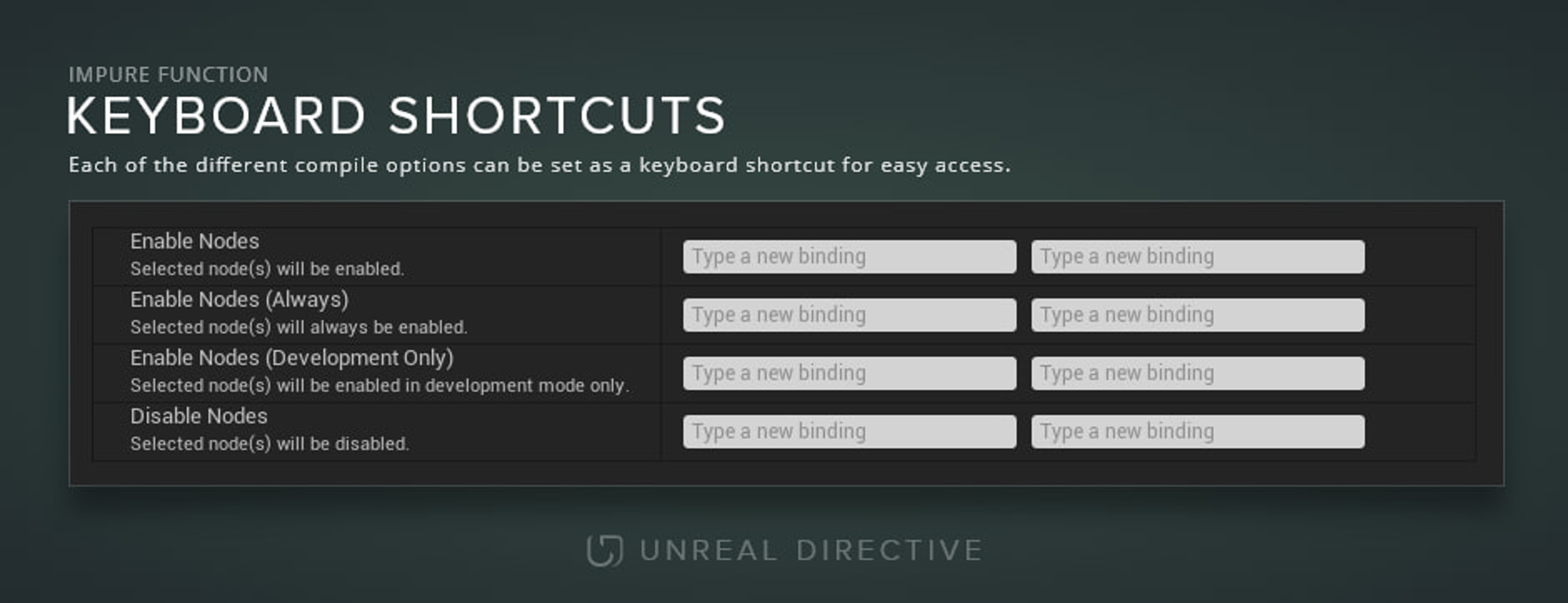
Shortcuts can be setup within the Editor Preferences to speed up the changing of the different compile states. Instead of right-clicking and setting the desired state, you can press the shortcuts you have designated.
While this option is experimental, it plays a tremendous role in Blueprint debugging and custom Unreal Engine Editor Utilities and tools.