Function Parameter Descriptions
Append parameter descriptions to your functions by using C++ comment tags
Blueprints
C++
Functions
Best Practices
Tezenari@Tezenari
•Updated 2 years ago

Append parameter descriptions to your functions by using C++ comment tags
Utilize the @param Javadoc tag within your C++ and Blueprint function descriptions to provide details regarding the implemented properties. It's ideal to do this as it helps clarify the intent of the function to your peers and yourself in the future.
Adding a proper description to your C++ or blueprint functions allows your peers and future you to adequately know the purpose of that specific function. Not doing so can cause questions in development that can cause delays or incorrect implementations.
Let me demonstrate how you can approach adding descriptions to functions in minimal viable examples.
For this example, I'll create a blueprint callable function that adds an item to the player's inventory. This function will accept a custom UDataAsset "ItemToAdd" as an input and will output two parameters -- a boolean "bSuccess" and an int32 "InventorySlot".
UFUNCTION(BlueprintCallable, Category = "Inventory|Modifier")
void AddItemToInventory(UItemBase* ItemToAdd, bool& bSuccess, int32& InventorySlot);
Now, the above description of the function isn't very detailed. And that's exactly what a function without an accurate description will read. As a result, questions are left unanswered and have to be figured out or assumed.
For example --
Do keep in mind that while these questions are basic, this is a basic example. On a more involved function, these questions can cause massive issues in development.
To answer these questions, you'll need to utilize the Javadoc commenting system, as mentioned in the Coding Standards Unreal Engine Documentation, along with the @param tag.
/**
* Add an item to the players inventory.
* @param ItemToAdd The item to add to the inventory.
* @param bSuccess Returns True if the item was successfully added to the players inventory, false otherwise.
* @param InventorySlot The inventory slot the item was added to. Returns -1 if not successfully added.
*/
UFUNCTION(BlueprintCallable, Category = "Inventory|Modifier")
void AddItemToInventory(UItemBase* ItemToAdd, bool& bSuccess, int32& InventorySlot);
Now the function has those questions answered. A base comment briefly describes what the function entails, and multiple @param tags describe each property.
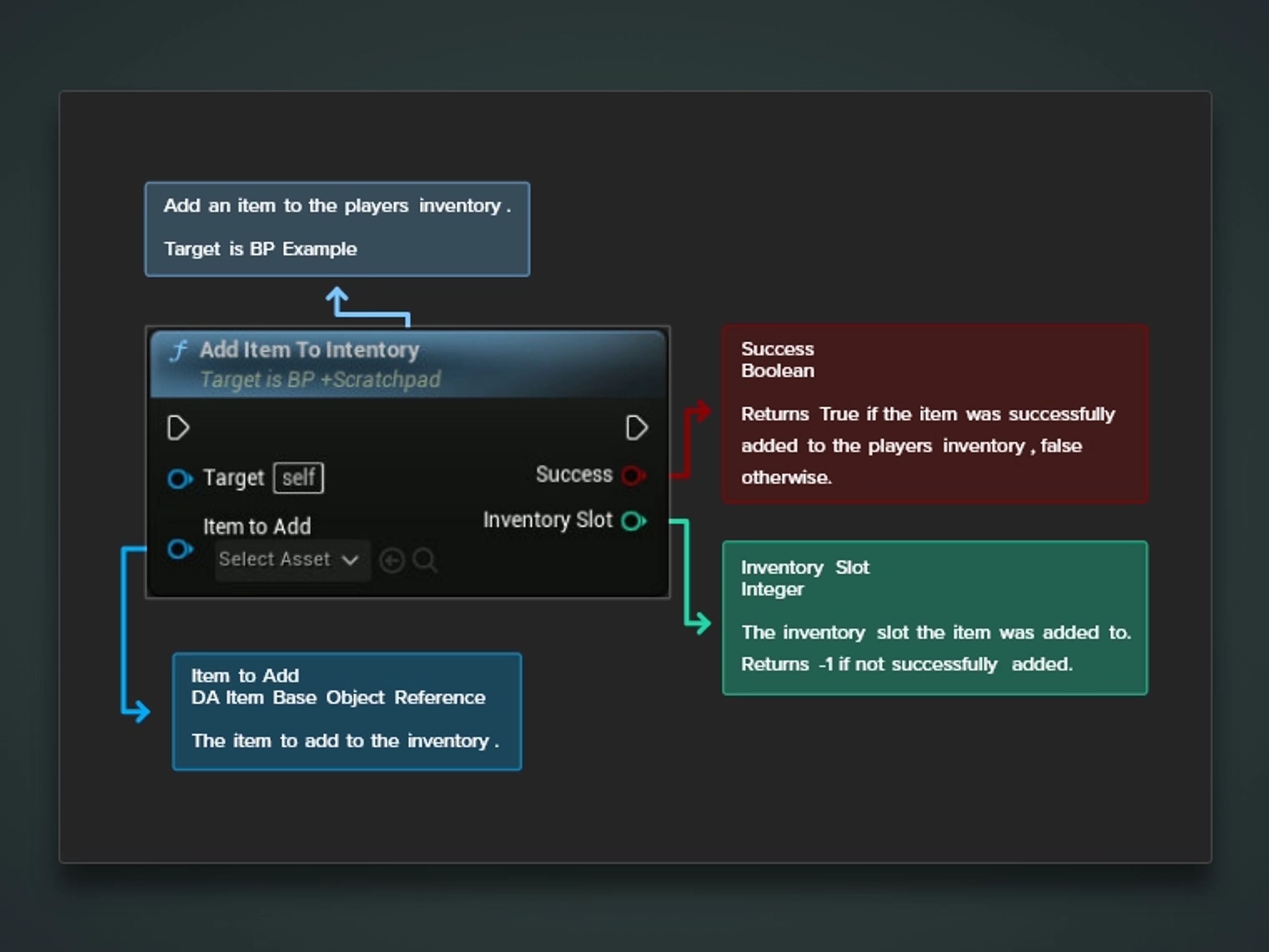
When compiled, this comment will be visible in your IDE or Blueprint Graph when hovering over the function and its parameters.
Note, use the @return tag if your function returns a singular output. e.g.
/**
* Add an item to the players inventory.
* @param ItemToAdd The item to add to the inventory.
* @return Returns True if the item was successfully added to the players inventory, false otherwise.
*/
UFUNCTION(BlueprintCallable, Category = "Inventory|Modifier")
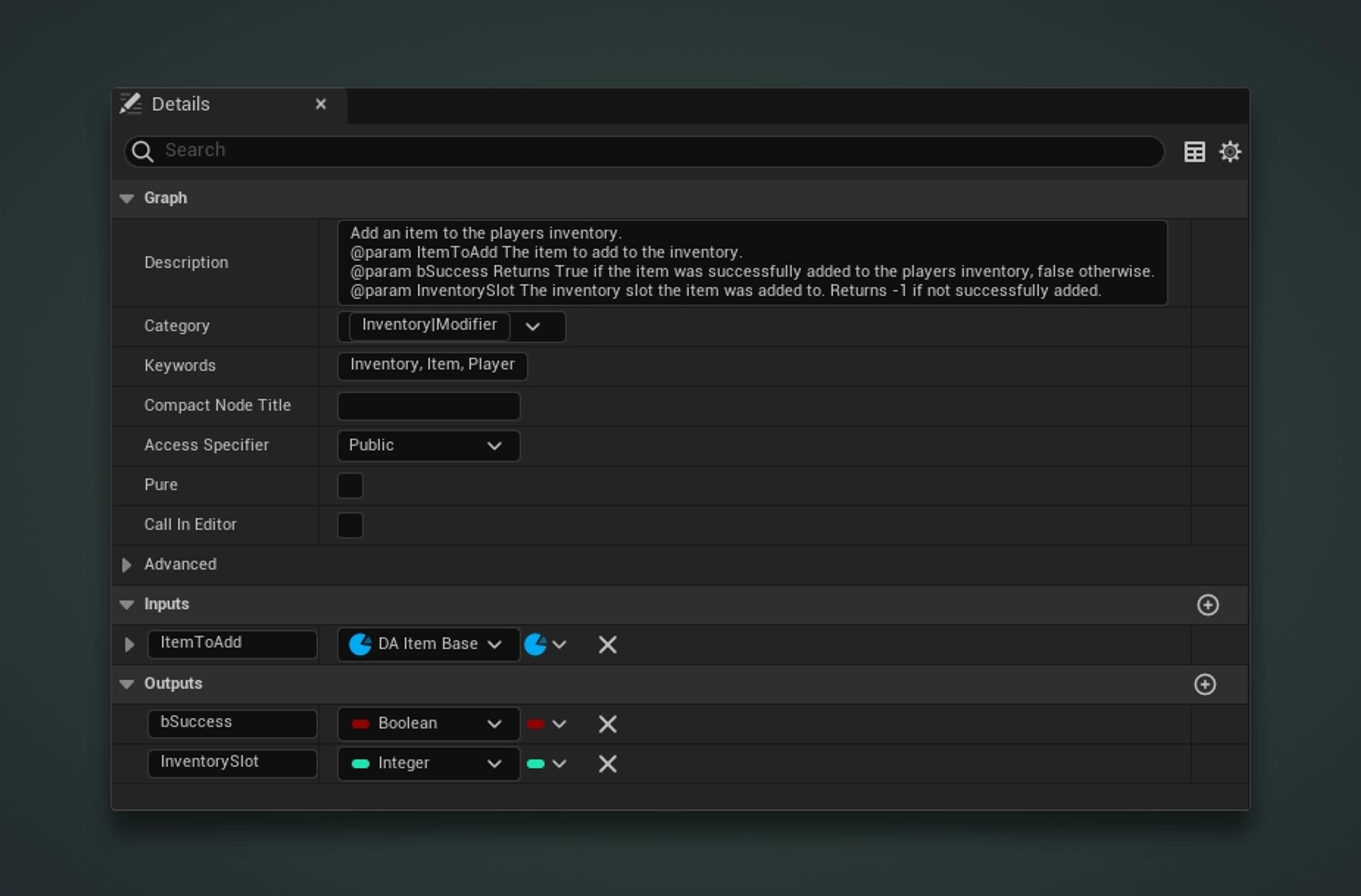
bool AddItemToInventory(UItemBase* ItemToAdd);This blueprint example will be a 1-to-1 replication of the C++ function. It will accept a custom UDataAsset "ItemToAdd" as an input and will output two parameters -- a boolean "bSuccess" and an int32 "InventorySlot".
And similarly to the C++ example, you can use the @param tag to define the parameter details further.
Add an item to the players inventory.
@param ItemToAdd The item to add to the inventory.
@param bSuccess Returns True if the item was successfully added to the players inventory, false otherwise.
@param InventorySlot The inventory slot the item was added to. Returns -1 if not successfully added.
For the C++ example, this is what will appear in your IDE whenever you hover over the function. As you can see, the @param tags are working, and the defined properties are visible.
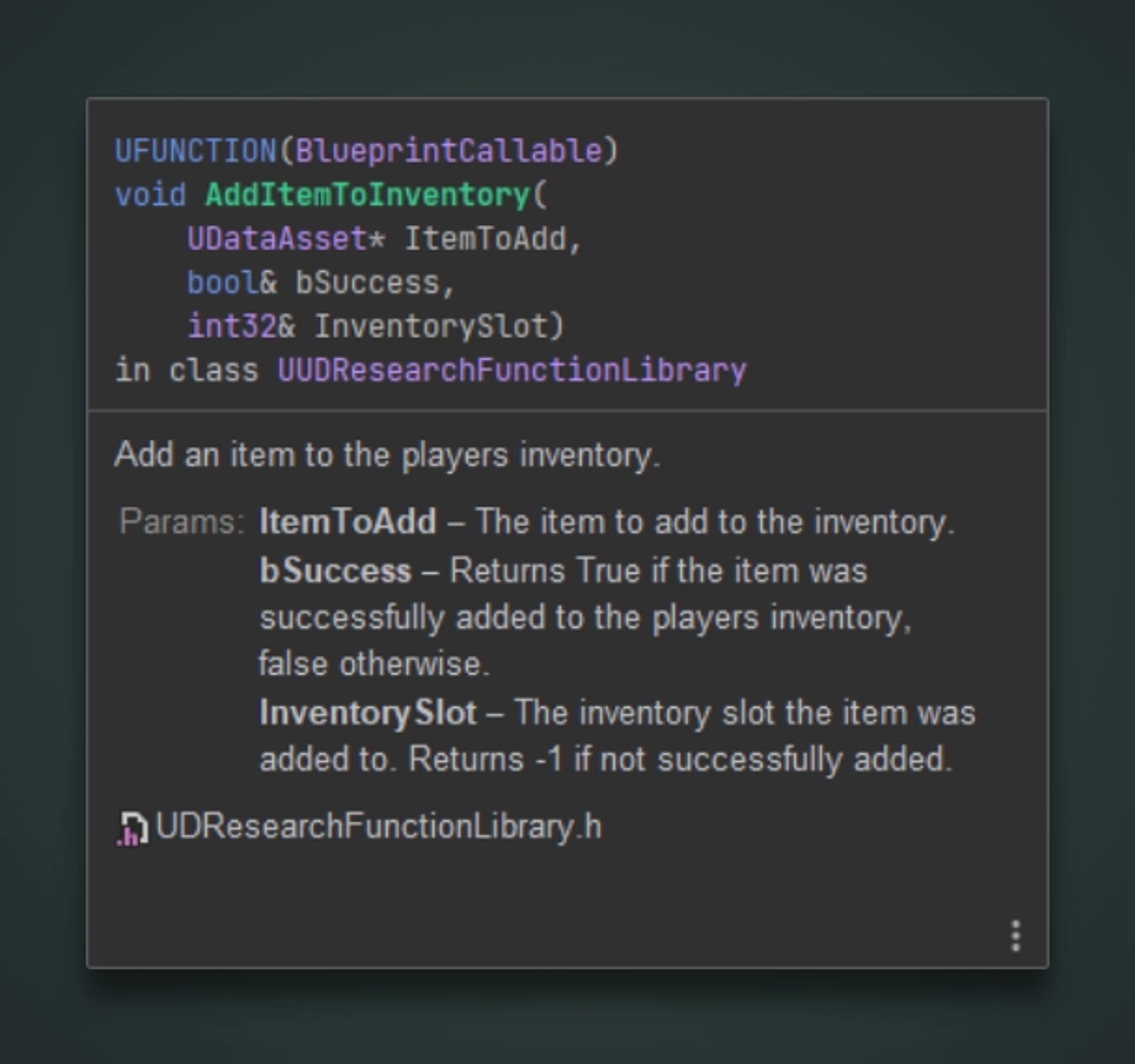
JetBrains Rider Tooltip
For both the C++ and Blueprint examples, this will be the result within the Blueprint graph editor. Hovering over the blueprint itself will display the result description. And hovering over each property will display that property's description.