

Timers
Run a function or custom event after a delay, once or on a loop, with Blueprint timers.
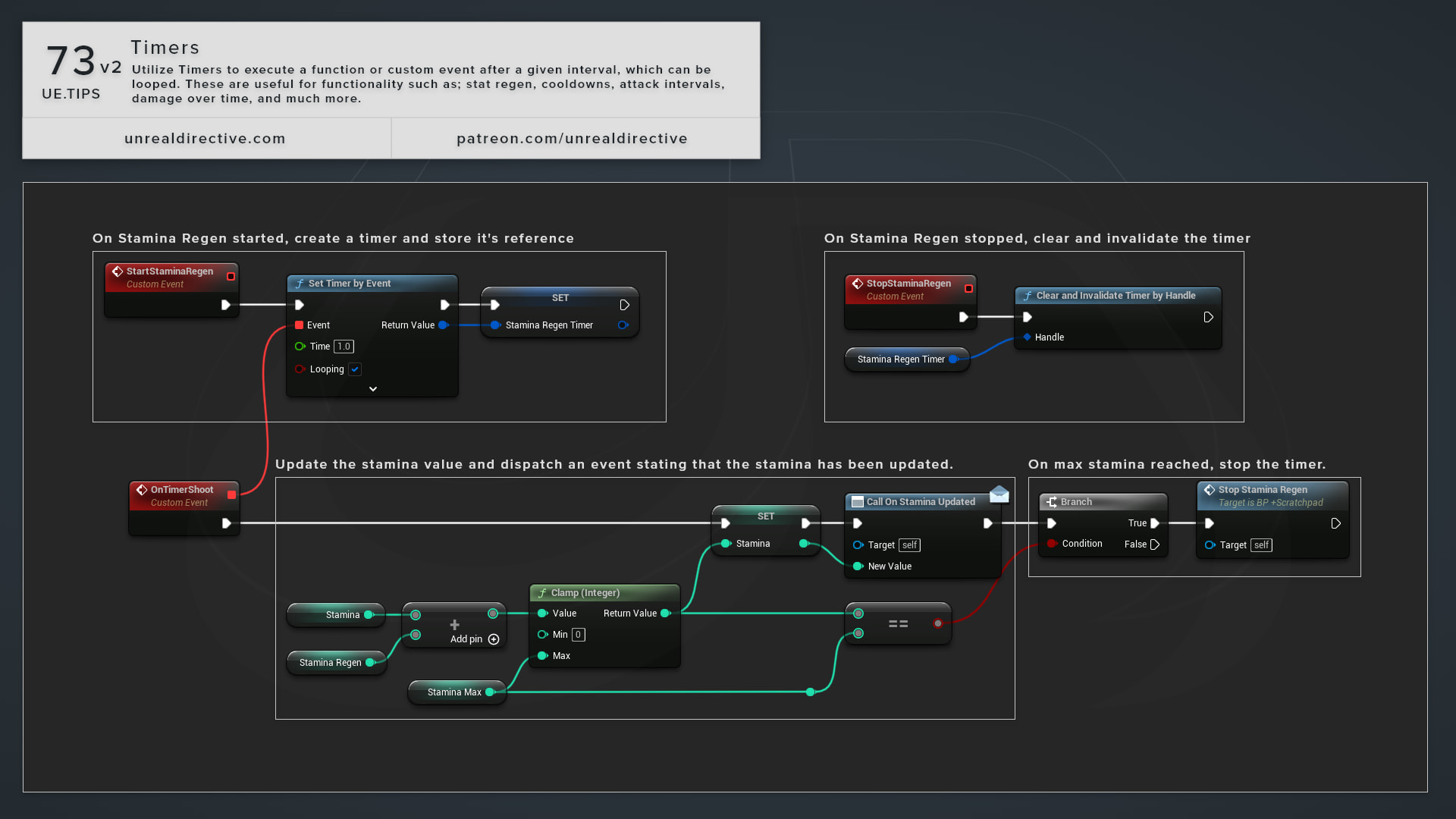
Use Timers to execute a function or custom event after a given interval, which can be looped. These are useful for functionality such as stat regen, cooldowns, attack intervals, damage over time, and much more. And for logic that only needs to run every so often, a timer saves you from checking elapsed time on Event Tick.
How do I set a timer?
Blueprint has two nodes for starting a timer:
| Node | Description |
|---|---|
| Set Timer by Event | Calls the event or function wired into its Event pin. |
| Set Timer by Function Name | Calls a function or custom event by name on Object, which defaults to self. |
Both share the same inputs.
| Input | Description |
|---|---|
Time | Seconds to wait before each call. A value of 0 or less clears the timer. |
Looping | Repeats the call every Time seconds instead of running once. |
Max Once Per Frame | For looping timers, fires once per frame even if the timer would expire several times in that frame. |
Initial Start Delay | Extra seconds added before the first call. Advanced pin. |
Initial Start Delay Variance | Random variance, in seconds, added to the start delay. Advanced pin. |
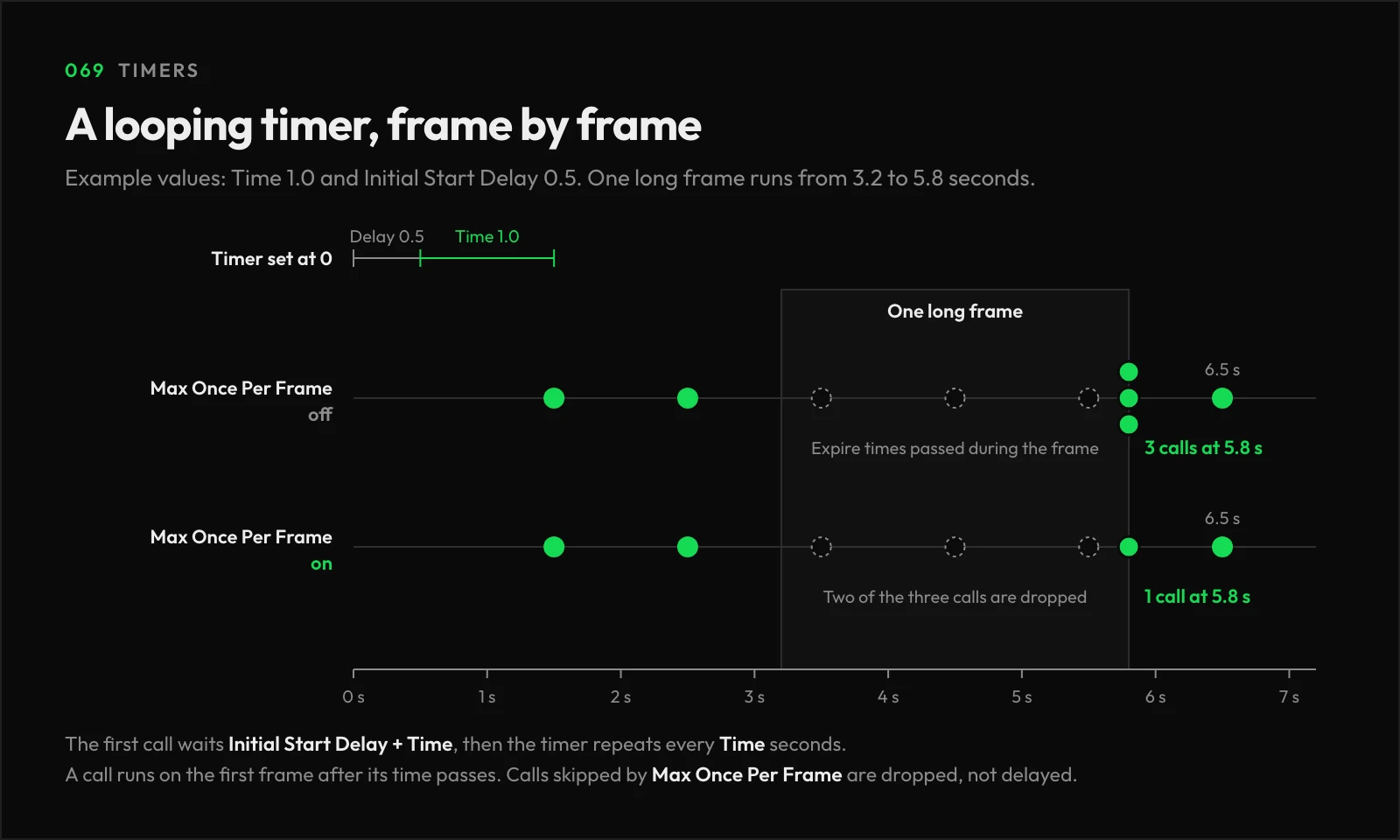
How do I control a timer after it starts?
Both nodes return a Timer Handle. Promote it to a variable, and you can control the timer later with nodes like Pause Timer by Handle, Unpause Timer by Handle, Get Timer Remaining Time by Handle, and Clear and Invalidate Timer by Handle.
Frequently asked questions
What happens if I set a timer that’s already running?
It resets with the new values.
Do timers keep running while the game is paused?
No. Timers run on game time, so they stay put until the game unpauses.
Can Set Timer by Function Name call a function with inputs?
No, it only works with functions that take no parameters. Passing one with inputs logs a warning and returns an invalid handle.
Why is my start delay variance ignored?
In Unreal Engine 5.8, Set Timer by Function Name drops Initial Start Delay Variance on the way to the timer. Use Set Timer by Event when you need the variance.
How do I run something once on the next frame?
Use Set Timer for Next Tick by Event.
Can a timer call an event in another object?
Yes, and you can set timers from inside functions too. Check out Timers and the Create Event node to see how.
Links
Check out the following resources to learn more about the subject.
Unreal Directive is free and ad-free.
If it saved you time, you can help keep it that way.