

Blueprint Node Compiling Options
Use the Compile Options on impure Blueprint nodes to disable them or limit them to development builds.

Streamline your Blueprint debugging endeavors with the Compile Options on impure Blueprint nodes, which let you skip a node or limit it to development. They’re controlled by the Show Node Enable/Disable Options setting, found under the Compiler category of the Blueprint editor settings in Editor Preferences.
In Unreal Engine 5.8, this setting is enabled by default, while in 5.7 and earlier you had to turn it on yourself.
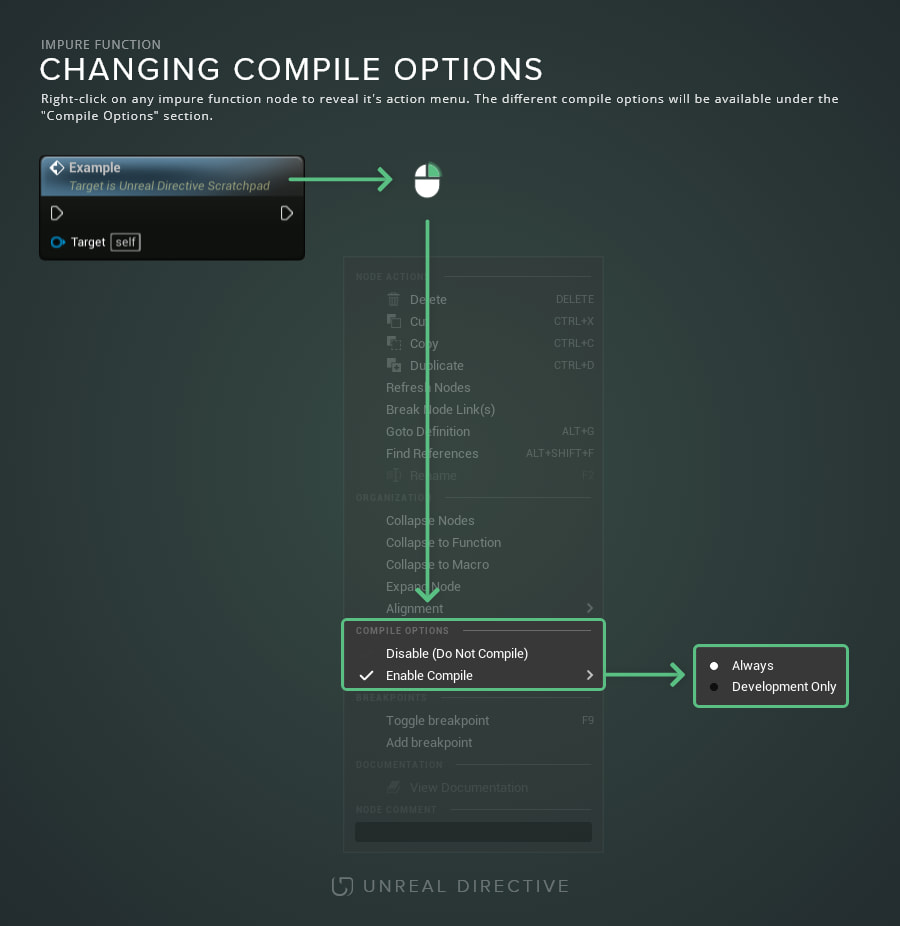
With it enabled, right-clicking an impure Blueprint node reveals a Compile Options section with these states:
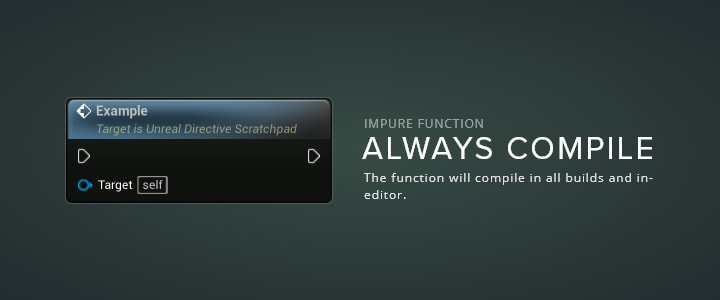
Always
Setting an impure Blueprint node to Enable Compile > Always compiles it into every build. This is the default option that all custom Blueprint functions, and the majority of built-in engine functions, are set to.
This option is ideal when the node should always execute.
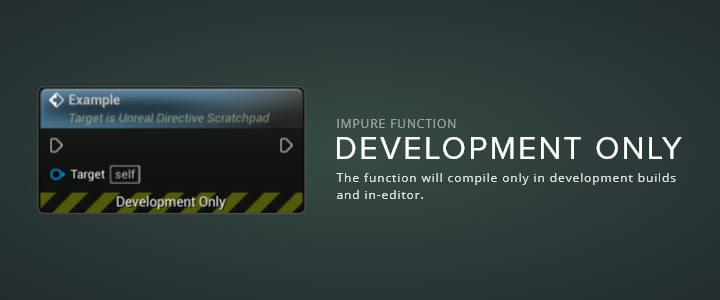
Development Only
Setting an impure Blueprint node to Enable Compile > Development Only runs it in the editor and treats it as disabled when the Blueprint is compiled in non-development mode. The node shows a Development Only banner.
This option is great for debug-only logic, and engine functions marked DevelopmentOnly in C++, such as Print String, start in this state when placed.
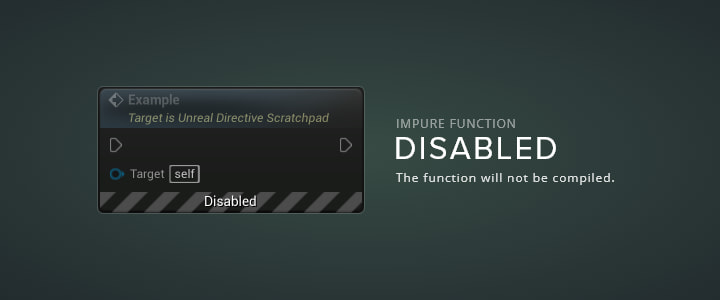
Disable (Do Not Compile)
Setting an impure Blueprint node to Disable (Do Not Compile) leaves it out of the compiled Blueprint, so its execution is skipped. Its existing connections stay intact, and the node shows a Disabled banner.
This option is ideal for disabling certain nodes while you track down an issue in a Blueprint. Do not use it for disabling a node, leaving it in, and forgetting about it.
How do I change a node’s compile state?
Right-click any impure Blueprint node to reveal its context menu, and locate the Compile Options section. Select Disable (Do Not Compile) directly, or open the Enable Compile submenu to choose Always or Development Only.
Can I set up shortcuts for the compile states?
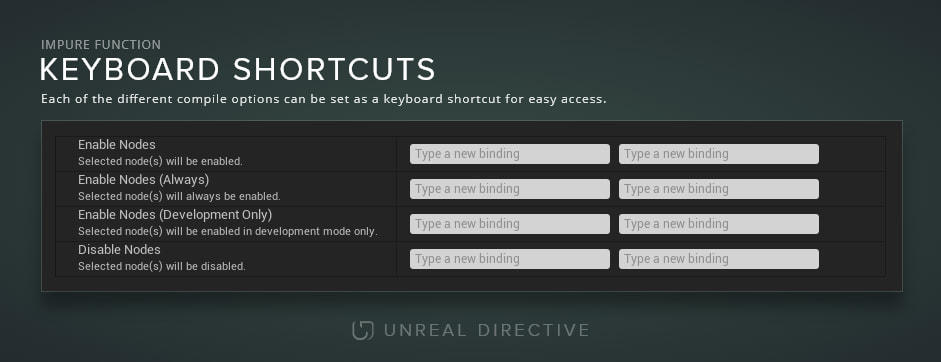
Yes. These actions have no default shortcuts, but you can bind them in Editor Preferences > Keyboard Shortcuts under the Graph Editor section, where they’re listed as Enable Nodes, Disable Nodes, Enable Nodes (Always), and Enable Nodes (Development Only). Then, instead of right-clicking, select the nodes and press the shortcut you’ve designated.
Frequently asked questions
Why don’t I see Compile Options on a node?
Compile Options only appear on impure nodes, the ones with execution pins, and the section is hidden while you’re debugging a running session. The greyed-out Event nodes that new Blueprints start with are also disabled automatically and don’t show Compile Options.
Can a single Blueprint override development mode?
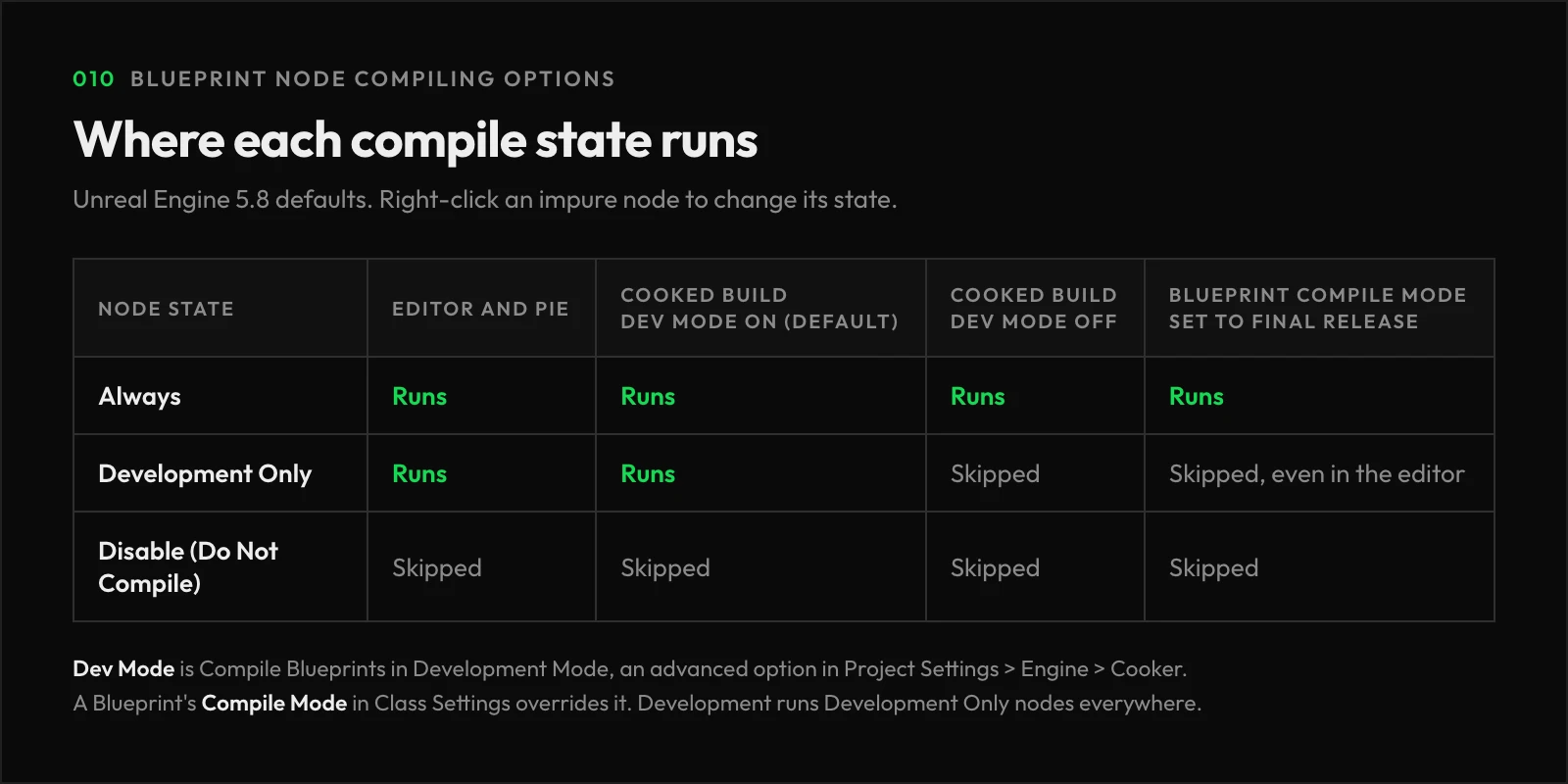
Yes. Each Blueprint can override it with Compile Mode, an advanced option in Class Settings under Class Options. Development keeps Development Only nodes even when cooking, and Final Release disables them everywhere, including the editor.
Unreal Directive is free and ad-free.
If it saved you time, you can help keep it that way.