

For Each Enumerator
Loop through every value of an enum in Blueprints with the ForEach enum node.
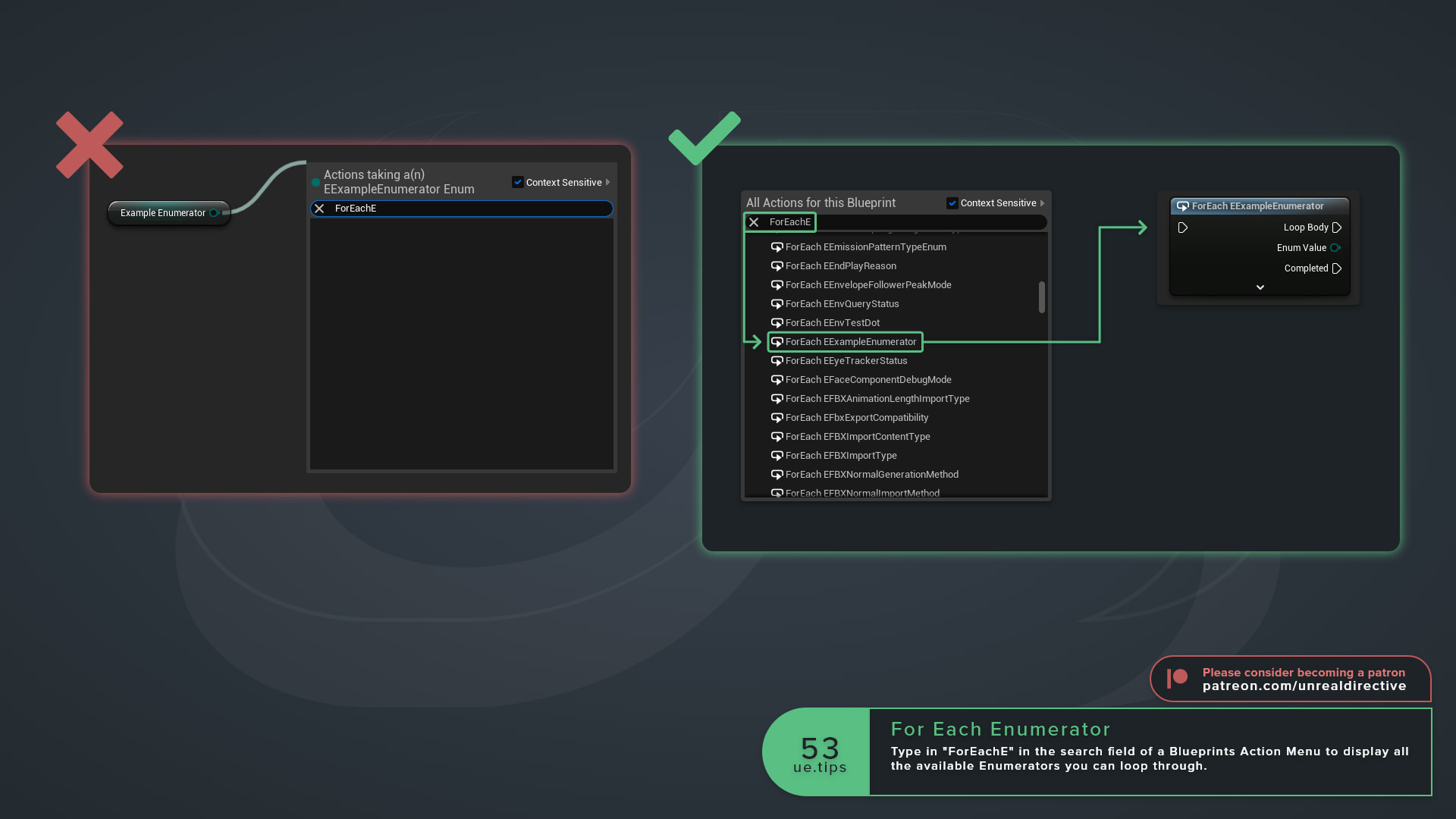
Having trouble finding out how to loop through Enumerators in Blueprints? Simply open up the Action Menu by pressing Tab or right-clicking in the graph, and type “ForEach” followed by the enum name in the search field. Every Blueprint-exposed enum gets its own node under the Enum category, titled ForEach plus the enum’s name. For example, ForEach ECollisionChannel.
What pins does the node have?
| Pin | Type | What It Does |
|---|---|---|
| Exec | Input | Starts the loop. |
| Skip Hidden | Input, Boolean | Skips values marked as hidden in the enum. It sits in the node’s advanced pins, so expand the node to see it. |
| Loop Body | Output | Fires once per enum value. |
| Enum Value | Output | The current value in the loop. |
| Completed | Output | Fires after the last value. |
Frequently asked questions
Do I need to filter out the _MAX entry?
No. The loop never outputs the hidden _MAX entry that every enum carries.
What does Skip Hidden actually skip?
Values marked UMETA(Hidden) or UMETA(Spacer). It defaults to true on newly placed nodes, and it only changes anything if the enum has values with those markers.
Why doesn’t my enum show up in the Action Menu?
Only enums that Blueprints can use get a node. That means enum assets made in the Content Browser and C++ enums declared with UENUM(BlueprintType).
How do I get the number of values without looping?
Use the Get number of entries in node for that enum.
Unreal Directive is free and ad-free.
If it saved you time, you can help keep it that way.