

The Select Node
Use the Select node to return one of several values based on a Boolean, Byte, Integer, Integer64, or Enum index.
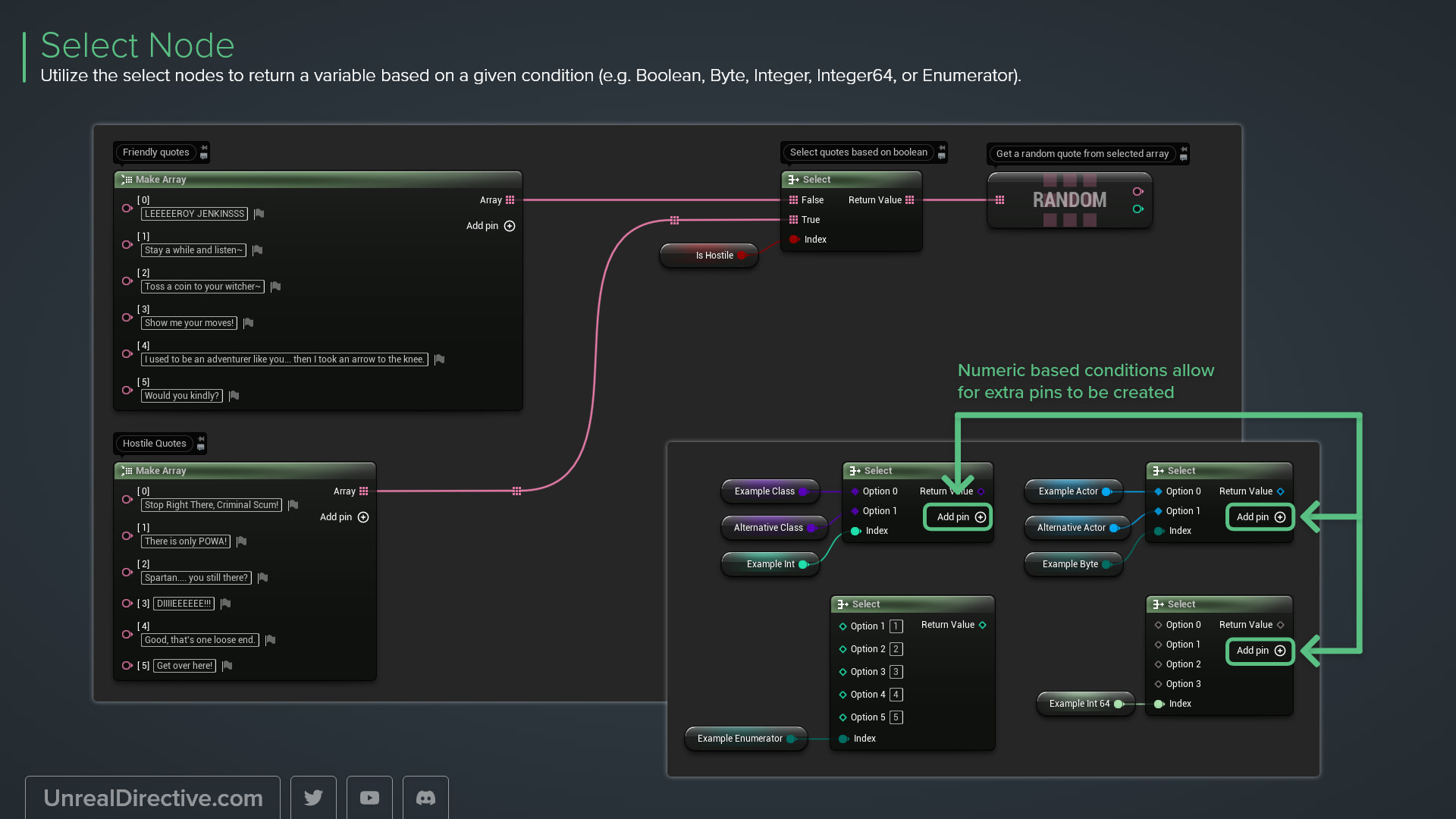
Use the Select node to return a value based on a given index, such as a Boolean, Byte, Integer, Integer64, or Enum.
The node is pure, so there are no execution pins to wire up, and its tooltip sums it up nicely: “Return the option at Index, (first option is indexed at 0)”. You’ll find it under Utilities in the right-click menu, and searching “ternary” finds it too.
How do I set the types?
The Index, option, and Return Value pins all start as wildcards. Here’s how to give them a type:
- Connect a wire to the Index pin to set the index type. While the Index pin is still a wildcard, it also shows a type selector you can pick from.
- Connect a wire to any option or to the Return Value to set the value type for all of them.
- Right-click a pin and select Change Pin Type to change it later. This only works while that pin group has no connections.
How many options does it have?
That depends on the index type.
| Index Type | Option Pins |
|---|---|
| Boolean | Two fixed options, False and True |
| Enum | One option per enum entry, generated automatically |
| Byte, Integer, Integer64 | Starts with Option 0 and Option 1. Add more with Add Option Pin or remove the last with Remove Option Pin |
Can I pick a random item from an array instead?
Yes, use Random Array Item. It returns a random item and its index, and the index is -1 when the array is empty. Random Array Item from Stream does the same with a Random Stream for repeatable results.
Why did my option values disappear?
Switching the Index pin to a different type rebuilds the option pins, so existing option values are discarded.
Unreal Directive is free and ad-free.
If it saved you time, you can help keep it that way.