

Set Members in Structure
Use the Set Members node to change specific variables of a structure without rebuilding it.
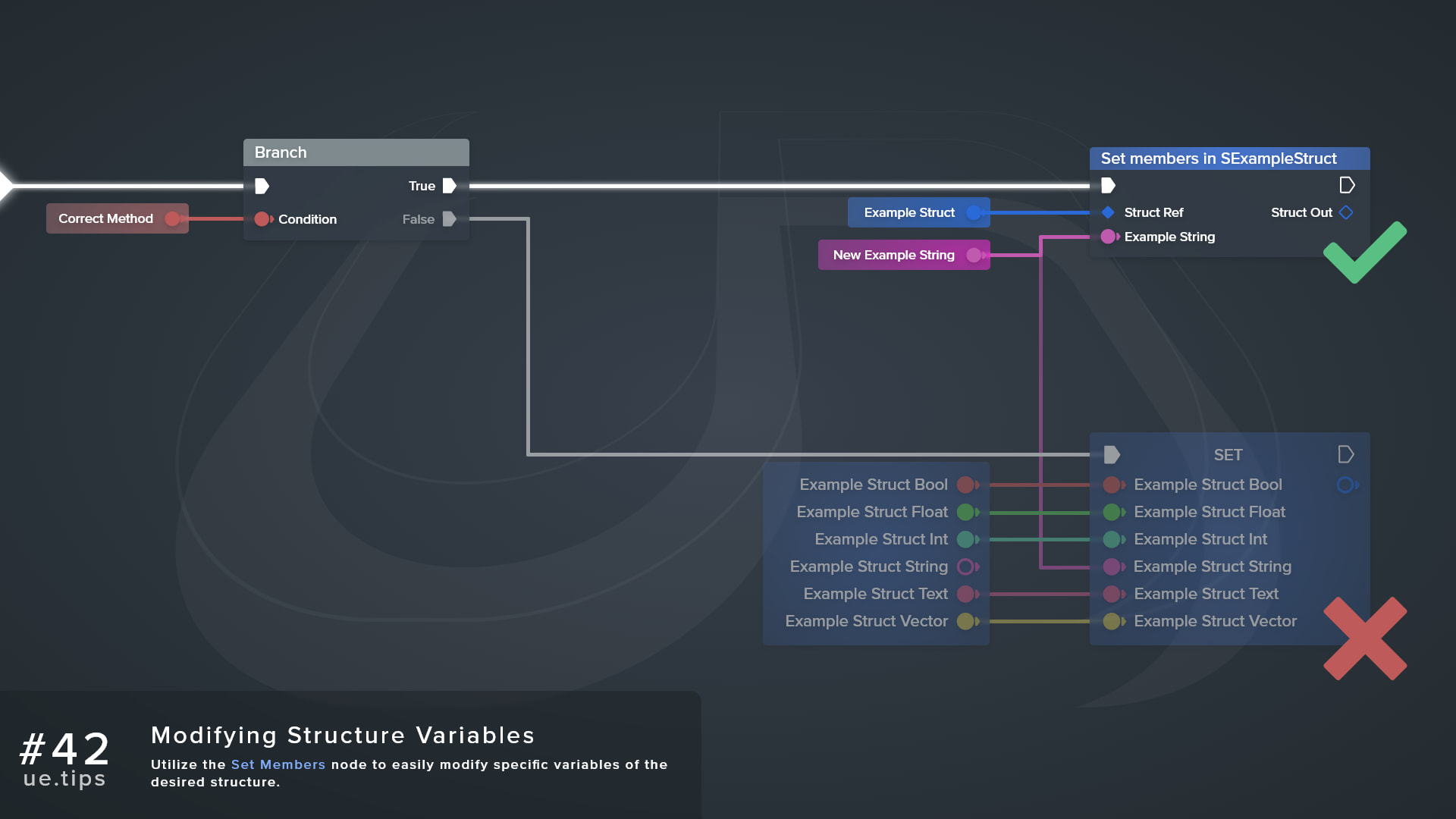
Use the Set Members node to easily modify specific variables of the desired structure. Any members you leave unexposed keep their current values, so you can skip breaking the struct and wiring every pin back into a Make node.
Drag off a struct pin and search for Set Members. The node title reads Set members in <StructName>.
How do I expose the members I want to set?
A new Set Members node starts with no member pins. Select the node, then tick the members you want under Pin Options in the Details panel, and each ticked member becomes an input pin.
The context menus also have a few commands to change which pins show:
| Command | Right-Click On | Description |
|---|---|---|
| Remove This Struct Variable Pin | Member pin | Hides the selected member pin |
| Remove All Other Pins | Member pin | Hides every member pin except the selected one |
| Restore All Structure Pins | Node | Shows every member pin again |
Frequently asked questions
Why won’t my Blueprint compile?
The Struct Ref input must be connected, or the Blueprint fails to compile.
Does it modify the original struct?
The node edits the struct by reference. When the input is a value instead of a reference, such as a function’s return value, the node modifies a copy and passes it out through the Struct Out pin.
Why am I getting a read-only warning?
Connecting a getter for a BlueprintReadOnly struct gives a compile warning that the property is read only.
Can I split the pins?
You can split the member pins, however, the Struct Ref pin stays whole.
Links
Check out the following resources to learn more about the subject.
Unreal Directive is free and ad-free.
If it saved you time, you can help keep it that way.