

Getter & Setter Functions
Use getter and setter functions to read and change variables owned by other objects.
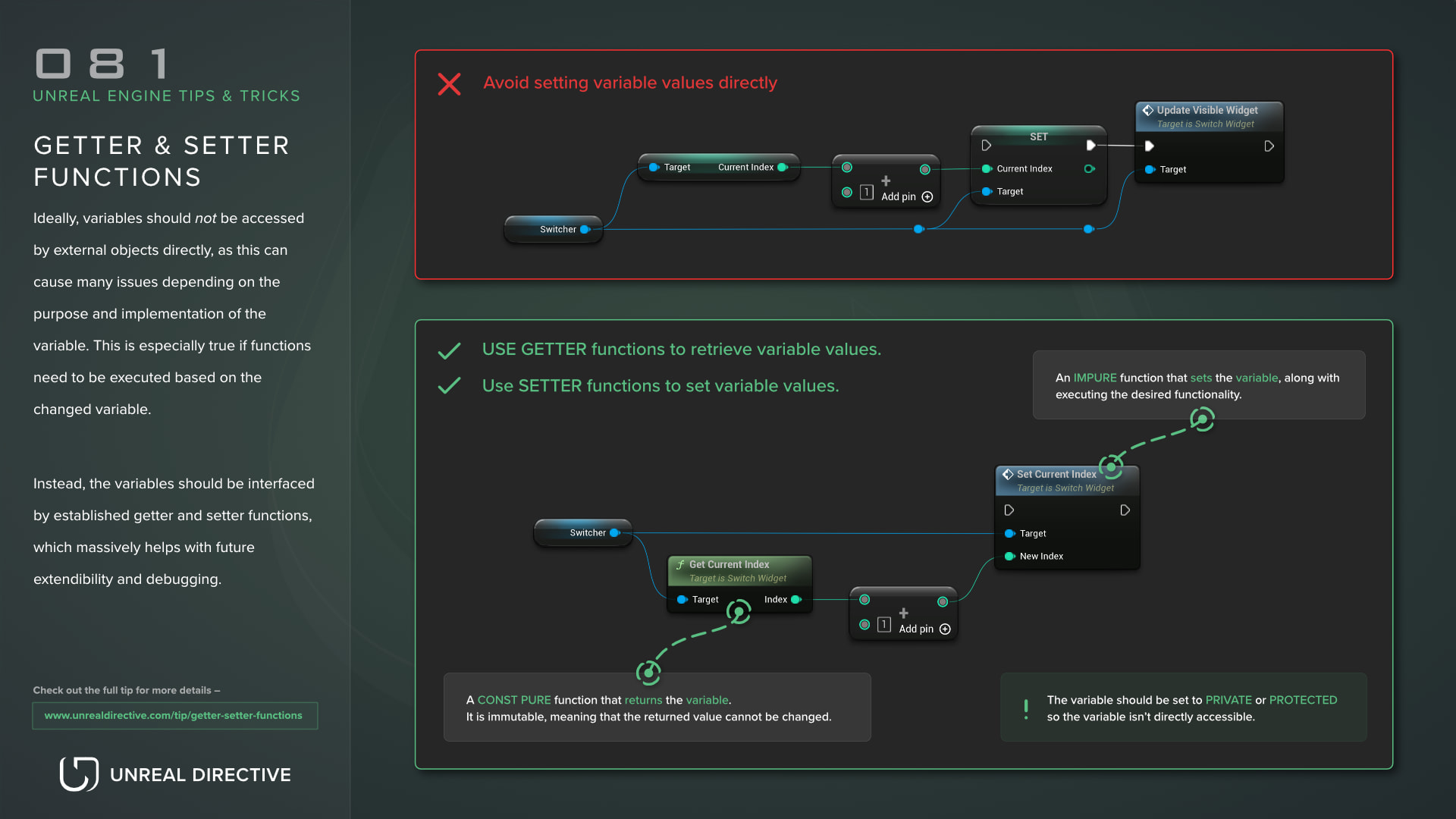
Use getter and setter functions to read and change variables owned by other objects. Accessing a variable directly from an external object can cause many issues depending on the purpose and implementation of the variable, and this is especially true if functions need to be executed based on the changed variable.
Interfacing with the variable through established getter and setter functions gives you one place to add that logic, validate values, or set a breakpoint, which massively helps with future extensibility and debugging. This helps other developers, and future you.
What is a getter function?
A getter function’s sole purpose is to retrieve the variable’s value. In Blueprints, and in C++ functions that return by value, the caller gets a copy, so changing it doesn’t change the original variable. This is an important distinction, as the variable is meant to be changed by the setter function instead.
An additional perk to retrieving the variable’s value from a getter function instead of the variable itself is that additional logic can be applied to that retrieval process, such as clamping the value or computing it from other data.
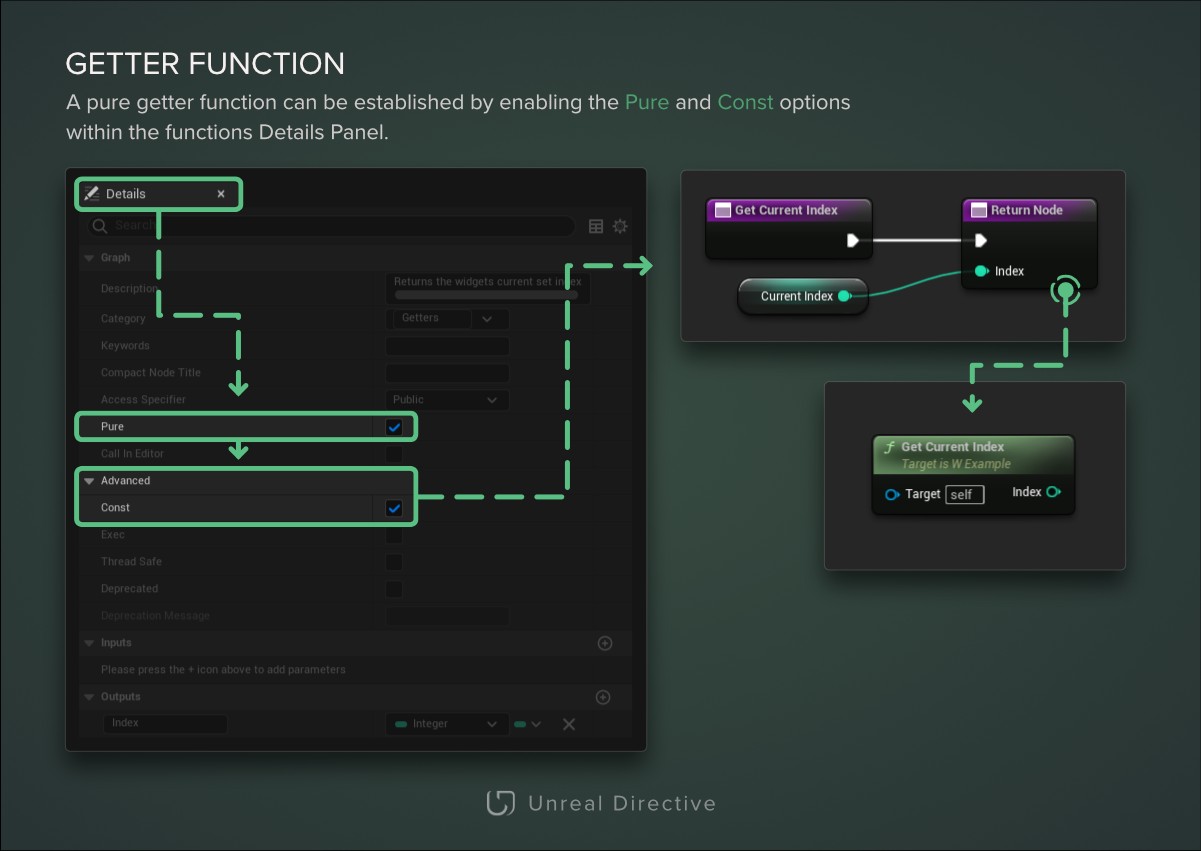
/** Returns the widget's current index. */
UFUNCTION(BlueprintPure)
int32 GetCurrentIndex() const;
What is a setter function?
A setter function’s sole purpose is to set the variable’s value, along with triggering any additional functionality that should go along with the changed value. For example, validation checks, events, debug output, etc.
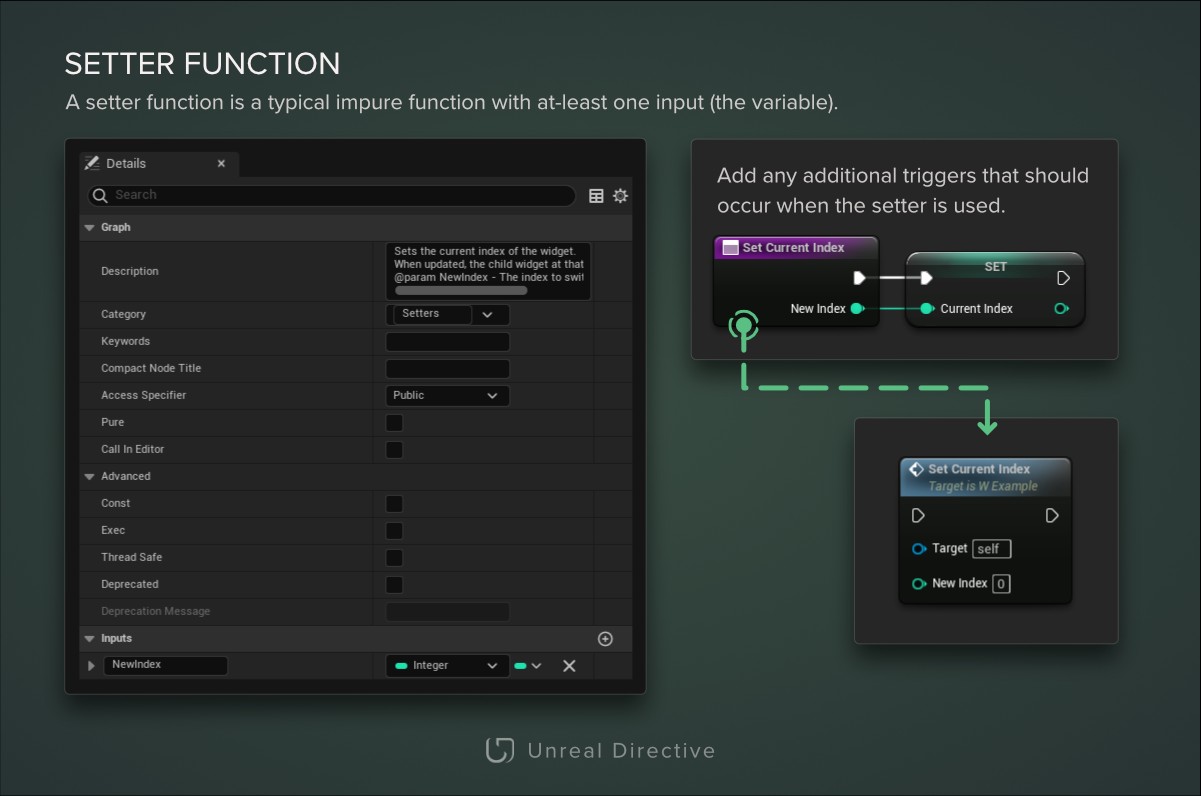
/**
 * Sets the current index of the widget.
 * When updated, the child widget at that index will be visible.
 * @param NewIndex - The index to switch to.
 */
UFUNCTION(BlueprintCallable)
void SetCurrentIndex(int32 NewIndex);
How do I make a variable inaccessible outside the getter and setter functions?
Setting the variable to private is a pretty important aspect, as you don’t want developers, including yourself, bypassing the established getter and setter functions.
To set the variable to private in Blueprints, select the variable and check the Private option. Other Blueprints, including child Blueprints, then can’t modify it.
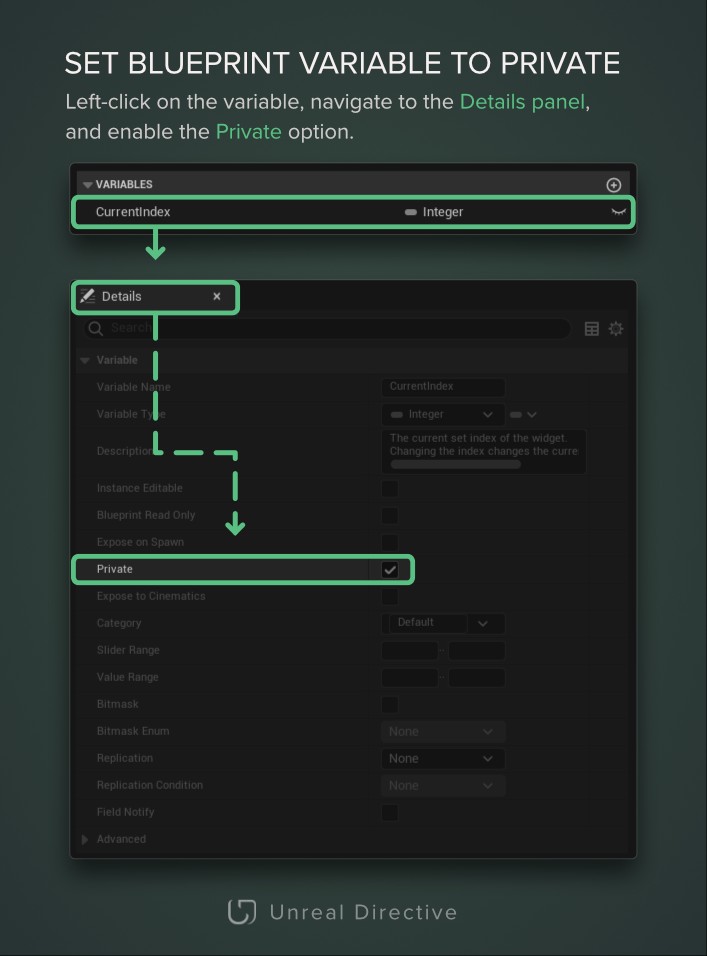
To set the variable to private in C++, the UPROPERTY needs to be under the protected or private access specifier.
If it’s under protected, the variable can still be changed directly in child classes. While if it’s under private, it can only be changed directly in the class that declares it. Keep in mind that BlueprintReadWrite and BlueprintReadOnly give a compile error on private members unless you add meta = (AllowPrivateAccess = "true").
protected:
/** The current index of the widget. */
UPROPERTY(BlueprintReadOnly)
int32 CurrentIndex;
Can Blueprints use the getter and setter automatically?
Yes. Add BlueprintGetter and BlueprintSetter to the UPROPERTY, and the Blueprint get and set nodes for that variable will call your functions instead of touching the variable.
private:
UPROPERTY(BlueprintGetter = GetCurrentIndex, BlueprintSetter = SetCurrentIndex)
int32 CurrentIndex;

public:
UFUNCTION(BlueprintGetter)
int32 GetCurrentIndex() const;

UFUNCTION(BlueprintSetter)
void SetCurrentIndex(int32 NewIndex);
The getter must be pure, take no parameters, and return the property’s type. The setter must take exactly one parameter of the property’s type and return nothing. Unreal Header Tool reports an error otherwise.
If you only add BlueprintGetter, the property is read-only in Blueprints. Neither specifier can be used on struct members.
Links
Check out the following resources to learn more about the subject.
Unreal Directive is free and ad-free.
If it saved you time, you can help keep it that way.