

Object Validation
Convert an object variable's Get node into a Validated Get to branch on whether the reference is valid.
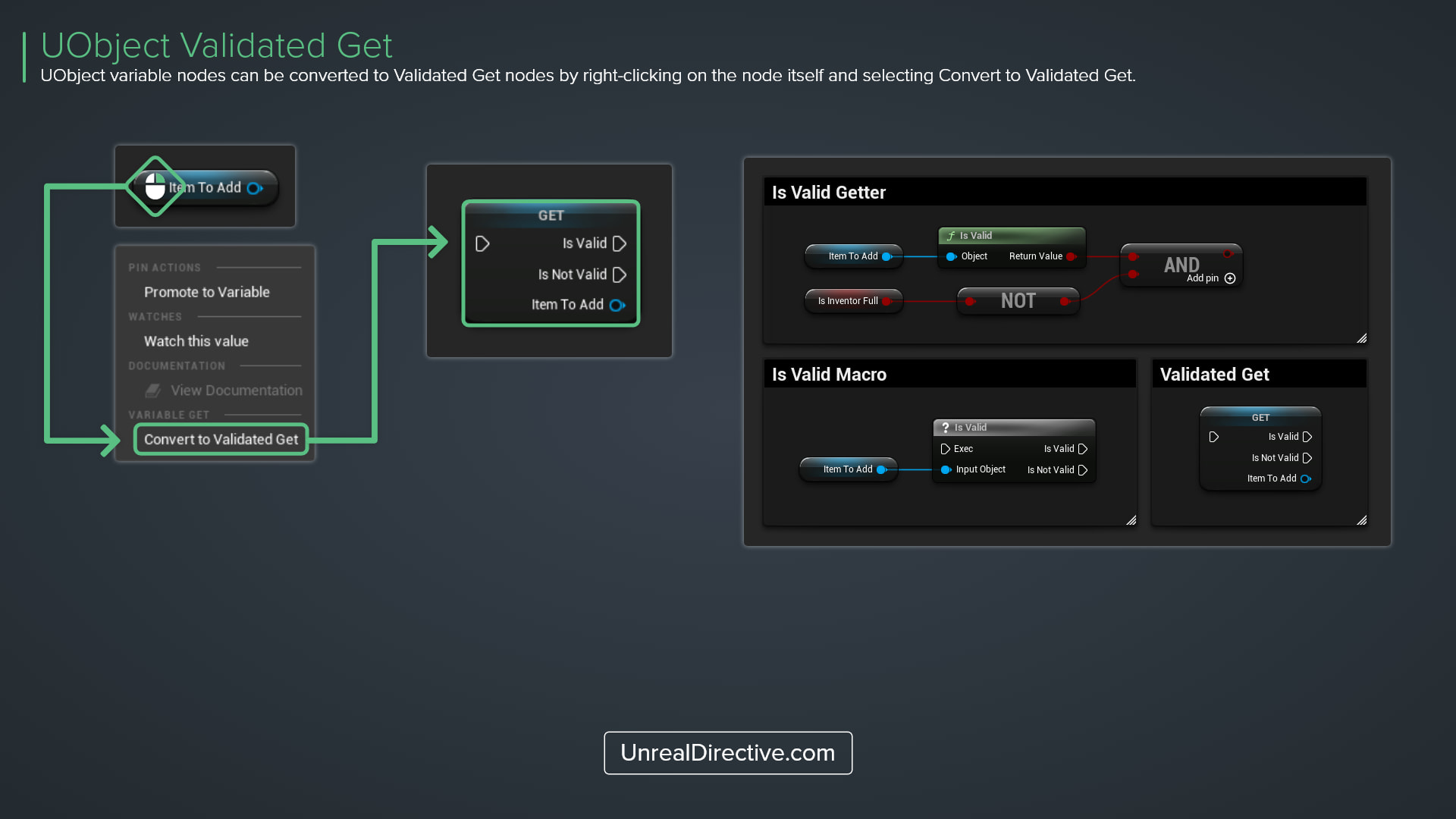
Object variable nodes can be converted to Validated Get nodes by right-clicking on the node itself and selecting Convert to Validated Get. The node gains an execution input plus Is Valid and Is Not Valid execution outputs.
Use this method over the Is Valid macro to tidy up your Blueprints, since you get the value and the check in one node.
Which variable types support it?
| Variable Type | Menu Entry | Check Performed |
|---|---|---|
| Object reference | Convert to Validated Get | IsValid |
| Class reference | Convert to Validated Get | IsValidClass |
| Soft Object reference | Convert to Validated Get | IsValidSoftObjectReference |
| Soft Class reference | Convert to Validated Get | IsValidSoftClassReference |
| Boolean | Convert to Branch | The value itself, with True and False outputs |
How do I undo it?
Right-click the node again and select Convert to pure Get.
Frequently asked questions
Why is the option missing?
Arrays, sets, and maps don’t get the option. It’s also hidden in Animation Graphs and while you’re debugging the Blueprint.
Does a valid soft reference mean the asset is loaded?
No. A soft reference counts as valid when its path is set, so the check tells you nothing about whether the asset is loaded or in memory.
Unreal Directive is free and ad-free.
If it saved you time, you can help keep it that way.