

Lighting Channels
TezenariUpdated 4 years ago|
Lighting
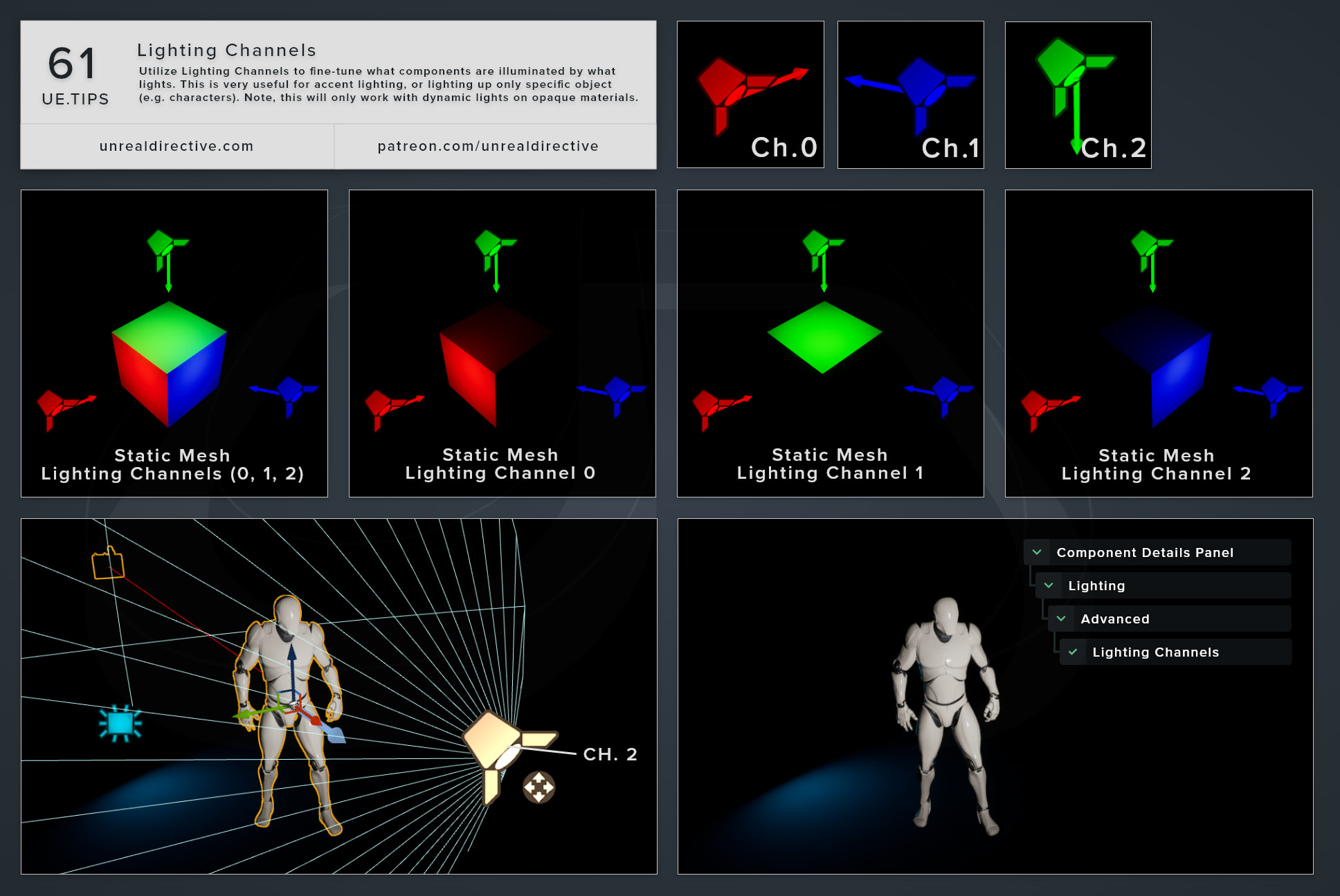
Utilize Lighting Channels to fine-tune what components are illuminated by what lights. This is very useful for accent lighting or lighting up only specific objects (e.g. characters). Note, this will only work with dynamic lights on opaque materials.
06/More Tips
Regulate Emissive ExposureUtilize the EyeAdaption node to keep emissive materials consistency across difference exposure levels.
Materials
Lighting
+1
Lumen Hit Lighting Reflections
Lighting
Atmospheric Sun Rotation Shortcut
Viewport
Lighting
+1
The Preview Mesh
Viewport
Shortcuts
+2
Toggle Light Radius Indicator
Lighting
Viewport
+1
Spawn Point Light Shortcut
Lighting
Viewport
+1