

Subcategories
TezenariUpdated 4 years ago|
C++
Blueprints
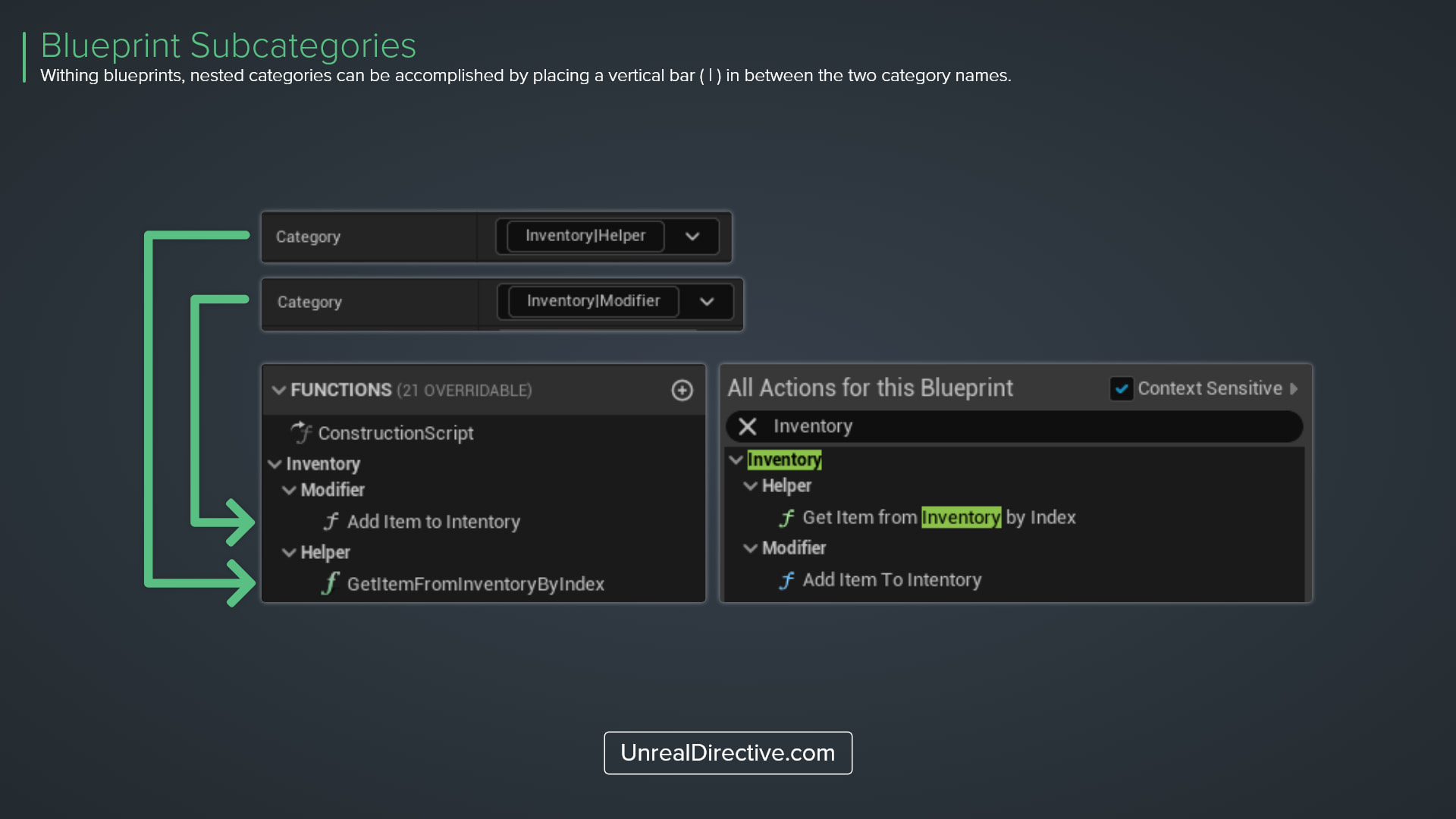
You can establish sub-categories for Blueprints Functions, Macros, and Variables by placing a vertical bar ( | ) in-between category names. You can have as many sub-subcategories as you require.
This is very helpful in further organizing your blueprint.
06/More Tips
Actor Life SpanUtility the Life Span attribute to determine the duration of the actor’s existence.
Blueprints
C++
Declare & Define Native Gameplay TagsUtilize these new C++ macros to declare and define Native Gameplay Tags in your project.
C++
Blueprints
+1
Function Parameter DescriptionsAppend parameter descriptions to your functions by using C++ comment tags
Blueprints
C++
+2
Custom Primitive DataLearn how you can use Custom Primitive Data to easily modify Scalar and Vector material parameters without needing Dynamic Material Instances.
Materials
Static Meshes
+2
The Format Text NodeUtilize the Format Text node to integrate custom data into your text elements.
Blueprints
Variables
Direct Object Array FunctionsSkip the iteration and execute object array functions directly.
Functions
Blueprints