

Actor Life Span
Use an actor's life span to destroy it automatically after a set number of seconds.
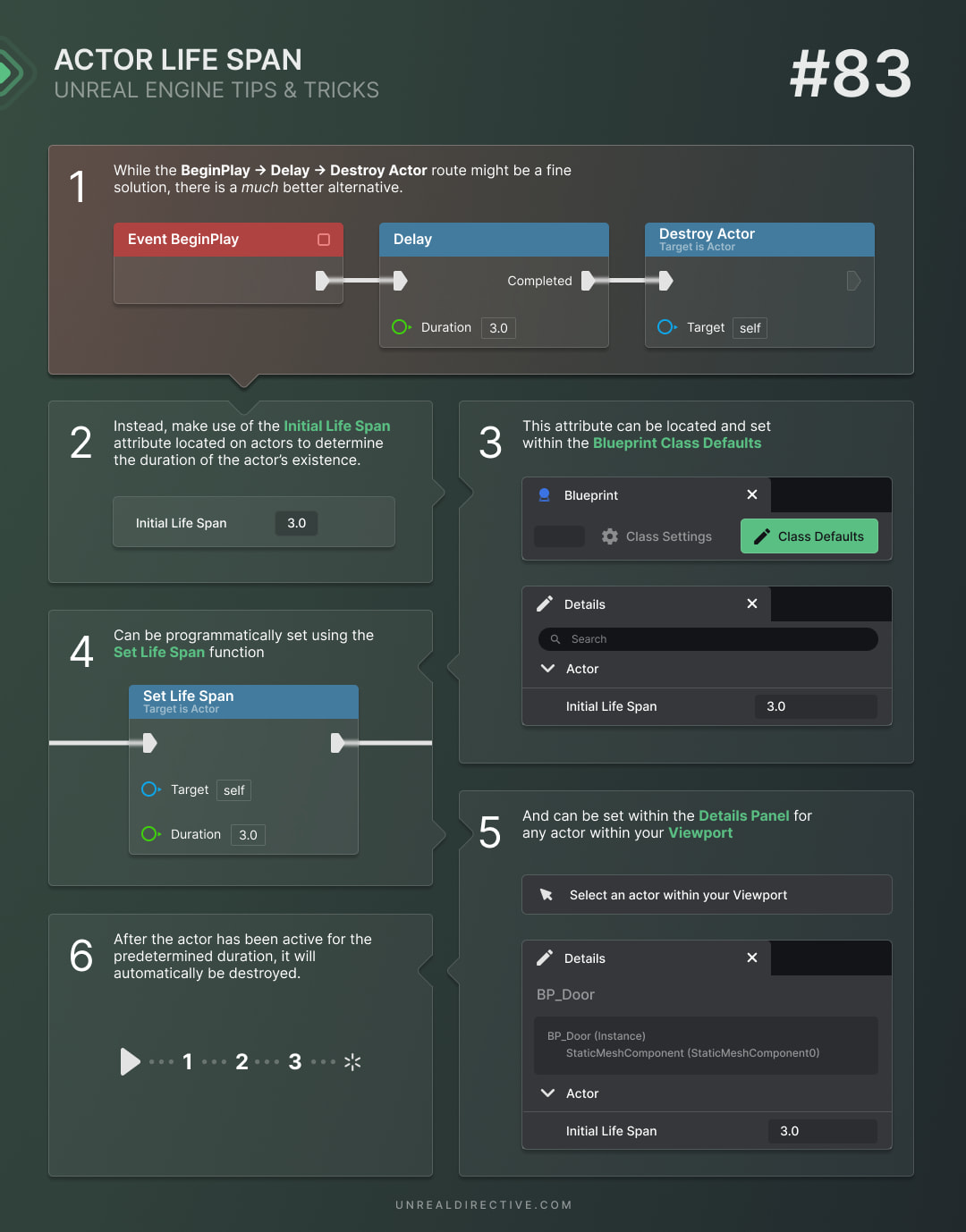
When developing a game, it’s important to manage the lifespan of actors for both performance and game logic. Thankfully, every actor in Unreal Engine has a built-in tool for this: the Actor Life Span.
It allows you to set a predetermined lifespan for an actor, after which it’s automatically destroyed. This approach offers more flexibility compared to the Begin Play → Delay → Destroy Actor method.
What is the purpose of the life span?
The Actor Life Span controls how long an actor is present in the game world, measured in seconds. Once the life span runs out, the actor is automatically destroyed.
By using the life span, you can easily manage the duration of temporary actors such as projectiles, effects, and pickups without the need to manually track and destroy them.
Where can the actor’s life span be set?
The life span of an actor can be set in three ways:
Actor Class Defaults
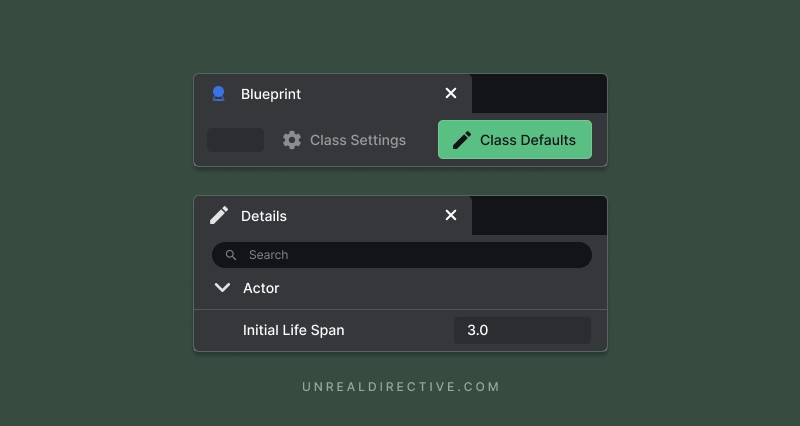
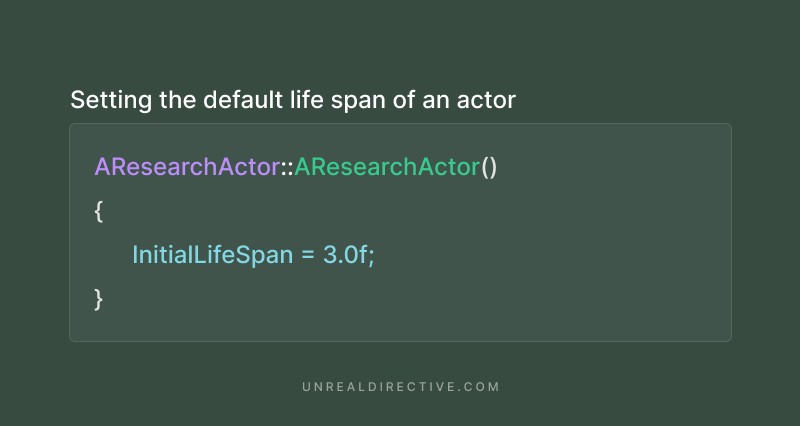
The Initial Life Span property can be found in the Actor category of the Class Defaults. Changing it ensures the Blueprint is automatically destroyed once it has existed in the game world for the specified length of time. The timer starts when the actor begins play, and the default value of 0 means the actor lives forever.
Placed actors
Each actor placed in the level can have its own value as well. Select the actor and set Initial Life Span in the Actor category of the Details panel, which overrides the class default for that instance only.
Actor getters and setters
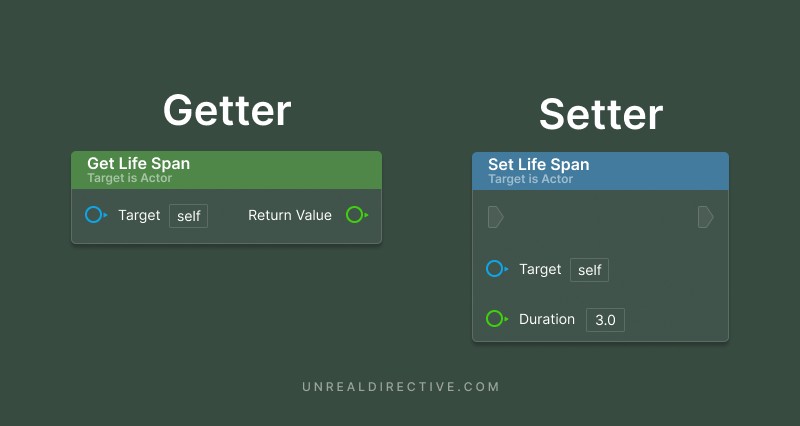
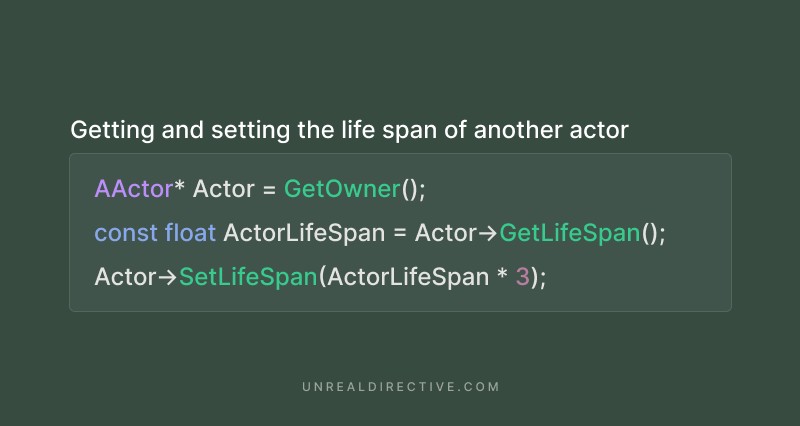
To retrieve and adjust an actor’s life span during runtime, use the Get Life Span and Set Life Span functions. The images below label the Set Life Span input Duration, however, in Unreal Engine 5.8 the pin is named In Lifespan.
| Function | Description |
|---|---|
| Set Life Span | Restarts the timer with the new duration in seconds. A value of 0 clears the timer, so the actor isn’t destroyed. |
| Get Life Span | Returns the remaining time in seconds. Returns 0 if the actor has no life span timer. |
Initial Life Span is read-only in Blueprints, so Set Life Span is the way to change it at runtime.
Frequently asked questions
Is the life span affected by time dilation?
Yes. The life span follows the world’s time, including global time dilation.
How does the life span work in a networked game?
The timer only runs on the authority, or on clients for torn-off actors. The server destroys the actor, and that replicates to clients.
Why isn’t my actor’s Initial Life Span working in C++?
AActor::BeginPlay is what starts the Initial Life Span timer, so if you override BeginPlay in C++, make sure to call Super::BeginPlay().
Can I run my own logic when the life span runs out?
Yes. In C++, override LifeSpanExpired() to run your own logic instead of the default Destroy() call.
Links
Check out the following resources to learn more about the subject.
Unreal Directive is free and ad-free.
If it saved you time, you can help keep it that way.