

Subcategories
Nest Blueprint and C++ categories by separating category names with a vertical bar.
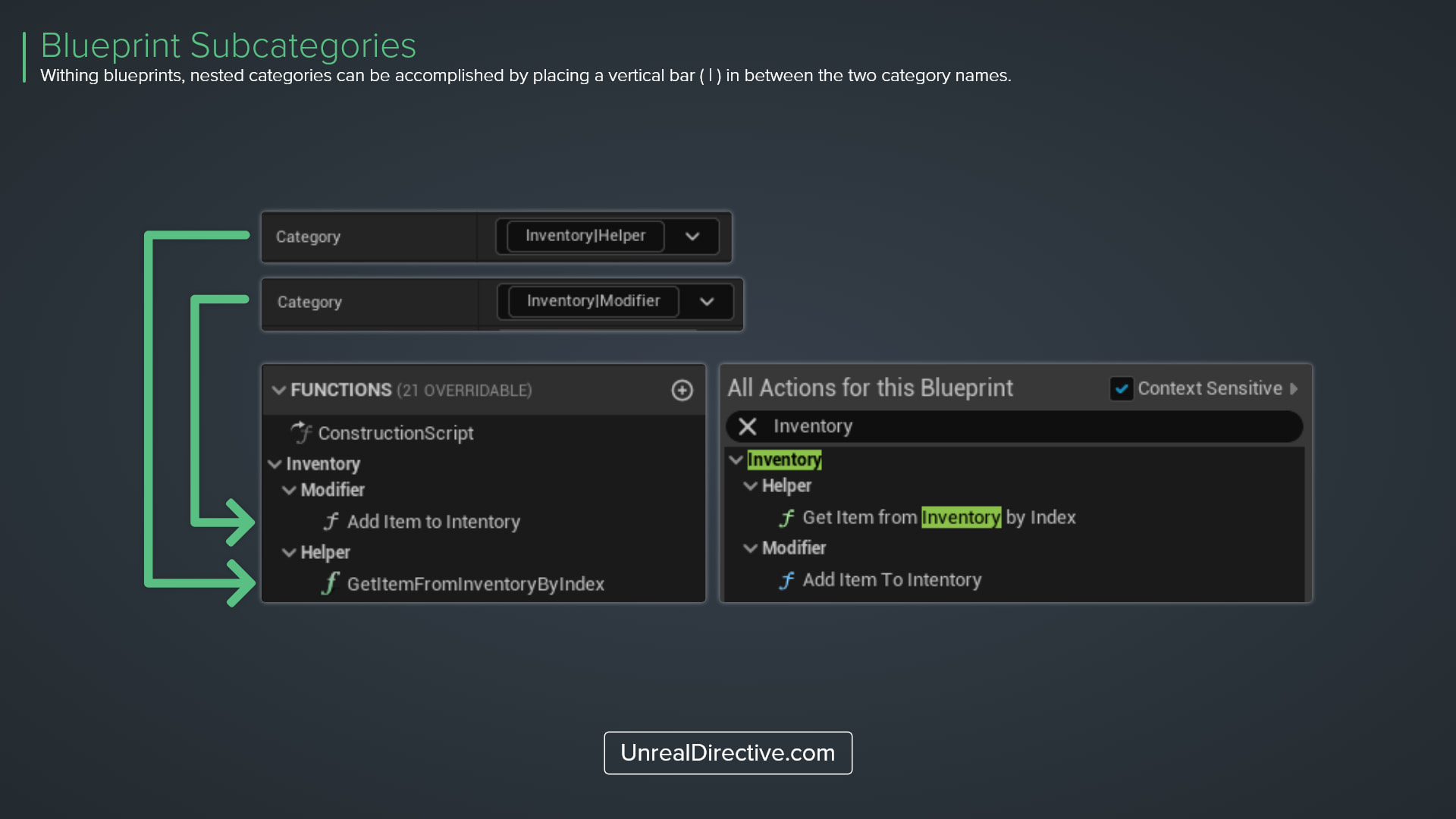
You can establish subcategories for Blueprint functions, macros, and variables by placing a vertical bar, |, in between category names. You can have as many sub-subcategories as you require.
This is very helpful in further organizing your Blueprint, both in the My Blueprint panel and the Details panel.
How do I create subcategories in Blueprints?
Select the variable, function, or macro and type the full path into its Category field in the Details panel. For example, Inventory|Equipment|Weapons creates a Weapons category inside Equipment, inside Inventory.
How do I create subcategories in C++?
The Category specifier uses the same syntax.
UPROPERTY(EditAnywhere, BlueprintReadWrite, Category = "Inventory|Equipment")
TObjectPtr<UItemBase> EquippedItem;

UFUNCTION(BlueprintCallable, Category = "Inventory|Modifier")
void AddItemToInventory(UItemBase* ItemToAdd);
Links
Check out the following resources to learn more about the subject.
Unreal Directive is free and ad-free.
If it saved you time, you can help keep it that way.