

The Preview Mesh
TezenariUpdated 4 years ago|
Viewport
Shortcuts
Materials
Lighting
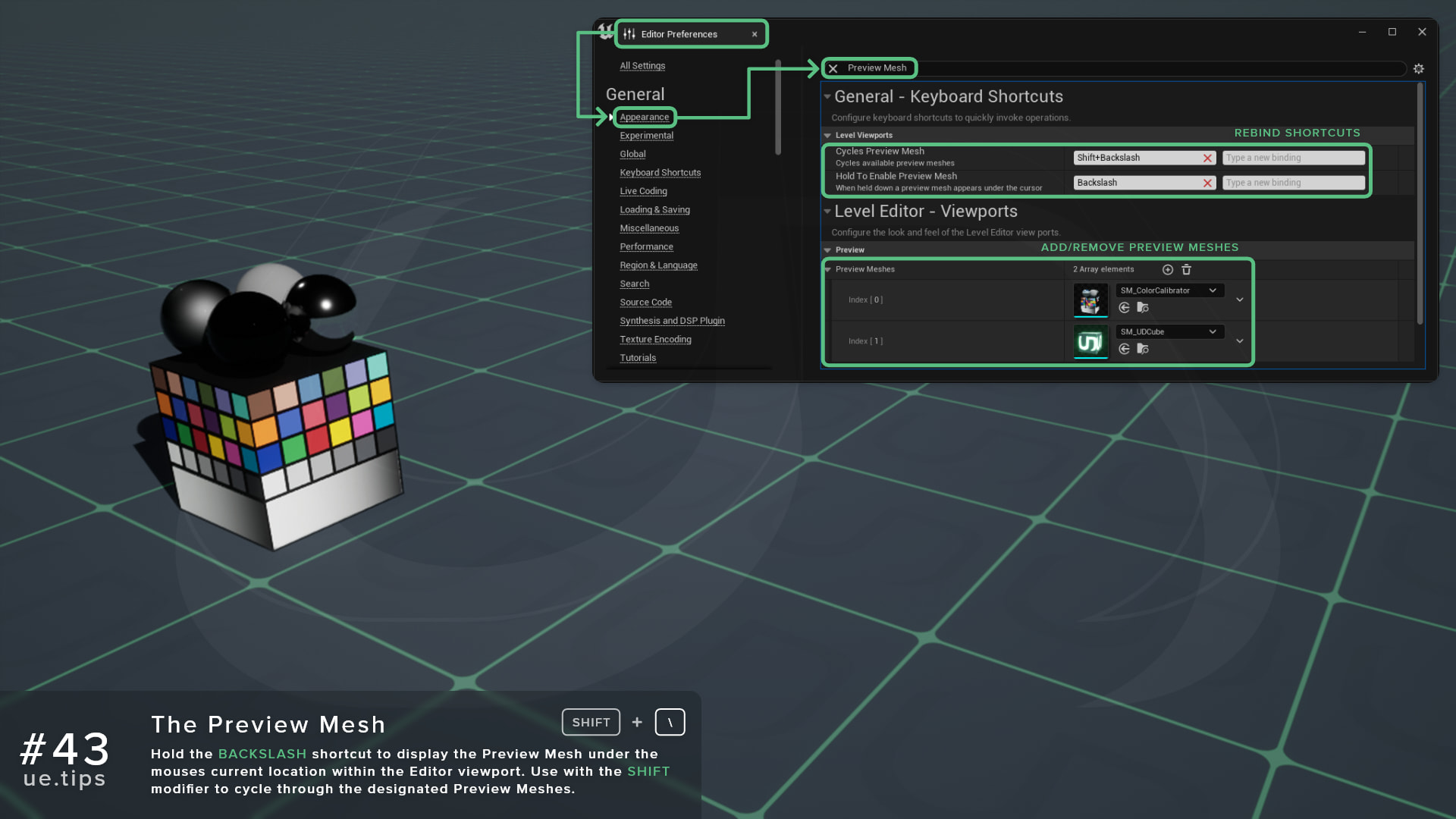
Hold the BACKSLASH shortcut to display the Preview Mesh under the mouse's current location within the Editor viewport. Use with the SHIFT modifier to cycle through the designated Preview Meshes.
Useful for previewing specific test Static Meshes in certain environments.
06/More Tips
Atmospheric Sun Rotation Shortcut
Viewport
Lighting
+1
Toggle Light Radius Indicator
Lighting
Viewport
+1
Spawn Point Light Shortcut
Lighting
Viewport
+1
Regulate Emissive ExposureUtilize the EyeAdaption node to keep emissive materials consistency across difference exposure levels.
Materials
Lighting
+1
The Measurement Tool
Shortcuts
Viewport
Viewport View Mode Shortcuts
Viewport
Shortcuts