

Camera Based Masking
Use the camera's world position as a mask in your materials.
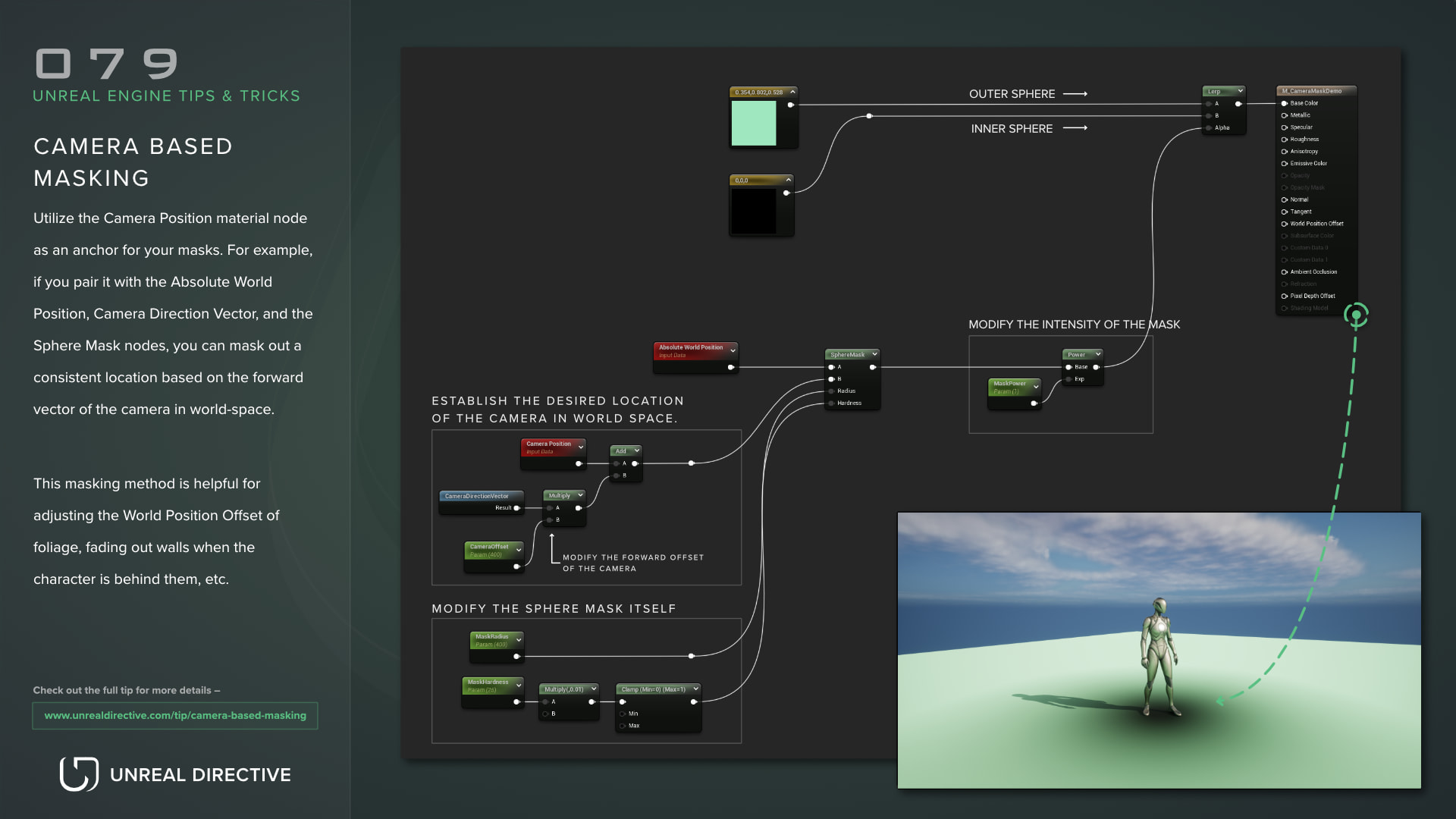
Use the camera’s world position as a mask in your materials. This masking method is helpful for pushing foliage away with World Position Offset as the camera gets close, fading out walls when the character is behind them, and so on.
Examples
Here are a few examples that show this mask in use.
How do I build the mask?
The mask compares the world position of each pixel or vertex against the camera’s world position. Here are the material nodes involved:
| Node | Description |
|---|---|
| Camera Position | Outputs the camera’s position in world space. |
| Absolute World Position | Outputs the world position of the pixel or vertex being shaded. |
| Distance | Outputs the distance between two positions. Divide it by a radius to get a gradient. |
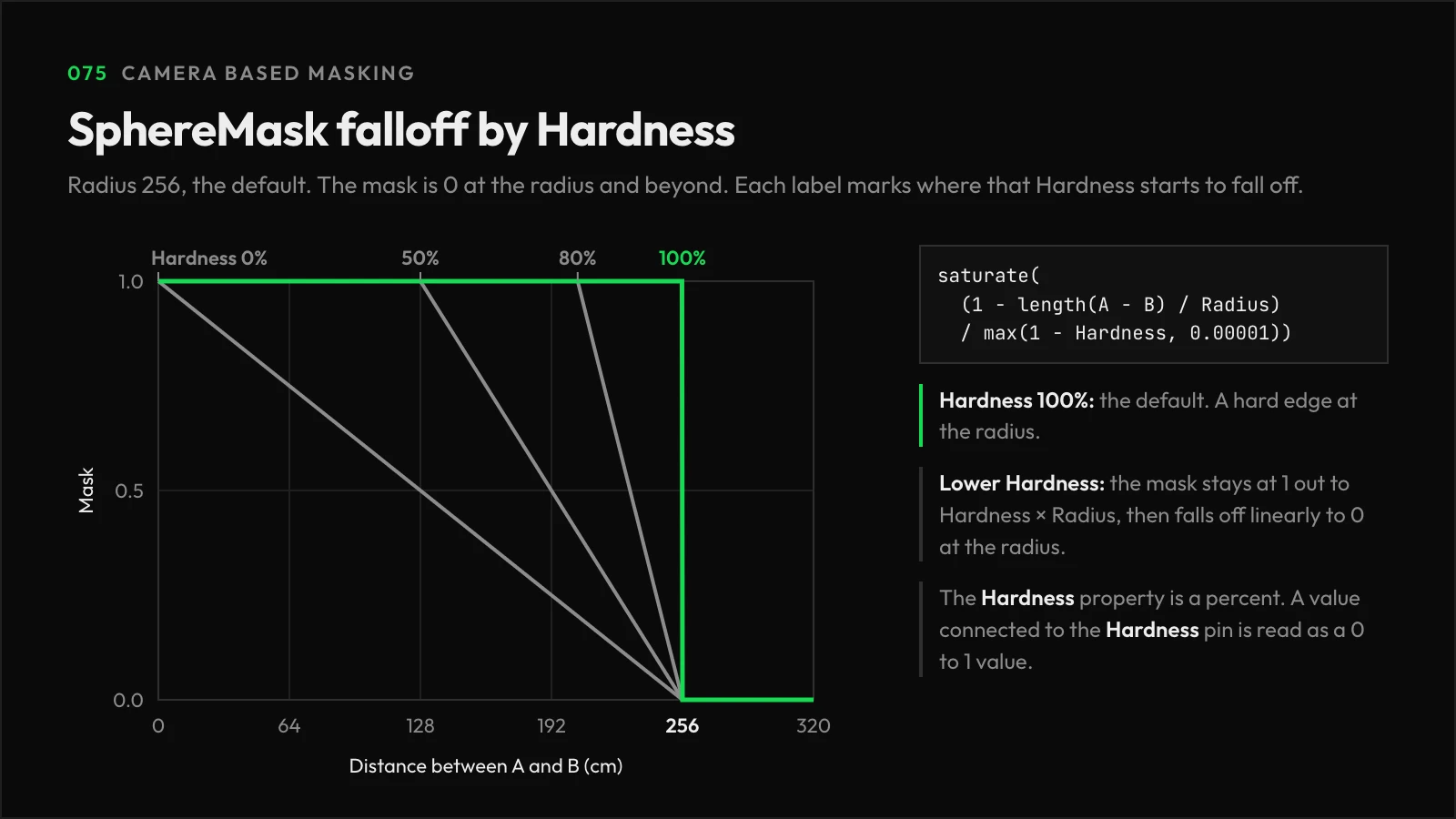
| SphereMask | Outputs 1 inside a radius around a point and falls off to 0. Radius defaults to 256 and Hardness to 100%. |
For a ready-made falloff, connect Camera Position and Absolute World Position to the A and B inputs of a SphereMask. The default Hardness of 100% gives a hard edge, so lower it for a softer one, or add a OneMinus node (1-x) after it to invert the mask.
Frequently asked questions
Why isn’t my surface fading out?
Opaque materials don’t use the Opacity or Opacity Mask inputs, so switch the material to the Masked or Translucent blend mode to fade or cut out a surface with this mask.
Is the Hardness pin a percent too?
No. The Hardness property in the Details panel is a percent, but a value connected to the Hardness pin is read as 0 to 1. So, 0.8 on the pin matches 80% in the property.
Links
Check out the following resources to learn more about the subject.
Unreal Directive is free and ad-free.
If it saved you time, you can help keep it that way.