

The Vertex Interpolator Node
Move any material calculation from the pixel shader to the vertex shader with the VertexInterpolator node.
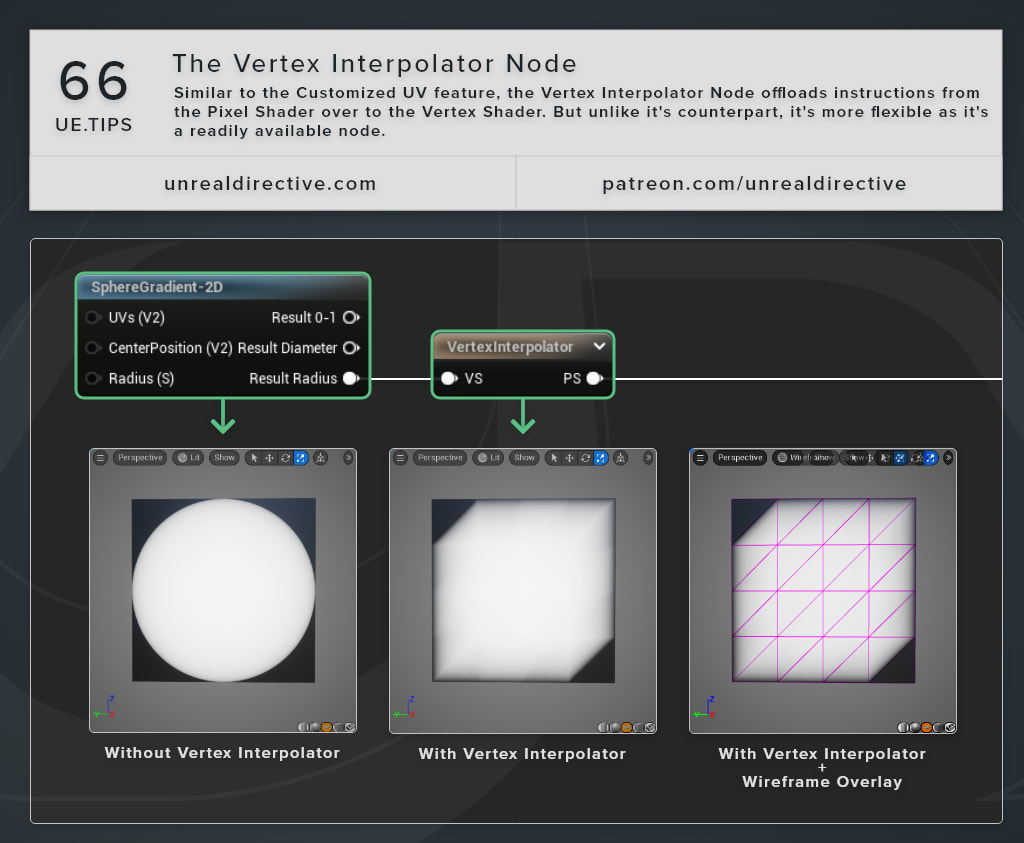
Similar to the Customized UVs feature, the VertexInterpolator node moves instructions from the pixel shader over to the vertex shader. But unlike its counterpart, it’s more flexible, since it’s a regular node you can drop anywhere in the graph and it takes any value, not only UVs.
How do I use it?
The node has one input pin and one output pin.
| Pin | Description |
|---|---|
VS | The value to compute in the vertex shader. Everything connected upstream of this pin runs once per vertex. |
PS | The result, available to the rest of the graph in the pixel shader. |
Wire the calculation you want to move into VS, then use PS wherever you’d have used the original value. The value is computed at each vertex and blended across the triangle on its way to PS. The VS pin is required, and leaving it empty gives you an Input missing error.
Frequently asked questions
Does every kind of math come out the same?
The same rule as Customized UVs applies here. Multiply and add survive the trip, however, non-linear math like sin or length comes out different, and the difference grows on low-poly meshes.
Can I pass world positions through it?
Large World Coordinate values get converted to regular floats on the way through, so it’s ideal to keep absolute world positions out of it when precision matters.
How many values can I pass through?
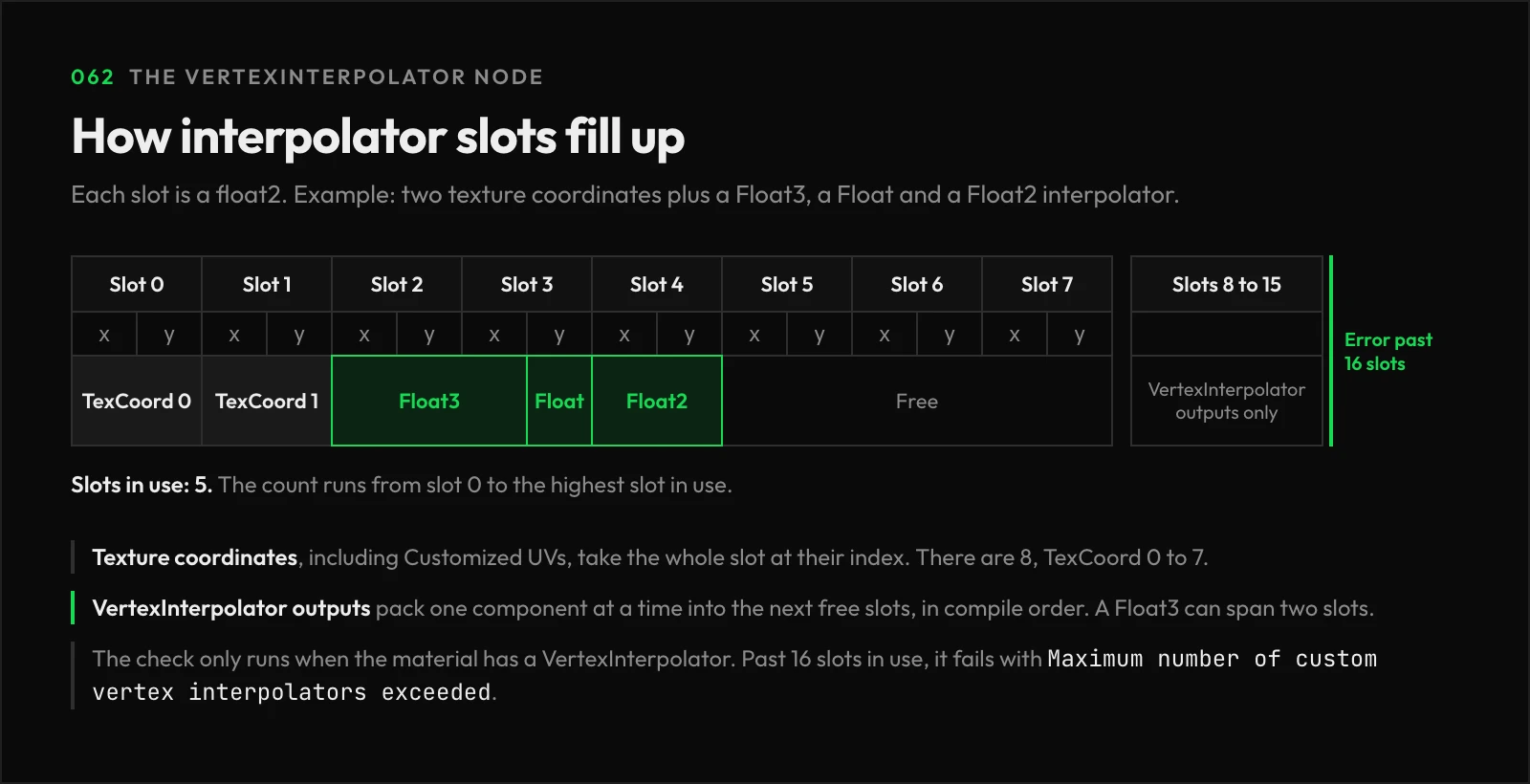
Texture coordinates and VertexInterpolator outputs share the same float2 interpolator slots, and each output packs in one component at a time. The material counts slots from 0 up to the highest one in use and fails to compile past 16 with Maximum number of custom vertex interpolators exceeded. The error text calls that count scalar values. This check only happens when the material has a VertexInterpolator node in it.
Links
Check out the following resources to learn more about the subject.
Unreal Directive is free and ad-free.
If it saved you time, you can help keep it that way.