

Change Max Framerate
Use the t.MaxFPS console variable to cap or uncap the framerate for the current session.
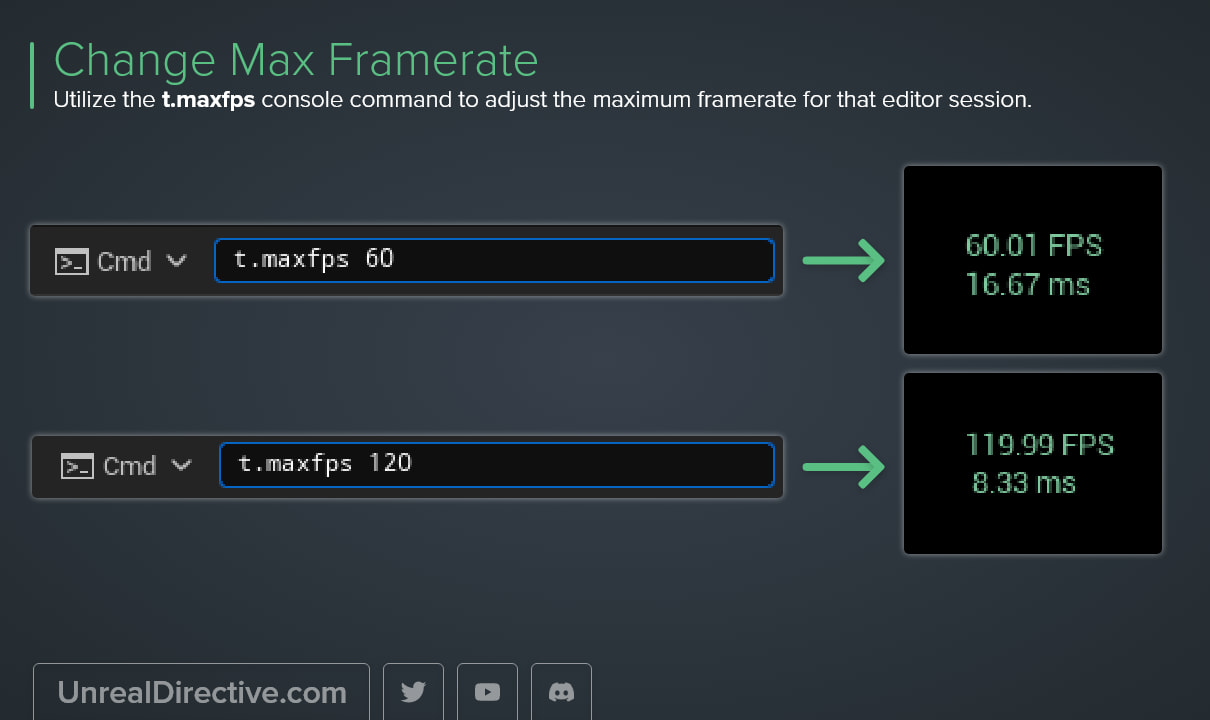
Use the t.MaxFPS console command to adjust the maximum framerate for the current session. For example, t.MaxFPS 30 caps it at 30 FPS, and t.MaxFPS 0 removes the cap.
Any value of 0 or less means uncapped, and 0 is the default. You can use stat fps or stat unit to confirm the new framerate.
Why is the editor stuck at 120 FPS?
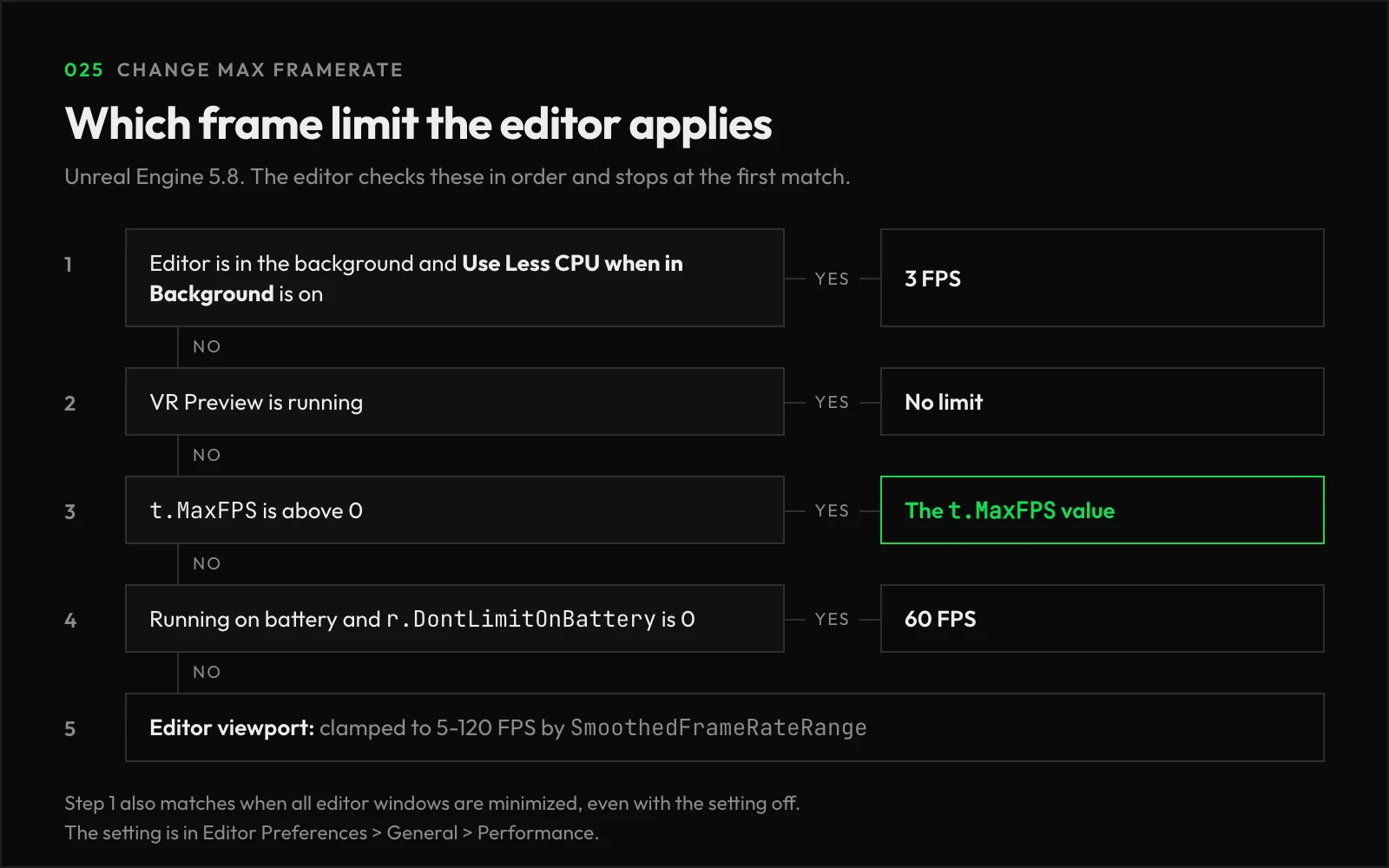
The editor applies its own framerate limits, and t.MaxFPS overrides most of them. In Unreal Engine 5.8, here’s what the editor does outside of a Play session:
| Situation | Framerate |
|---|---|
t.MaxFPS set above 0 | The t.MaxFPS value |
t.MaxFPS 0, editor viewport | Clamped to 5-120 FPS |
t.MaxFPS 0, running on battery | 60 FPS, unless r.DontLimitOnBattery 1 is set |
| Editor in the background | 3 FPS while Use Less CPU when in Background is enabled |
So if the editor seems stuck at 120 FPS, t.MaxFPS 240 lifts that limit. However, the background throttle still wins over t.MaxFPS, and you’ll find that setting in Editor Preferences > General > Performance.
The editor checks these in the order below and stops at the first match. VR Preview skips every limit except the background throttle.
Frequently asked questions
How do I keep the framerate cap between sessions?
Setting it in the console only lasts for the session. To make it stick, add t.MaxFPS=60 under [ConsoleVariables] in your project’s DefaultEngine.ini.
Why is my framerate lower than the t.MaxFPS value?
With r.VSync 1 enabled, the framerate tops out at the display’s refresh rate, even when t.MaxFPS is set higher.
Can I change it from Blueprints or C++?
Yes. In Blueprints, the Set Frame Rate Limit node on Game User Settings writes the same value once you call Apply Settings, and UEngine::SetMaxFPS does the same in C++.
Links
Check out the following resources to learn more about the subject.
Unreal Directive is free and ad-free.
If it saved you time, you can help keep it that way.