

Dump GPU
Use the DumpGPU console command to save every intermediate rendering resource of a frame and inspect it in a browser.
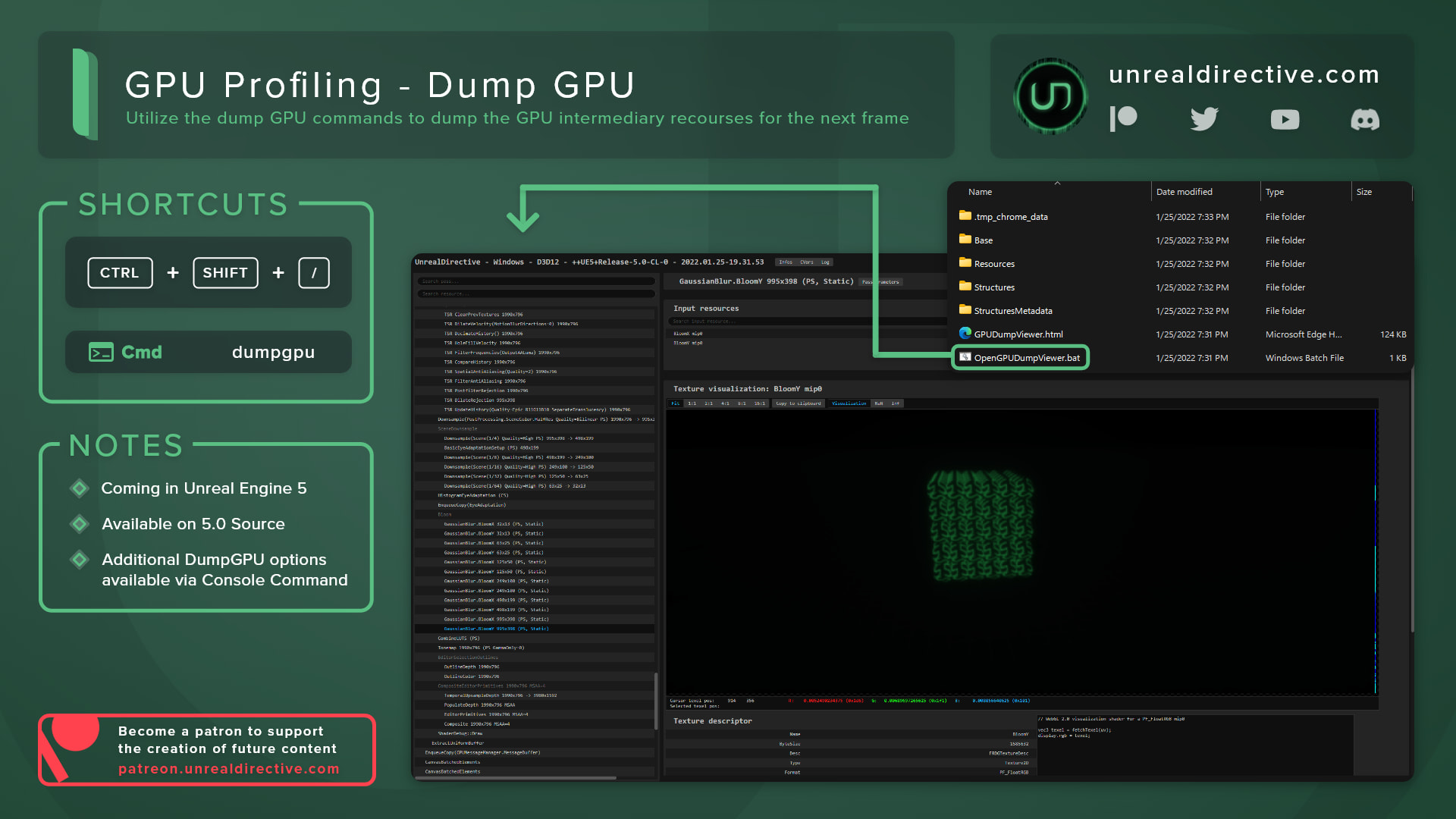
You can dump and visualize the GPU’s intermediate resources for the next frame using the DumpGPU console command. It saves every rendering pass along with its textures, buffers, and parameters, so you can step through the frame pass by pass.
This feature is indispensable for tracking down rendering bugs.
How can I view a dump?
By default, dumps go to Saved/GPUDumps/ in your project, in a folder named after the project, platform, and time. On desktop platforms, the folder opens in your file browser when the dump finishes.
Each dump folder includes a copy of the GPU Dump Viewer. Run OpenGPUDumpViewer.bat, or OpenGPUDumpViewer.sh on Linux and Mac, to open the dump in Chrome. The viewer needs a GPU with WebGL 2.0 support.
How can I keep dumps small?
Dumps get large fast. It’s ideal to set r.DumpGPU.Root to the passes you care about, for example r.DumpGPU.Root *PostProcessing*, which keeps dumps small and quick.
Here are the console variables that control what gets dumped:
| Console Variable | Default | Description |
|---|---|---|
r.DumpGPU.Root | * | Only dumps passes under matching draw event scopes. The match is case sensitive. |
r.DumpGPU.Texture | 2 | 0 skips textures, 1 saves descriptors only, 2 saves descriptors and data. |
r.DumpGPU.Buffer | 2 | 0 skips buffers, 1 saves descriptors only, 2 saves descriptors and data. |
r.DumpGPU.Delay | 0 | Seconds to wait before dumping. |
r.DumpGPU.FrameCount | 1 | Number of consecutive frames to dump. |
r.DumpGPU.Directory | Empty | Overrides the output directory. |
r.DumpGPU.Explore | 1 | Opens the dump folder when the dump completes. |
r.DumpGPU.Viewer.Visualize | Empty | Name of a resource to open automatically in the viewer. |
Frequently asked questions
Can I save a single dump somewhere else?
Yes. Add -path= to the command to override the output directory for that one dump, for example DumpGPU -path=D:/Dumps.
Does DumpGPU work in packaged builds?
It’s available in Debug, Development, and Test builds. Shipping builds need ALLOW_DUMPGPU_IN_SHIPPING and ALLOW_CONSOLE_IN_SHIPPING set in the target file.
Is there an editor shortcut?
The editor has a Dump GPU command with no default shortcut, and you can bind one in Editor Preferences > General > Keyboard Shortcuts.
Links
Check out the following resources to learn more about the subject.
Unreal Directive is free and ad-free.
If it saved you time, you can help keep it that way.