

Environment Light Mixer
Use the Env. Light Mixer to create and edit a level's sun, sky, atmosphere, cloud, and fog actors from one window.
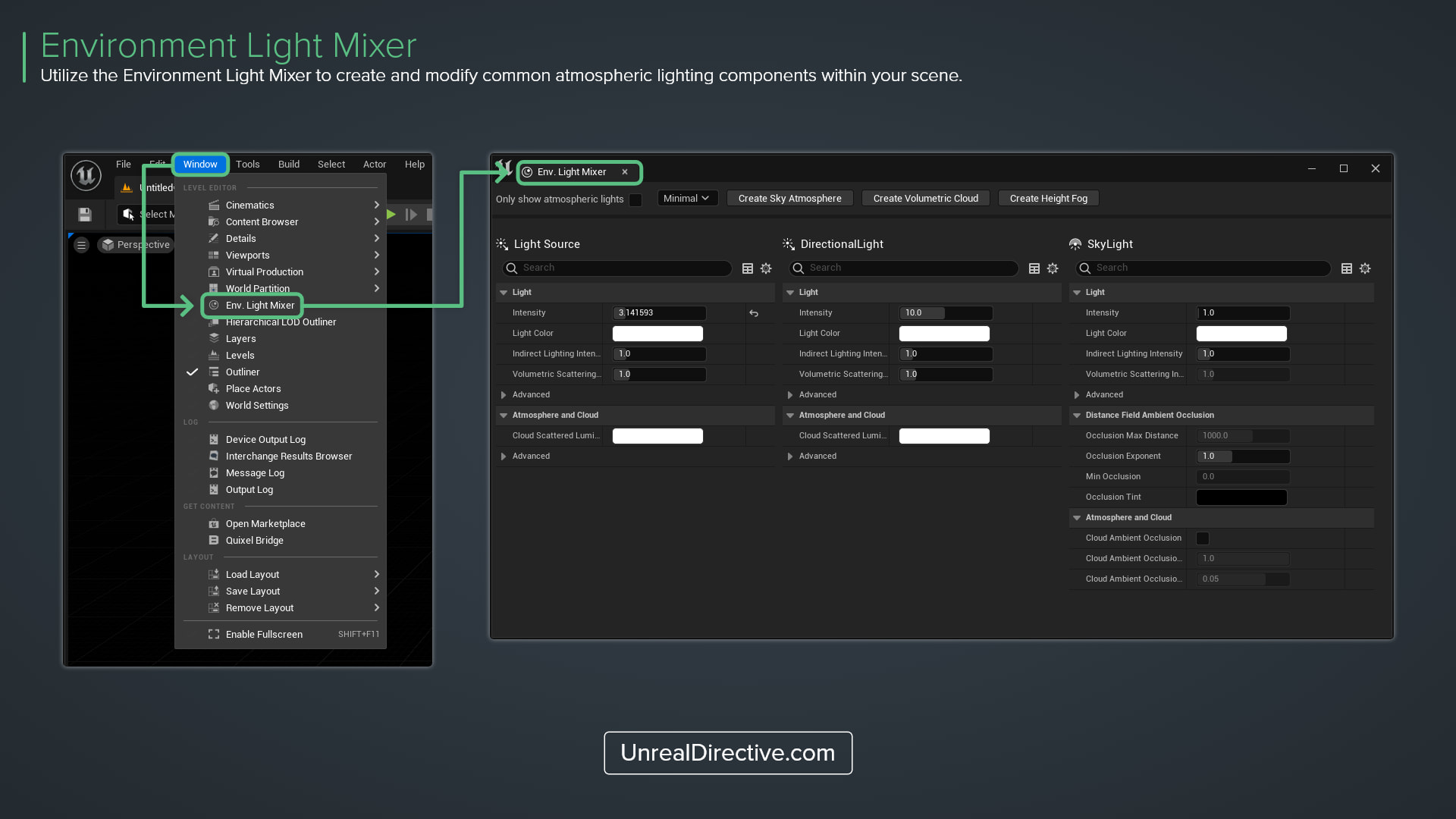
Use the Environment Light Mixer to create and modify common atmospheric lighting components within your scene. It shows the properties of up to five components side by side in a single window, so you don’t have to hunt for each actor in the Outliner.
How can I open the Environment Light Mixer?
From the main menu, select Window > Env. Light Mixer.
Which components can it create?
When a component is missing from the level, the mixer shows a button to create it, and the button disappears once the component exists. New actors spawn at the world origin in the current level.
| Component | Create Button |
|---|---|
| Directional Light | Create Directional Light |
| Sky Light | Create Sky Light |
| Sky Atmosphere | Create Sky Atmosphere |
| Volumetric Cloud | Create Volumetric Cloud |
| Exponential Height Fog | Create Height Fog |
The two lights come preconfigured. The Directional Light spawns as Movable with Atmosphere Sun Light enabled and Atmosphere Sun Light Index set to 0, and the Sky Light spawns as Movable with Real Time Capture enabled.
How do I show more properties?
The dropdown at the top controls how many properties the mixer shows.
| Option | What It Shows |
|---|---|
| Minimal | A short list of the most-used properties per component, such as Intensity and Light Color on lights, or Fog Density on the fog. This is the default. |
| Normal | Every property except those marked as advanced |
| Normal+Advanced | Every property |
Enable Only show atmospheric lights to limit the Directional Light slot to lights that have Atmosphere Sun Light enabled.
Why doesn’t my Directional Light show up?
The mixer shows one component of each type, and the Directional Light slot only takes a light with Atmosphere Sun Light Index 0. A second sun light using index 1 won’t appear, and if several lights use index 0, only one of them gets the slot. Directional Lights with Visible turned off are skipped as well.
Links
Check out the following resources to learn more about the subject.
Unreal Directive is free and ad-free.
If it saved you time, you can help keep it that way.