

Lighting Channels
Utilize Lighting Channels to fine-tune what components are illuminated by what lights.
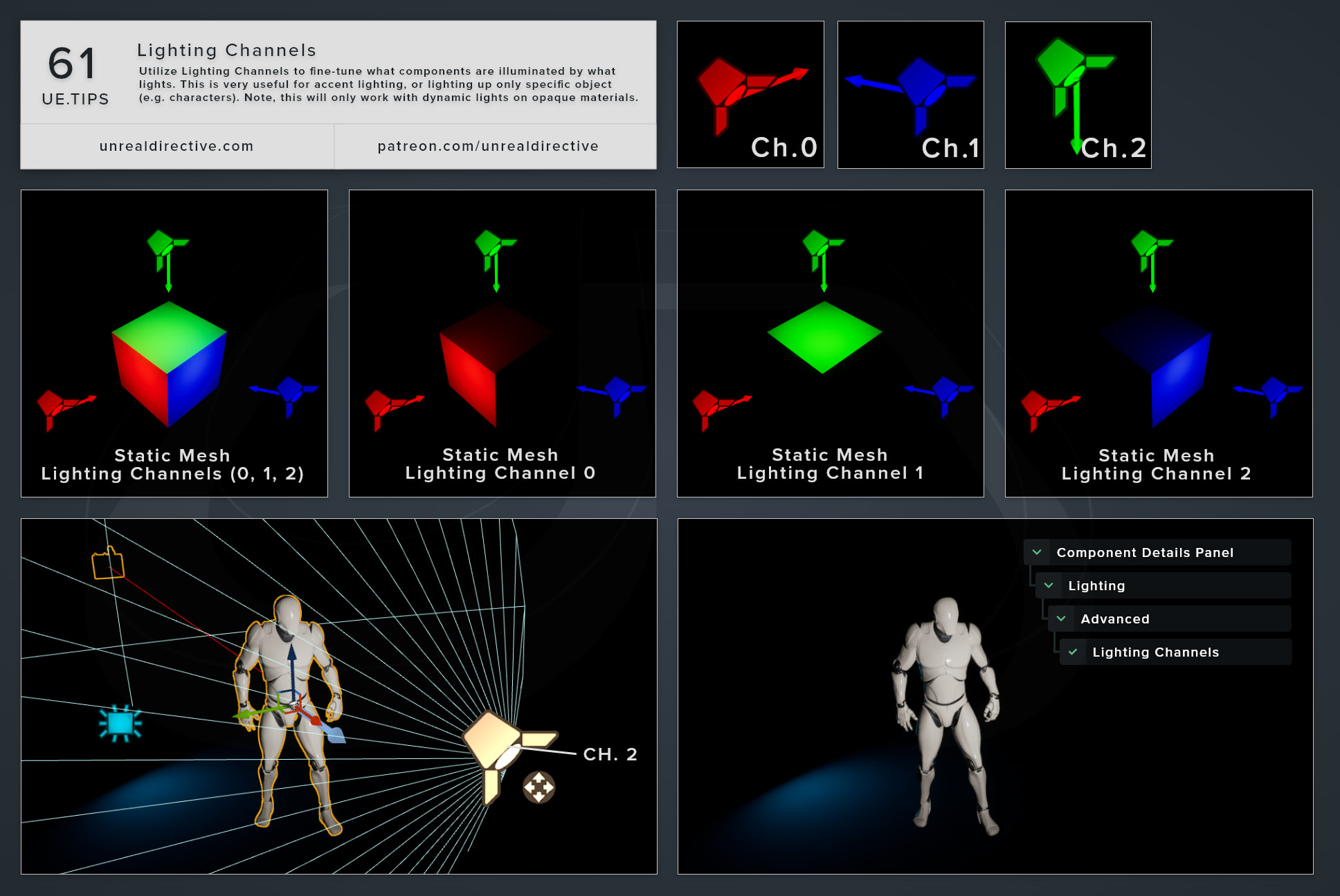
Utilize Lighting Channels to fine-tune what components are illuminated by what lights. This is very useful for accent lighting or lighting up only specific objects (e.g. characters). Note, this will only work with dynamic lights on opaque materials.
Unreal Directive is free and ad-free.
If it saved you time, you can help keep it that way.
06/More Tips
Regulate Emissive ExposureUtilize the EyeAdaptation node to keep emissive materials consistency across difference exposure levels.
Materials
Lighting
+1
Lumen Hit Lighting ReflectionsIn Project Settings → Rendering, enable Support Hardware Ray Tracing, then enable Use Hardware Ray Tracing when available under Lumen and set the Ray...
Lighting
Atmospheric Sun Rotation ShortcutThe rotation of the Atmospheric Sun Light can be easily modified by holding CTRL + L and moving around the mouse.
Viewport
Lighting
+1
The Preview MeshHold the BACKSLASH shortcut to display the Preview Mesh under the mouse's current location within the Editor viewport.
Viewport
Shortcuts
+2
Toggle Light Radius IndicatorYou can toggle the light radius indicator on or off by holding down ALT and pressing R.
Lighting
Viewport
+1
Spawn Point Light ShortcutQuickly spawn a point light at the current mouse world location by holding L and then left-clicking.
Lighting
Viewport
+1