

Show All Redirectors
Find every redirector in your project with the Show Redirectors filter, then clean them up.
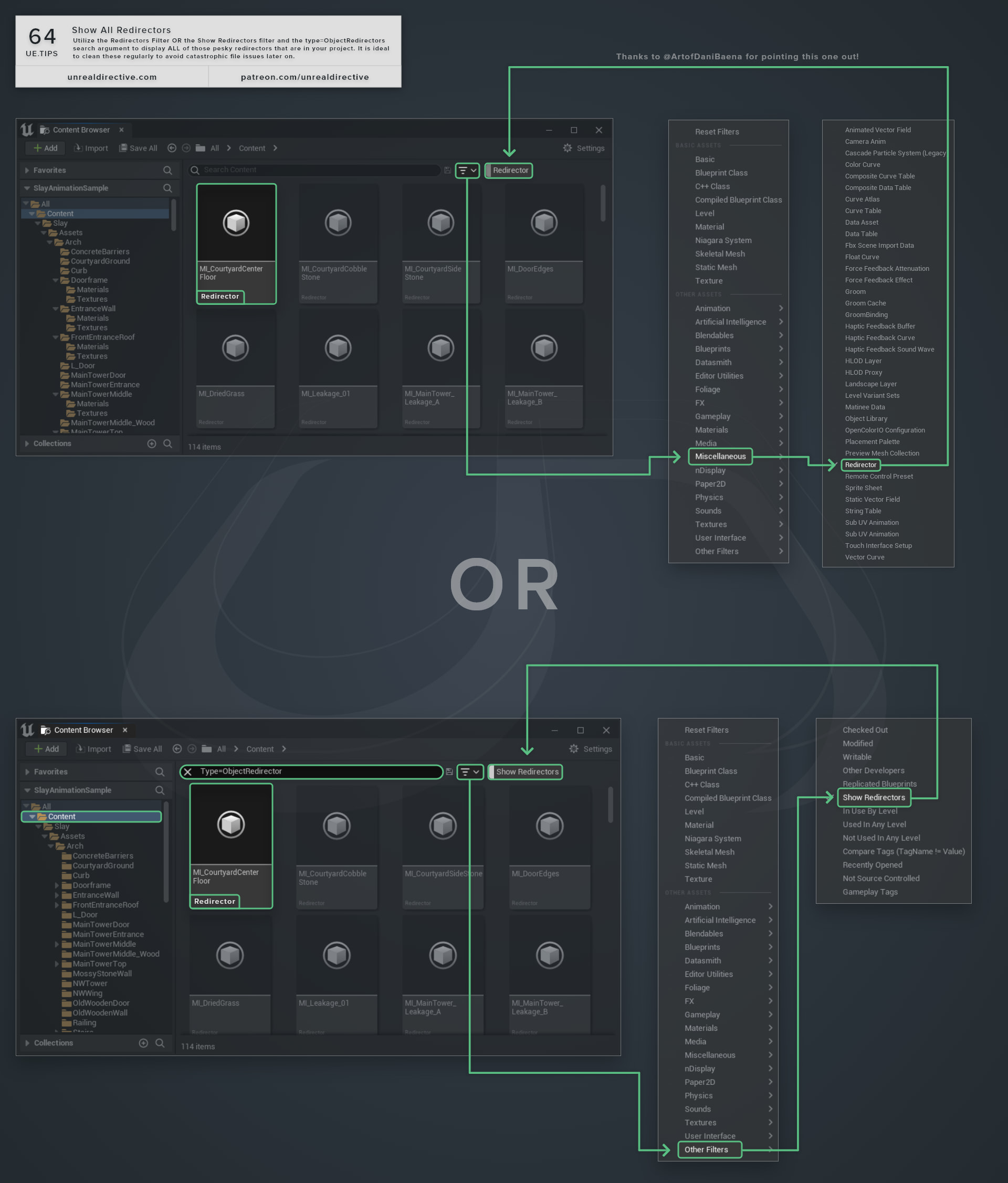
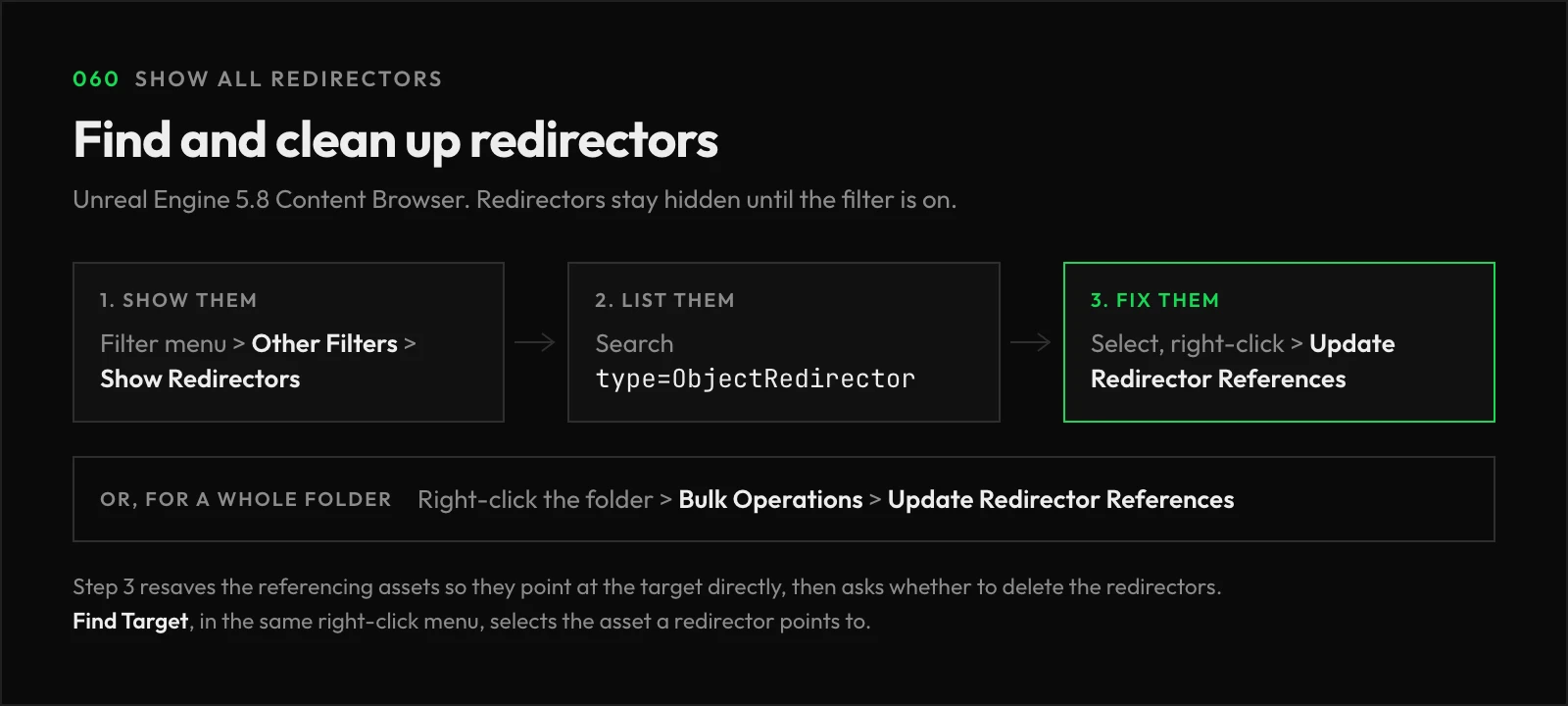
Enable the Show Redirectors filter, found under the Other Filters category of the Content Browser’s filter menu, then search type=ObjectRedirector to display all of those pesky redirectors in your project. Redirectors stay hidden while the filter is off.
Moving or renaming an asset leaves a redirector at its old location, so assets that still reference the old path can find the new one. They pile up fast, and it’s ideal to clean them regularly to avoid catastrophic file issues later on.
How do I clean them up?
There are a few ways to go about it:
| Method | Where | What It Does |
|---|---|---|
| Update Redirector References | Right-click one or more redirectors | Resaves the assets that reference them so they point at the target directly, then asks whether to delete the redirectors. |
| Update Redirector References | Right-click a folder, under Bulk Operations | Updates references for every redirector in the selected folders. |
ResavePackages -FixupRedirects | Commandlet | Fixes redirectors across the whole project from the command line. |
If you want to know where a redirector leads, Find Target, also in its right-click menu, selects the asset it points to.
Frequently asked questions
Why weren’t all of my redirectors fixed?
With source control, the referencing assets need to be checked out to be resaved, so redirectors or referencers that are checked out by someone else, or not at the head revision, won’t be fully fixed up. The same goes for references from code or from maps that aren’t loaded.
Why can’t I create an asset with an old name?
A redirector blocks its old name, so creating a new asset with that name fails until you clean the redirector up.
Why does deleting a renamed asset say it’s in use?
A redirector still points to it. Clean up the redirector first, then delete the asset.
Where’s the Fixup option?
Epic’s Asset Redirectors page still calls this action Fixup. In the editor, it’s Update Redirector References.
Links
Check out the following resources to learn more about the subject.
Unreal Directive is free and ad-free.
If it saved you time, you can help keep it that way.