

The Depth Fade Node
Soften the edges where translucent surfaces meet opaque geometry with the Depth Fade material node.
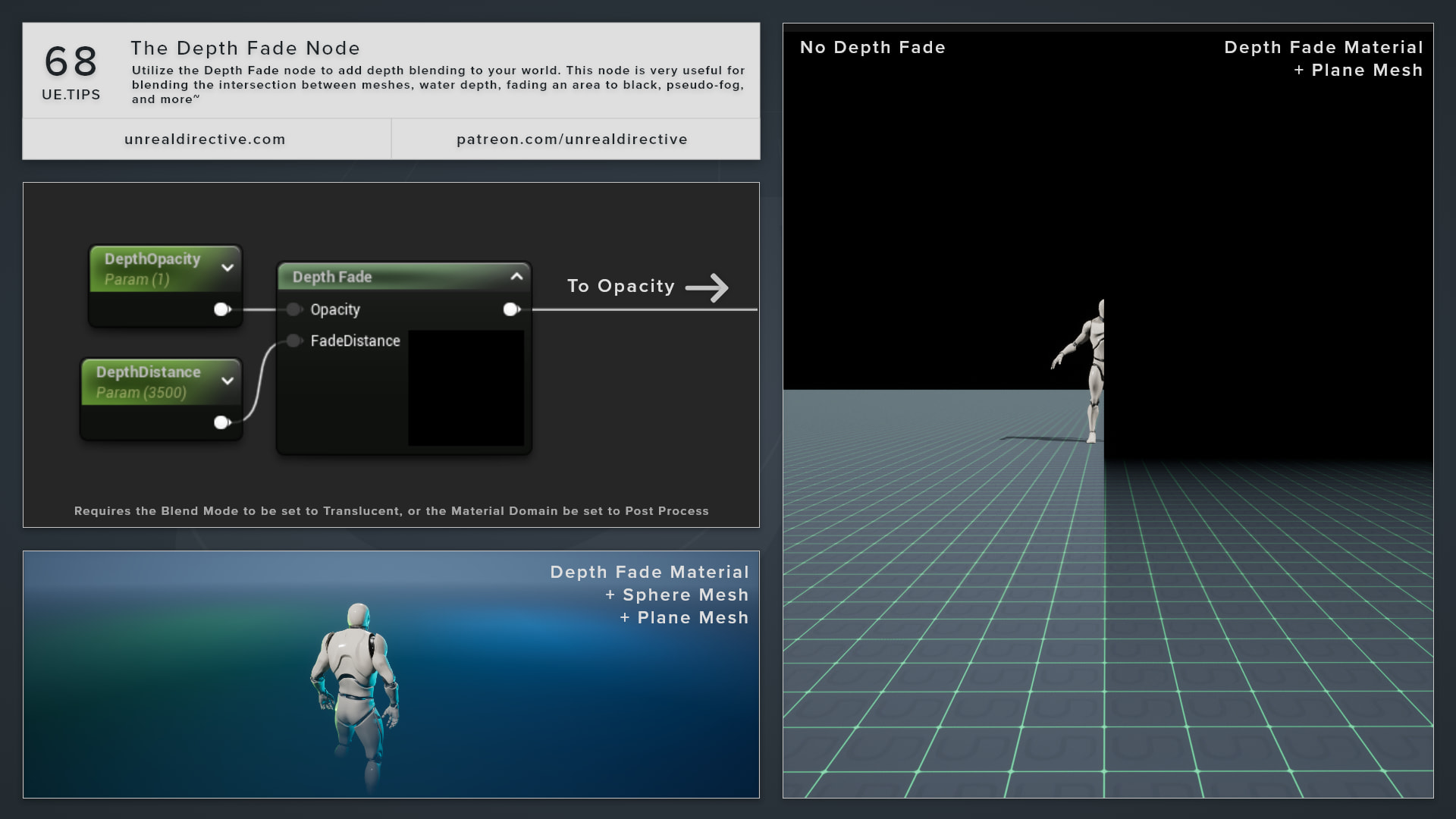
Use the Depth Fade node to add depth blending to your world. It fades a translucent surface out as it gets close to the geometry behind it, which makes it very useful for blending the intersection between meshes, water depth, fading an area to black, pseudo-fog, and more.
How does it work?
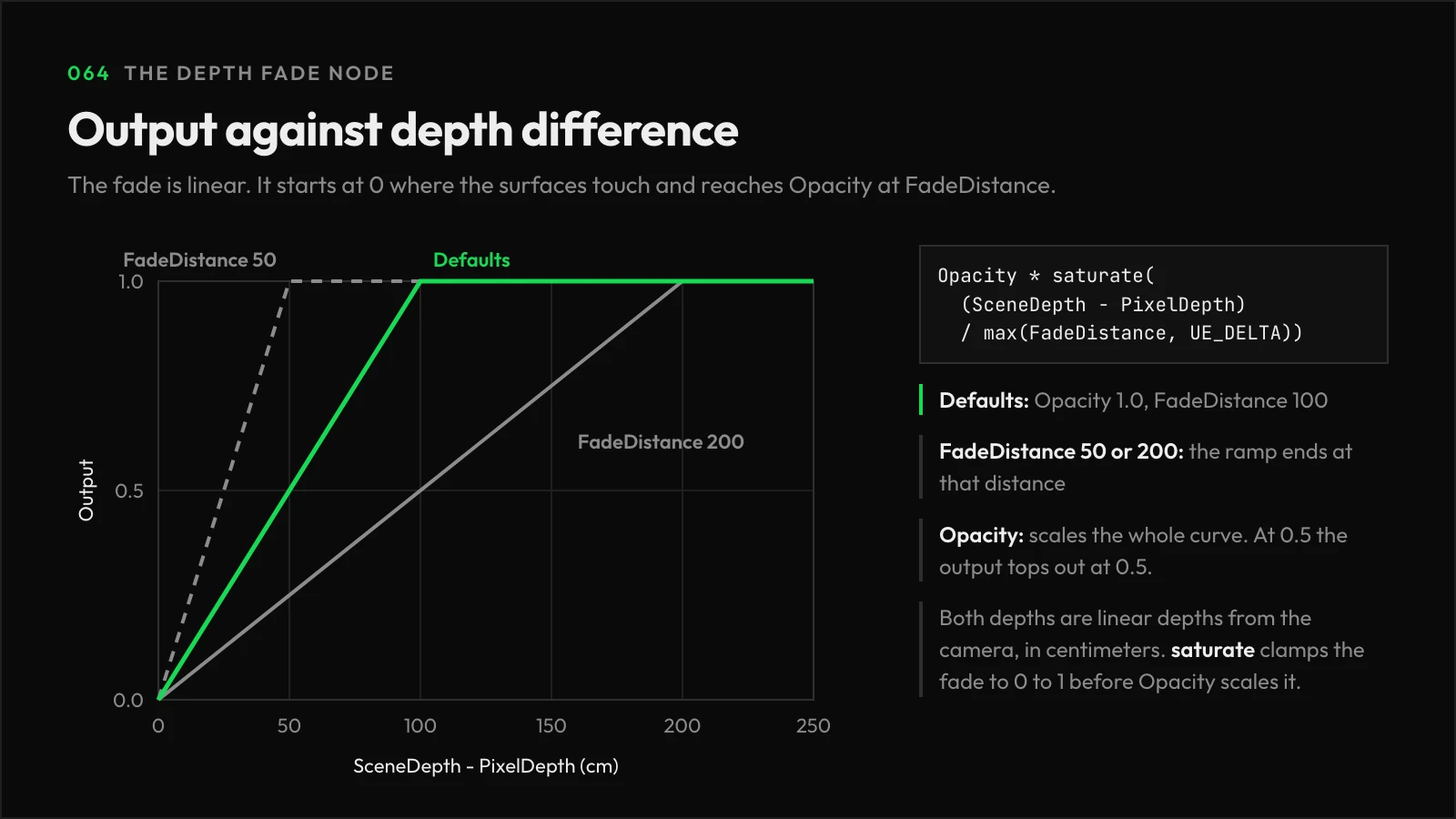
Depth Fade compares how far away the surface being drawn is with how far away the scene behind it is. The output is 0 where the two touch and ramps up to the input opacity over the fade distance.
Result = Opacity * saturate((SceneDepth - PixelDepth) / FadeDistance)
Plug the result into the material’s Opacity input.
| Input | Default | Description |
|---|---|---|
Opacity | 1.0 | The opacity to scale by the fade. The OpacityDefault property is used when the pin is unconnected. |
FadeDistance | 100 | The world space distance, in centimeters, over which the fade happens. The FadeDistanceDefault property is used when the pin is unconnected. |
Frequently asked questions
Why won’t my material compile?
Depth Fade reads scene depth, so it only works in translucent and post process materials. Opaque and masked materials fail to compile with Only transparent or postprocess materials can read from scene depth.
Can I use it with Output Depth and Velocity?
No. A translucent material with Output Depth and Velocity enabled writes to the depth buffer, so you’ll have to pick one or the other.
Does it behave differently on mobile?
Slightly. On mobile feature levels, scene depth tops out at 65500, so the node clamps the surface’s depth to avoid distant objects fading out when they shouldn’t.
Links
Check out the following resources to learn more about the subject.
Unreal Directive is free and ad-free.
If it saved you time, you can help keep it that way.