

The Math Expression Node
Type a formula into a Blueprint Math Expression node and let the editor build the node graph for you.
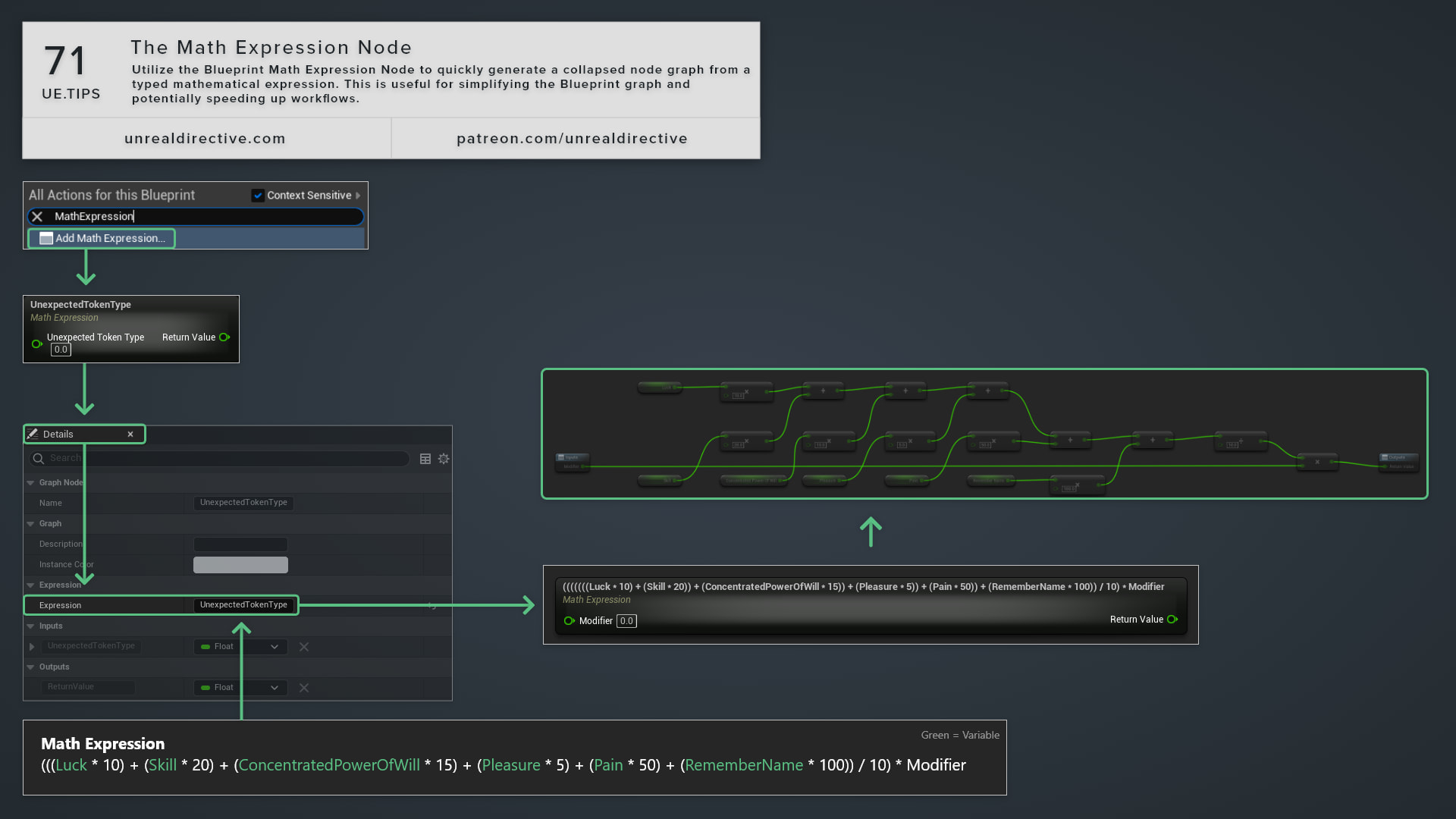
Use the Blueprint Math Expression node to quickly generate a collapsed node graph from a typed mathematical expression. This is useful for simplifying the Blueprint graph and speeding up your workflow, since typing (a + b) * 0.5 is a lot faster than placing and wiring the nodes yourself.
How do I create the node?
Right-click in a Blueprint graph and pick Add Math Expression…, then type the expression. The node title shows the expression, and the generated nodes live in a collapsed sub-graph inside it.
To change the expression later, right-click the node and pick Rename, or edit the Expression property in the Details panel. The sub-graph regenerates from the new text.
What can I type into it?
Each name in the expression turns into something different, depending on what it matches:
| Written As | Becomes |
|---|---|
| The name of a Blueprint variable | A Get node for that variable. |
A name followed by ( | A call to a pure function with that name. |
Any other name, for example speed | A new float input pin on the Math Expression node. |
A number, for example 0.5 | A literal value typed into the generated node’s input. |
Any Blueprint Pure function with a return value in a function library works. Several have short aliases, for example pow or power, clamp, asin or arcsin, d2r, and r2d. The keywords vector or vec, rotator or rot, and transform create Make Vector, Make Rotator, and Make Transform nodes.
Which operators are supported?
| Type | Operators |
|---|---|
| Multiplicative | * / % |
| Additive | + - |
| Relational | < > <= >= |
| Equality | == != |
| Logical | || && ^ |
The conditional ?: operator, bitwise operators, and unary prefix operators are left out, and using one fails compilation with a descriptive error.
Frequently asked questions
Do the types need to match?
Yes. For example, boolVar + 1.5 is invalid, since it adds a boolean to a float.
Are there any rules for input names?
Input names need to start with a letter rather than a number, and they need to be different from any hidden Blueprint variable.
Links
Check out the following resources to learn more about the subject.
Unreal Directive is free and ad-free.
If it saved you time, you can help keep it that way.