

Shadow Pass Switch
Use the Shadow Pass Switch material node to give a material a different result when it renders into shadows.
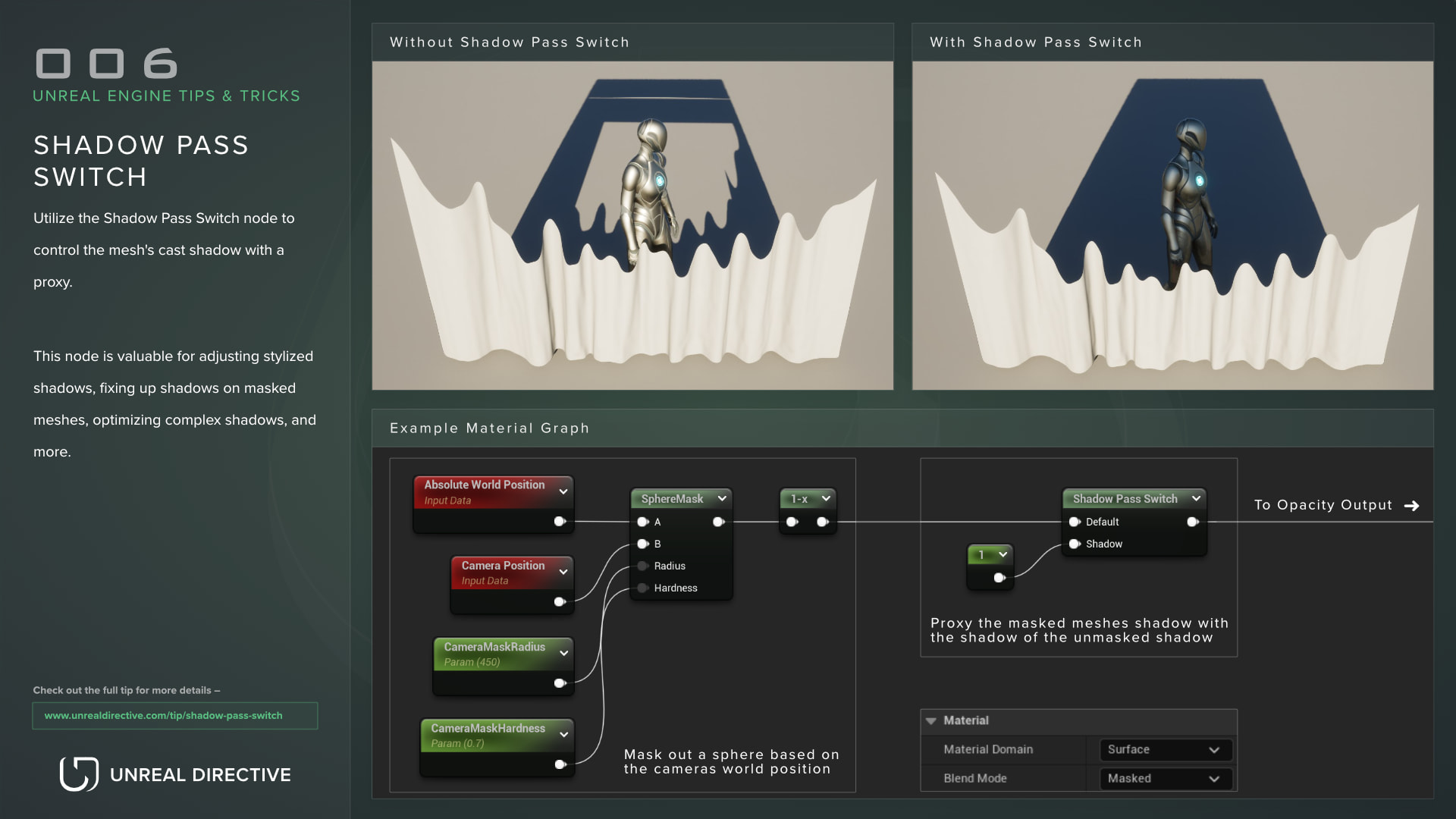
Use the Shadow Pass Switch material node to substitute the material’s cast shadow with a proxy. It feeds the material one value for normal rendering and a different value when the material renders into shadows.
This node is valuable for adjusting stylized shadows, fixing up shadows on masked meshes, optimizing complex shadows, and more.
How does the Shadow Pass Switch work?
The Shadow Pass Switch node picks between two inputs depending on whether the current pass is rendering shadows. This allows you to modify how the shadow behaves for the meshes the material is applied to, so a mesh can cast a shadow that differs from what the camera sees.
| Pin | Description |
|---|---|
| Default | Used in every pass that isn’t rendering shadows. |
| Shadow | Used when rendering shadows. |
| Output | The selected value. Connect it to any material input or expression. |
Both inputs are required, and the material fails to compile with Missing input Default or Missing input Shadow if either is empty.
In practice, the inputs that make a visible difference are the ones that change the shadow’s shape: Opacity Mask on masked materials, World Position Offset, and Pixel Depth Offset.
Example use cases
Here are a few example use cases that should prove helpful:
Fix masked occlusion shadows
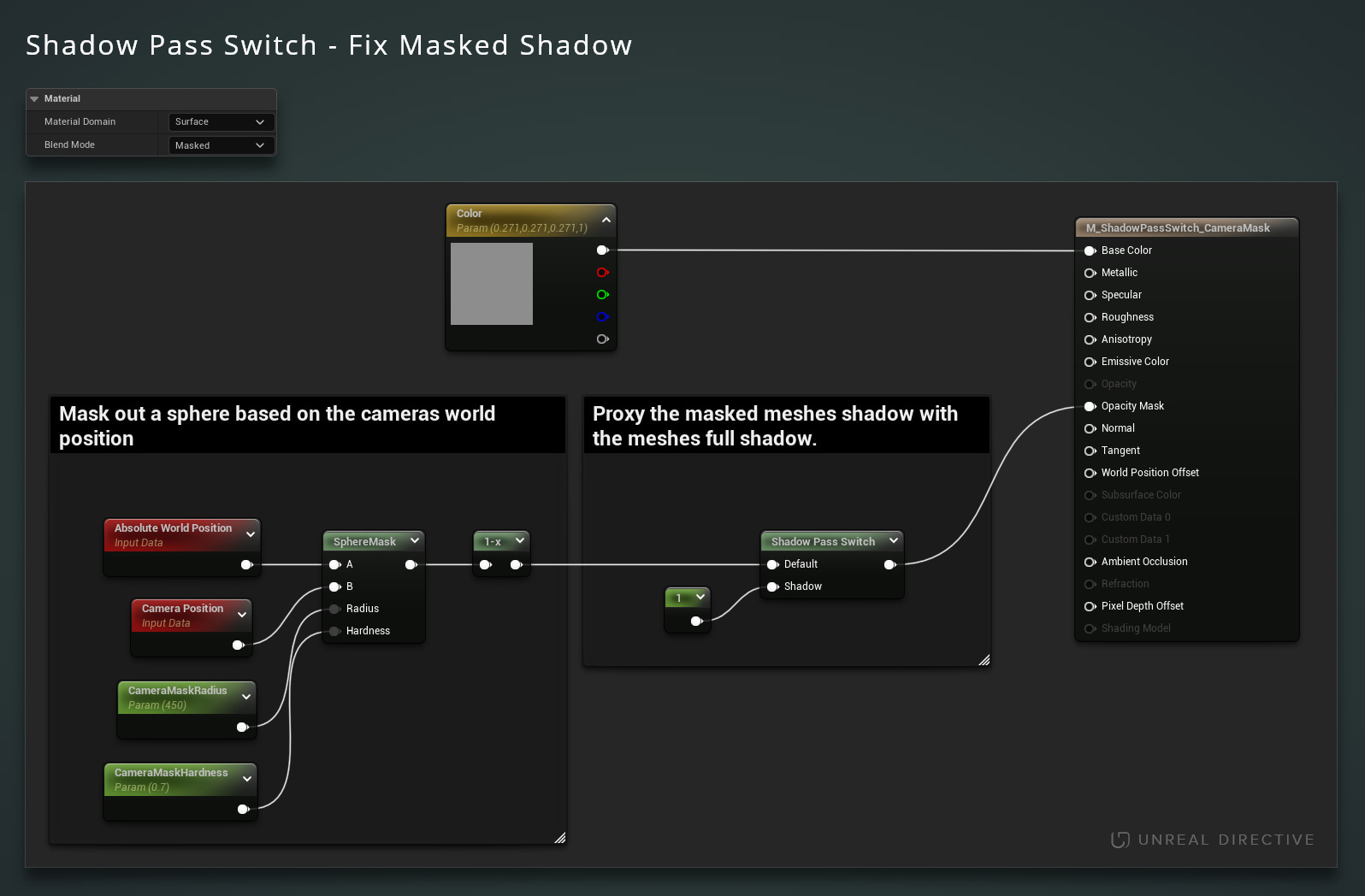
The Shadow Pass Switch node can be used to keep a mesh’s shadow when you mask the mesh away. A very common use case is making sure that trees, walls, ceilings, and so on continue to cast their full shadow while being masked away to reveal players.
Completely change the resulting shadow
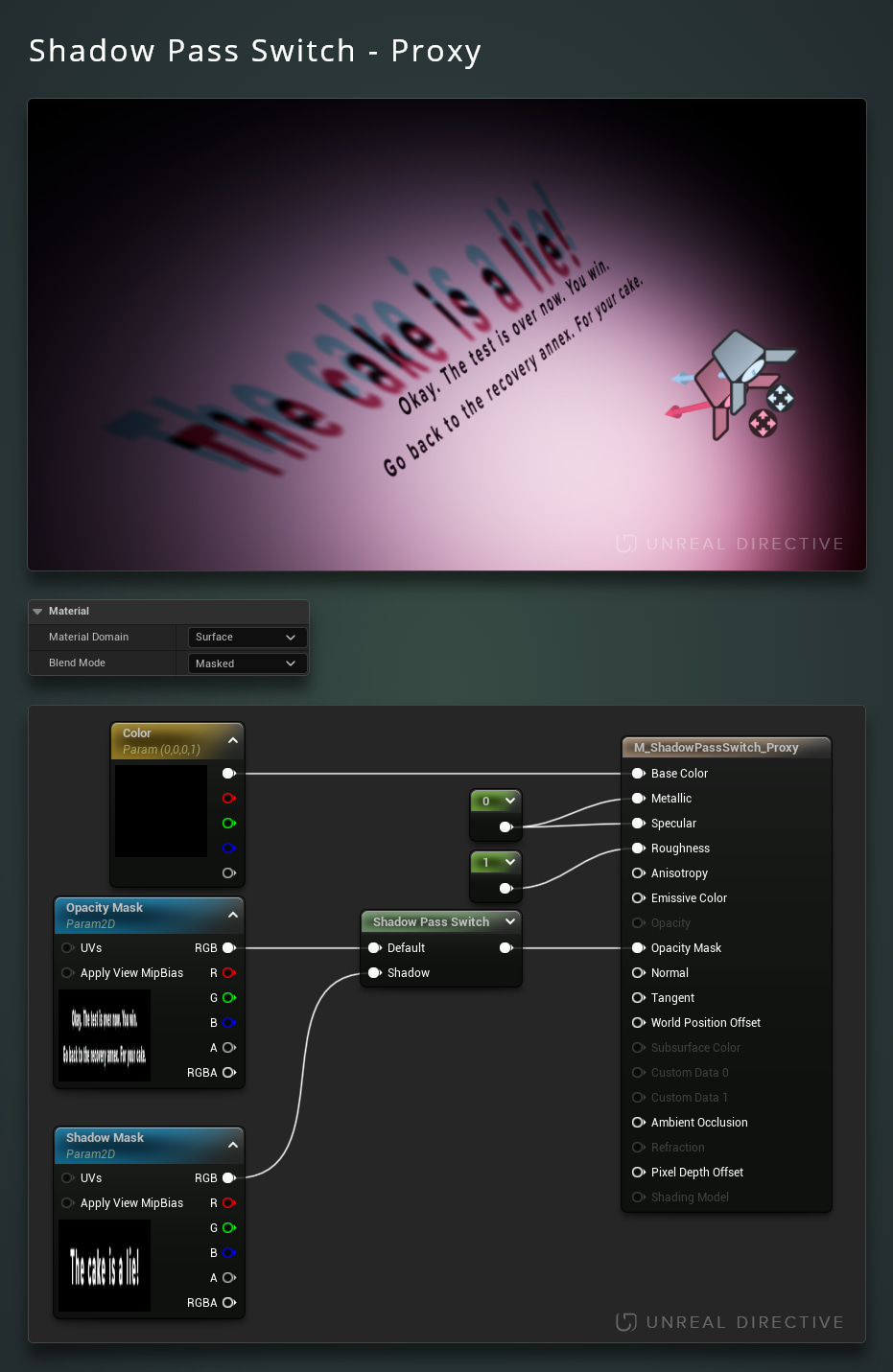
Feed a different mask into the Shadow pin to completely change the resulting shadow. This is quite useful for puzzle mechanics, stylization, and similar effects.
World position offset
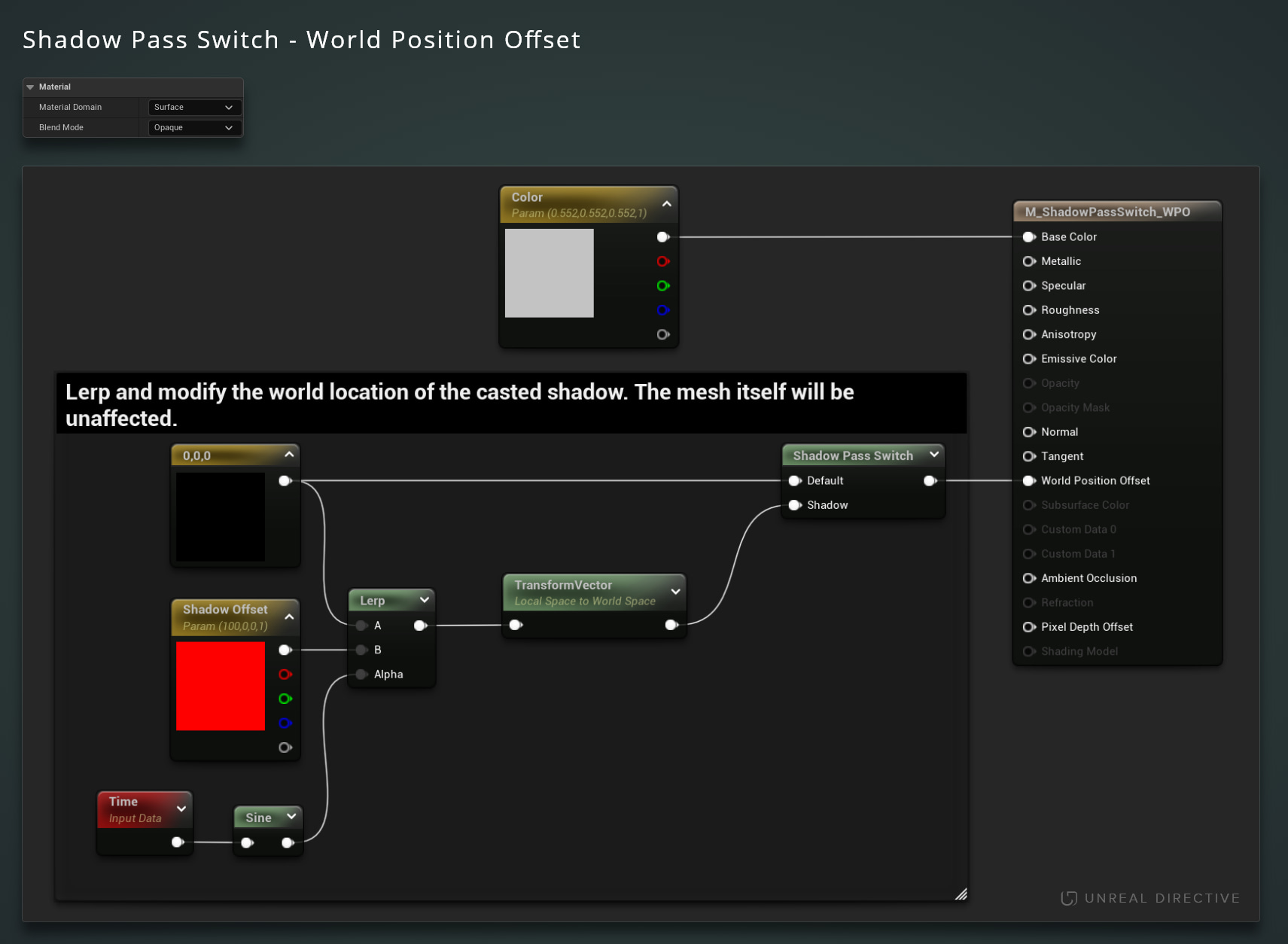
Route World Position Offset through the Shadow Pass Switch to adjust the location and shape of the shadow on its own.
Optimize shadows
Substitute the shadow of a complex mesh with a simpler one, easing the cost of rendering it into shadow maps.
Frequently asked questions
Which shadows use the Shadow input?
In Unreal Engine 5.8, the Shadow input is used by shadow depth passes, including Virtual Shadow Maps and the Nanite rasterizer, by ray traced shadow rays, and by shadow rays in the Path Tracer. Volumetric clouds also use it when they trace their cloud shadows.
Can I give each light a different shadow?
No. The node only knows whether the current pass renders shadows, so every light gets the same Shadow input.
Links
Check out the following resources to learn more about the subject.
Unreal Directive is free and ad-free.
If it saved you time, you can help keep it that way.